B-11
Connecting to the Welding Source
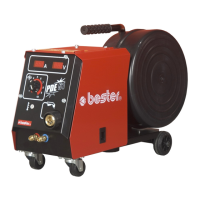
To connect the wire feeder PDE 50 to the welding source you should use the
combined cable (see chapter “Accessories”) and do the following:
Connect the welding cable to the welding socket of the wire feeder.
Connect the control cable to the control socket of the wire feeder.
Connect the welding cable to the power source (socket marked by
).
Connect the control cable to the power source (socket marked by
).
To connect the wire feeder PDE 51 to the welding source you should use the
combined cable (see chapter “Accessories”) and do the following:
Connect the welding cable to the welding socket of the wire feeder.
Connect the control cable to the control socket of the wire feeder.
Connect the welding cable to the power source (socket marked by
).
Connect the control cable to the power source (socket marked by
).
Connect hoses of the water cooling system to the welding source and wire
feeder according to colour marks (the red hose to the connectors with red
bordering, the blue hose to the connectors with blue bordering).
Wire diagram of the wire feeder and the welding source is shown in the chapter
“Wiring Diagram”.
Welding Gun Connection
Connect the welding gun equipped with the proper wire guide tube and the contact
tip with proper diameter to the Euro socket.
When you use water cooled welding gun, connect water hoses of the welding gun to
the wire feeder according to colour marks (the red hose to the connectors with red
bordering, the blue hose to the connectors with blue bordering).
Warning (it concerns PDE 51 wire feeder and Magster 450W power source):
When you use gas cooled welding gun, you should connect the hose, which
closes the circuit of the water cooling system (see Magster 450W equipment).
Otherwise it may damage cooling system pump.


 To Next Page