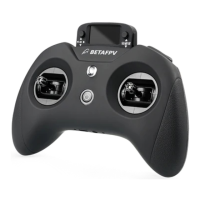
● Setting Mode:
1. Enter the mode.
2. Switching the setting page.
3. Exit setting mode.
04
01
02
03
04
05
06
07
crossfire
DSM FwdPrg
FrSky GaSuite
FrSky RB30_RB40
FrSky SBEC
FrSky SxR
Graupner HoTT
TOOLS
1/7
Push the right 5-D button to the left for 1 second
to enter the tool setting mode
Move the right 5-D button left/right to switch to
another setting page
[FIRMWARE]
[IMAGES]
[LOGS]
[MODELS]
[RADIO]
[SCRIPTS]
[SOUNDS]
SD CARD 2/7
Date
Time
Batt. range
Sound
Mode
2000-01-01
00:13:50
3.4-4.2
NoKey
Volume
Beep volume
RADIO SETUP
3/7
Sho press the left side 5-D button to exit the
setting mode and return to the default inteace
Push the right 5-D button to the right for 1 second
to enter the setting mode
02
03
04
05
06
07
MODELSEL 1/11
01* MODEL01


 To Next Page
 Loading...