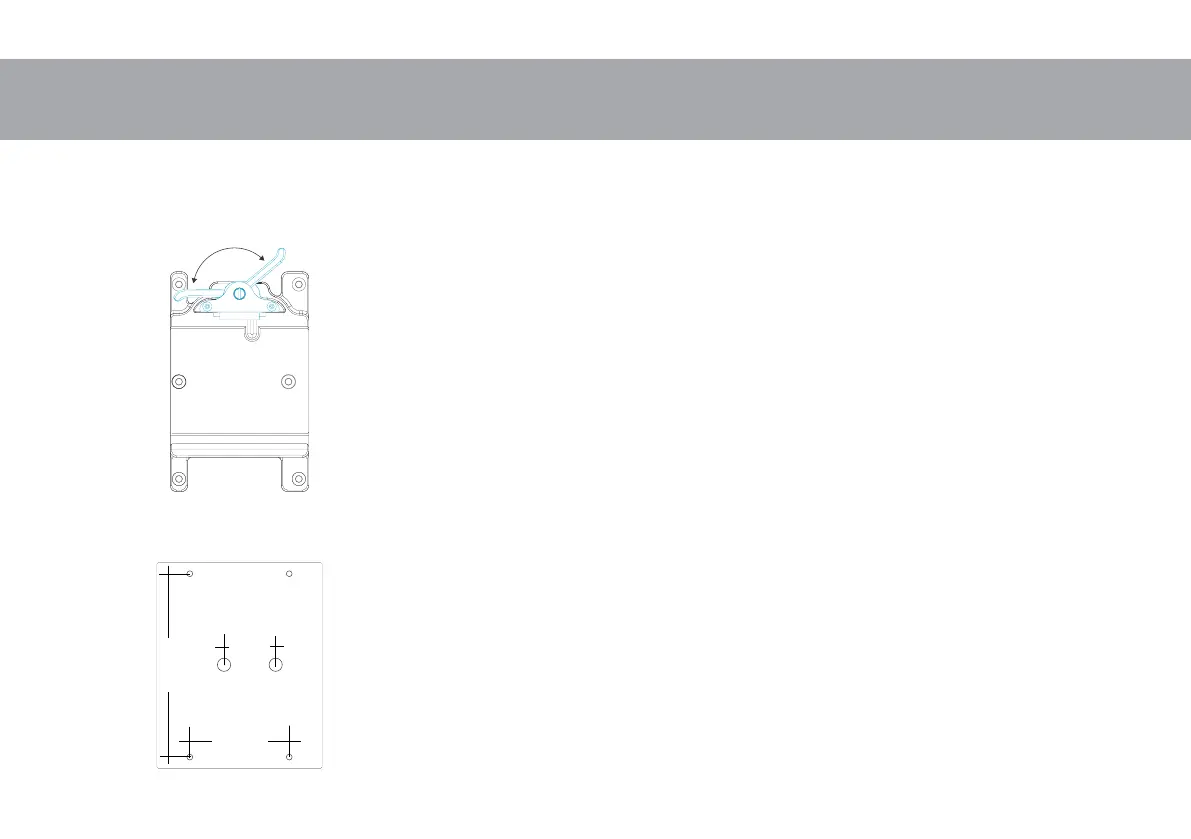
A
Camera and Wave mounting
Rear
Front
40mm
1,57”
77mm
3”
142mm
5,59”
Attach camera with mounted dovetail plate and make sure that all parts
and the camera itself is fixed perfect and nothing can vibrate.
Make sure that the clamp lever on the stage faces to the rear (A) so that
the clamping is open. After the camera snaps in, the clamp lever snaps to
the front. The camera is now protected against sliding out.
Never close or operate the closer mechanism by force.
By pulling the clamp lever towards stage rear, approximate fore/aft balance
can now be achieved by sliding of the camera in the stage.
The clamping lever should lock the camera even before being pressed
to the final stop!
In case the camera can still be moved even though the lever is pressed
until stop cause of different tolerances of the dovetailplates a spacer of
approx. 0,1 mm (0.004”) has to be put under the compensation track un-
der the cover plate. (see maintenance)
To remove the camera, the dovetail clamp must be opened by pulling the
clamp lever fully to stage rear.
Mounting the Wave onto a device:
Bottom side you will find two 3/8” threads and also four M5 threads.
Mounting Template



 To Next Page