19
To keep your digital blood pressure monitor in the best con-
dition and protect the unit from damage follow the direc-
tions listed below:
•
Clean your device and cuff carefully only with a slightly
moistened soft cloth and dry it immediately with a soft
dry cloth. Do not press.
•
When storing the device, make sure that no heavy objects
are placed on top of it.
•
Do not fold the cuff and tubing tightly. The cuff tube
should not have any sharp kinks and keep it away from
sharp edges.
•
If the unit is stored near freezing, allow it to acclimate to
room temperature before use.
•
Always store the unit in the pouch after use.
•
This unit may not meet its performance specifications if
stored or used outside of the temperature and humidity
ranges (see
section “10. Technical Specifications”).
•
Use the unit consistent with the instruction provided in
this manual.
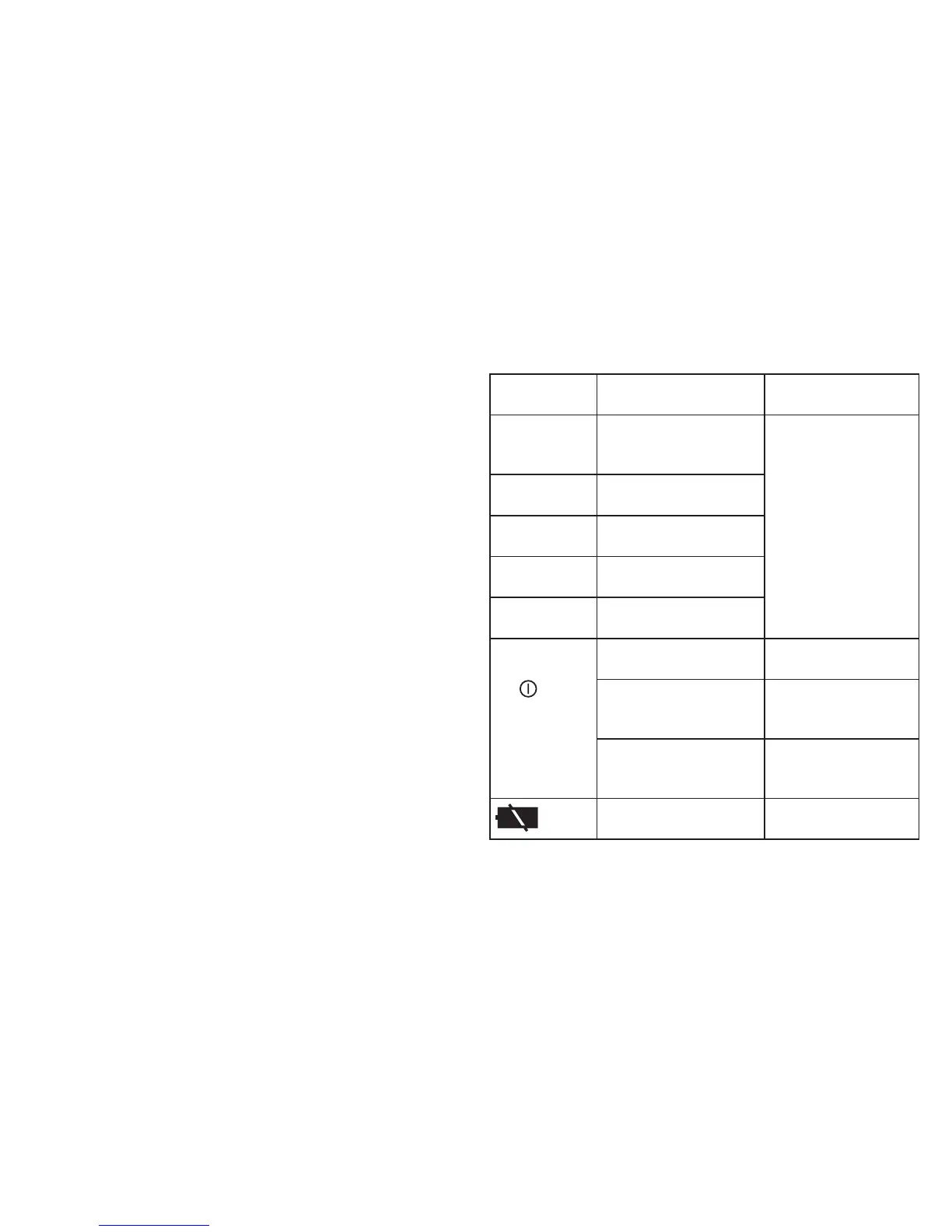
8. Error messages / troubleshooting
Error Display/
Symptoms
Possible Causes Correction
Er1 or Er2 The blood-pressure
values are unusually
high or low.
Repeat the measure-
ment. Make sure that
the cuff is positioned
correctly, the cuff
tube is properly
inserted and that you
do not move or talk.
Re-insert the batteries
if necessary, or else
replace them.
Er3 or Er4 The cuff is too tight or
too loose.
Er5 The inflation pressure is
higher than 295 mmHg.
Er6 Inflation takes longer
than 3 minutes.
Er0, Er7, Er8
or ErA
There is a system or
device error.
Unit does not
turn on when
the
button
is pushed.
Batteries have run
down.
Replace the batteries.
Battery polarities have
been positioned incor-
rectly.
Re-insert the bat-
teries in the correct
position.
The unit is defective. Contact customer
Service. See warranty
section.
The batteries are almost
empty.
Replace the batteries.
Note: If the unit still does not work, contact customer ser-
vice.
Please see warranty for service contact.


 To Next Page