5
2
. Slide the Function Switch to the “On” position; battery level indicator
will show for 3 seconds and then LCD display will shut off. Press the
“unit/tare” Button repeatedly until the desired unit of measurement
(lb, kg, oz, or g) is displayed. When “0.00” displays, the device is
ready for use.
3
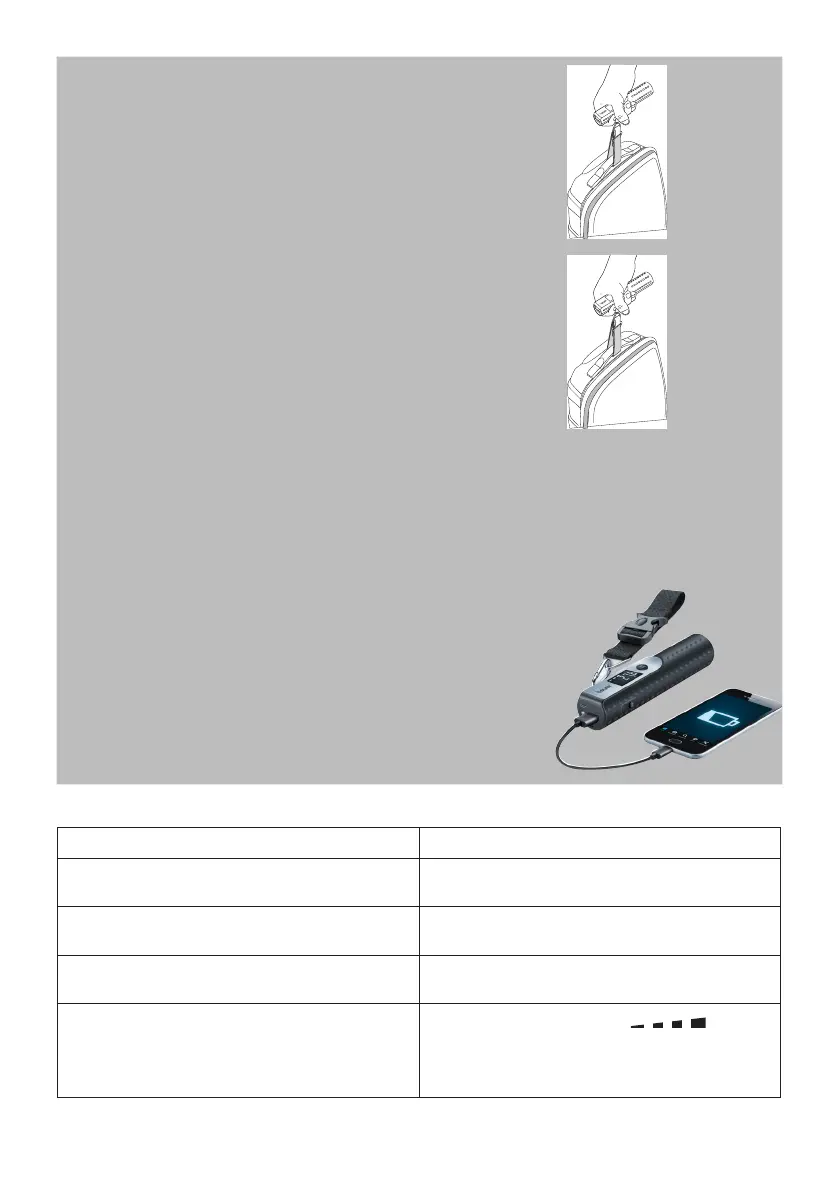
. Hold the LS 50 horizontally and lift upwards with your luggage sus-
pended. When the weight is stable, it will appear on the LCD Display
along with the “HOLD” indicator.
4
. To use the “Tare” function, which enables you to “zero out” the current load and perform an additional
measurement, press the “unit/tare” button when “Hold” appears in the LCD Display. The display will
return to zero and you can add and weigh items without removing the original load(s). You can repeat
this process as much as needed but with a max. weight of 110 lb (50 kg/1763.7 oz) in total.
5
. To use the flashlight, slide the Function Switch to the leftmost position 1; the LED on the end of the
device will illuminate.
Using the LS 50 as a Power Bank
1
. Attach your charging cable to the USB port on the LS 50 and to the
device to be charged.
2
. Slide the Function Switch to the “On” position 3; the battery level
indicator will display for about 30 seconds.
When in charging, do not slide the Function Switch to the “Off” (mid-
dle) position. Otherwise, the scale cannot be charged.
5. Troubleshooting Guide
Problem / error message Solution
“ERR” is shown on the LCD Display
Weight capacity exceeded (110 lb/ 50 kg/ 1763.7
oz/ 50.000 g).
“LO” is shown on the display and the battery sym-
bol is flashing
Battery level is too low; recharge the battery.
“uNsT” is shown on the display Turn off the scale. Turn on the scale and wait until
“0.00” appears on the LCD display.
After charging, the LCD Display illuminates and you
cannot weigh any luggage
When the LCD Display shows , wait five
seconds until the display switches off, and then
press the "unit/tare" button; "0.00" appears on the
LCD Display. You can now weight luggage again.
6. Specifications
Weight Capacity up to 110 lb/ 50 kg/ 1763.7 oz/ 50.000g



 To Next Page