Amiron wireless – Headphones
18
Connection of the audio cable
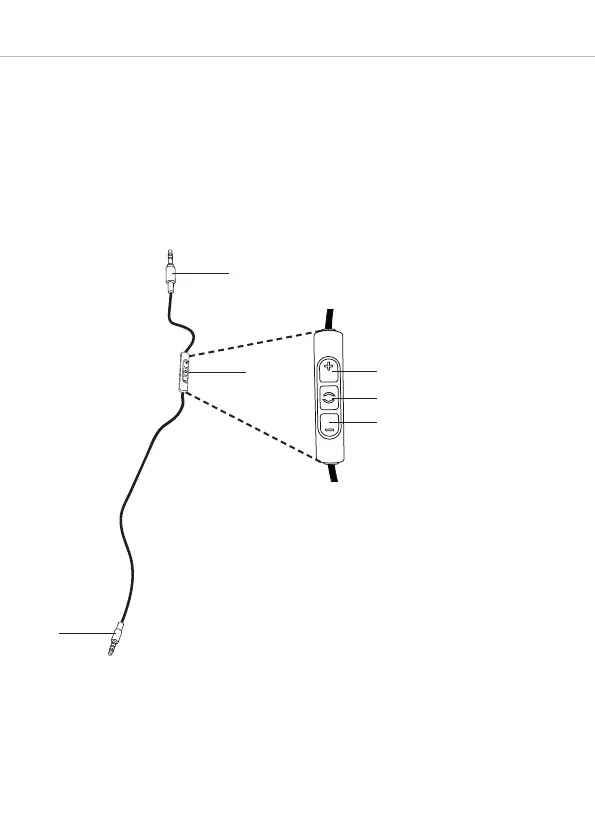
Included in the package contents is an audio cable with a remote control and with a
3.5 mm jack plug on either end. Connect one end of the audio cable 1 to the jack socket
of the headphone housing if you want to use the headphones without Bluetooth
connection. Ensure that the Amiron wireless is switched off. In this case the headphones
are functioning passively so that no electricity is drawn from the battery.
Cont
r
ol
s
of
cabl
e r
em
ot
e cont
r
ol
1
2
6
4
5
1 Jack connector 3.5 mm to connect
to ear cup
2 Remote control
3 Jack connector 3.5 mm audio
device
4 Button to increase volume
5 Button to control calls and media
playback
6 Button to reduce volume
3












 To Next Page