english
Amiron wireless – Headphones
19
Operating instructions
The enclosed cable includes a microphone and a remote control with three buttons. You
can use this remote control to control calls, media playback and volume adjustment on
compatible smartphones and tablets.
This requires that the playback device is provided with a built-in headphone jack, and the
pin assignment meets the CTIA standard. Only in this case are the functions described
below possible.
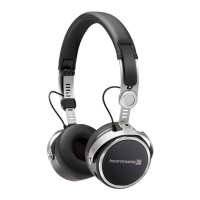
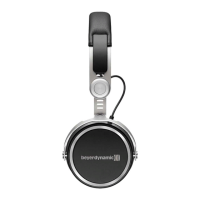
Connect the cable to the right ear cup of the headphone.
Media playback
• Start / pause media control:
Briefly press the centre button 5.
Note:
Depending on the playback device and version of the operating system and/or firmware,
there may be further media playback functions which can be controlled by the centre
button. For more details, please contact the smartphone or tablet manufacturer.
Control volume
• Increase volume:
Briefly press the + button 4, to increase the volume by one step.
• Reduce volume:
Briefly press the - button 6, to decrease the volume by one step.
Note:
Please note that not every smartphone or tablet features this function. On smartphones
and tablets with an Android system, it is necessary that the playback device supports
the so-called Wired Audio Headset Specification (https://source.android.com/devices/
accessories/headset/specification.html). Please contact the smartphone or tablet
manufacturer, if necessary.
Call personal assistant
• To call the personal assistant on your smartphone or tablet such as Siri, Google
Assistant etc.:
Press the centre button 5 for approx. two seconds.
Call control
• Accept / end a call:
Briefly press the centre button 5.












 To Next Page