6MMX 150
EN
FUNCTIONS AVAILABLE
WHEN CONNECTED VIA USB
MUTE AND UNMUTE THE MICROPHONE
u
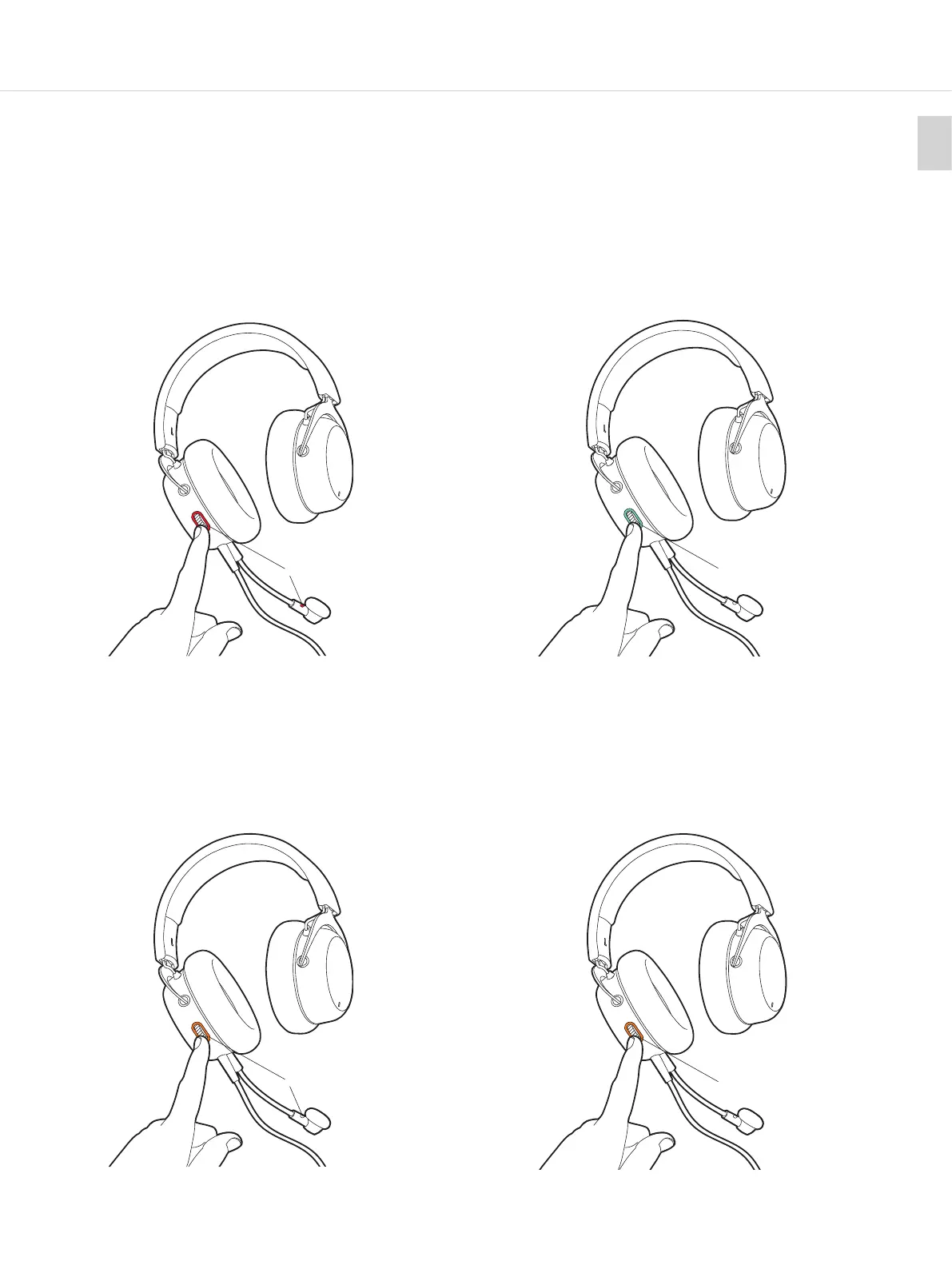
Press the control wheel briefly to mute the
microphone.
u
A high sound will indicate the mute atus and
a red light at the end of the microphone, as
well as around the control wheel, will illuminate.
Press control
wheel briefly
to mute
Microphone muted
Press control
wheel briefly
again to
un-mute
Microphone un-muted
u Press the control wheel briefly again to un-mute
the microphone. A deep sound will indicate the
un-muted atus and the red light will go o
.
AUGMENTED MODE
u Using the Augmented Mode, your headphones
works as if they were open i.e. you can hear
your own voice more naturally and your
surroundings such as people talking to you or
the doorbell.
u Press and hold the control wheel (2 seconds).
The Augmented Mode is enabled when you
hear the voice prompt. The lightguide around
the control wheel will illuminate turquoise.
Press and
hold for
2 seconds
Augmented mode
activated
Press and
hold for
2 seconds
again
Augmented mode
deactivated
u To disable the Augmented Mode, press and
hold the control wheel again for 2 seconds.
The turquoise light will go o.


 To Next Page