Quinta Update Instructions 07/2018 4
2 Determine Your Update Procedure
Before you proceed please check the version numbers of your system. Dependent on the present ver-
sions, different procedures may be necessary. The table below indicates which steps are necessary for
this update.
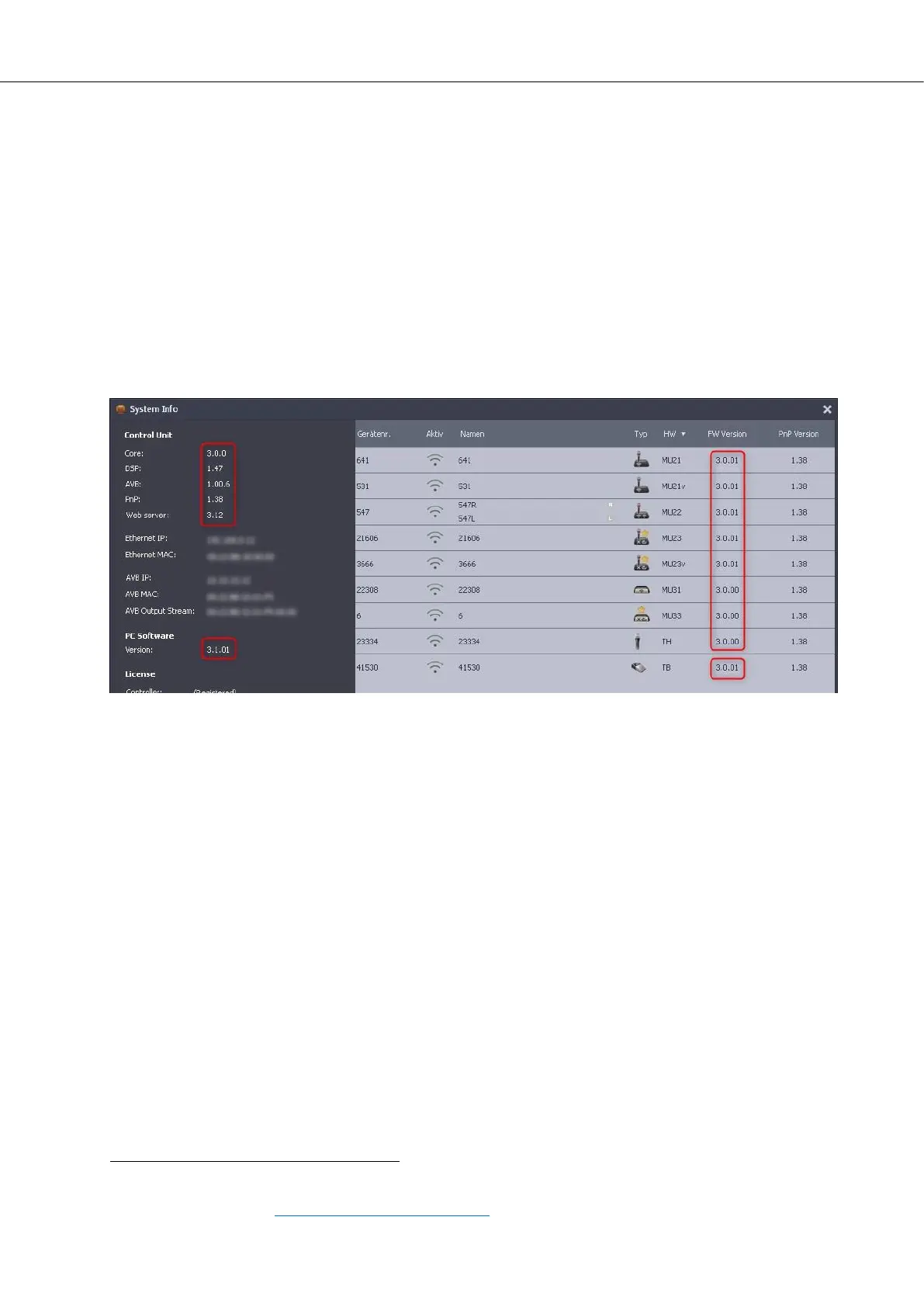
Click on the black menu button in the Quinta software (top left corner) and select “System Info” from the
menu.
The left half of the system info window shows all Quinta CU version numbers. The right half lists all regis-
tered microphone units and their versions.
If the microphone unit list is empty or incomplete, please register all microphone units in the participant
list. Please refer to the Quinta software manual chapter 5.6.1 „Participants List“ for more information
about this topic (folder: Quinta_System_Update_03-2017\1_PC-Software\Quinta System Man-
ual\Conference Software\).
The current firmware versions are:
Control Unit Microphone Units MU2x (Gooseneck)
Core: 3.0.0 FW Version: 3.0.01
DSP: 1.47 PnP Version: 1.36 or 1.38
AVB: 1.00.6 Microphone Units MU3x (Revoluto)
PnP: 1.36 or 1.38 FW Version: 3.0.00
Web Server: 3.12 PnP Version: 1.36 or 1.38
Microphone Units TH (Handheld)
FW Version: 3.0.00
PnP Version: 1.36 or 1.38
Microphone Units TB (Handheld)
FW Version: 3.0.01
PC Software 3.1.01 PnP Version: 1.36 or 1.38
Please follow the update instructions based on the versions of your Quinta sys-
tem according to the following guideline (in some cases older firmware versions
require special treatment). Skip all chapters which don’t correspond to your case.
Quinta PC-Software (your current version)
3.1.01 no update necessary
any other version chapter 3: Update PC Software













 To Next Page