bibliotheca.com, page 6
2.2 Install Hardware
2.2.1 Unpackaging
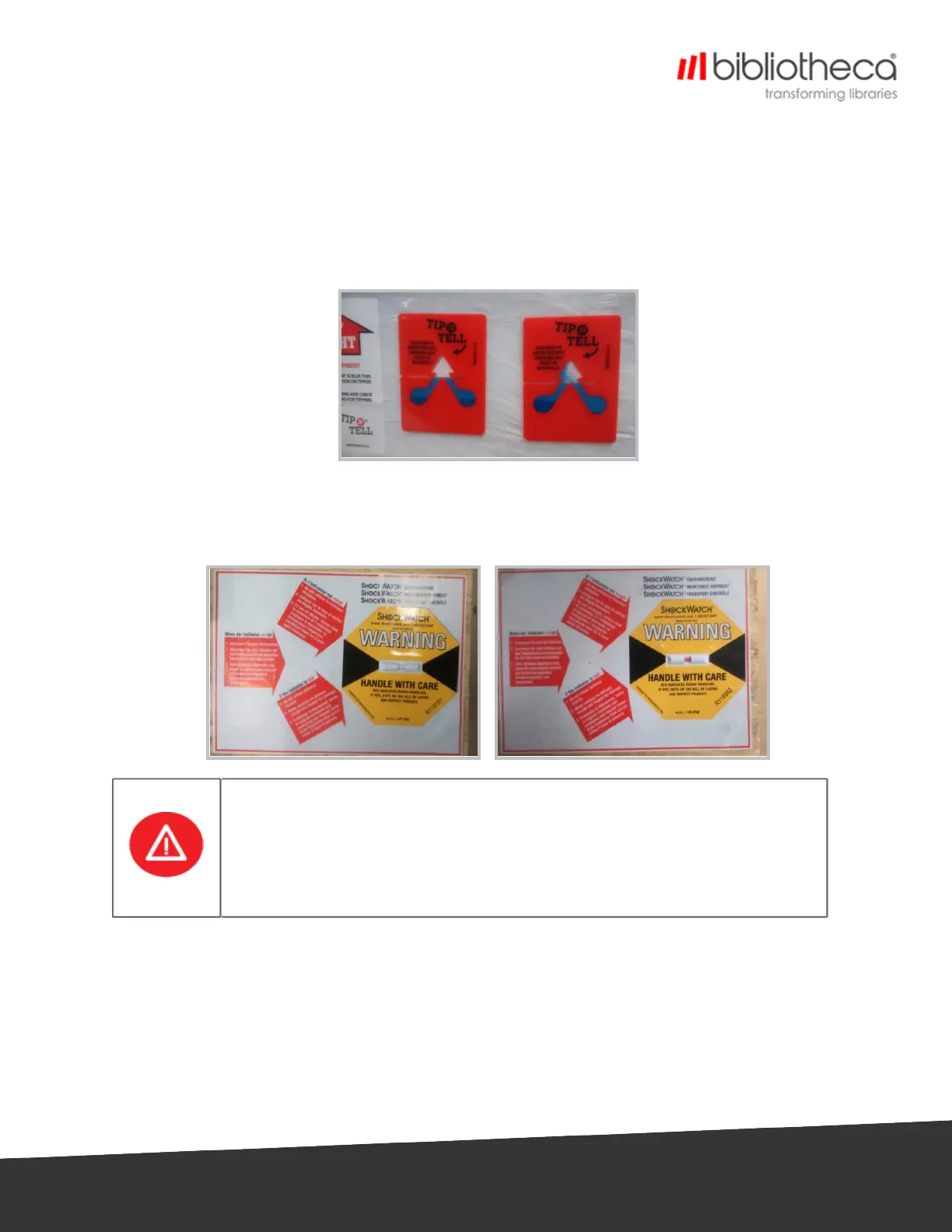
1. Check for the Tilt label on each crate,
l If the device has moved from a horizontal position, the blue powder will have been
released into the point of the arrow,
2. Check the shock label on the pallet,
l If the pallet has been subjected to large vertical shock, the centre of the label will be
red,
If the Tilt label or Shock label have been activated, or there are scratches or
mechanical damage on the unit prior to unpacking, contact either the
Project Manager or bibliotheca Support for further instruction.
DO NOT INSTALL THE UNIT UNLESS INSTRUCTED TO DO SO BY BIBLIOTHECA
PERSONNEL.
3. Remove packing from the device. Take care not to scratch the components while
unpacking,
l Check for any scratches or other mechanical damage on the device.
4. Remove screws securing the devices to the pallet.


 To Next Page