14 USER’S MANUAL
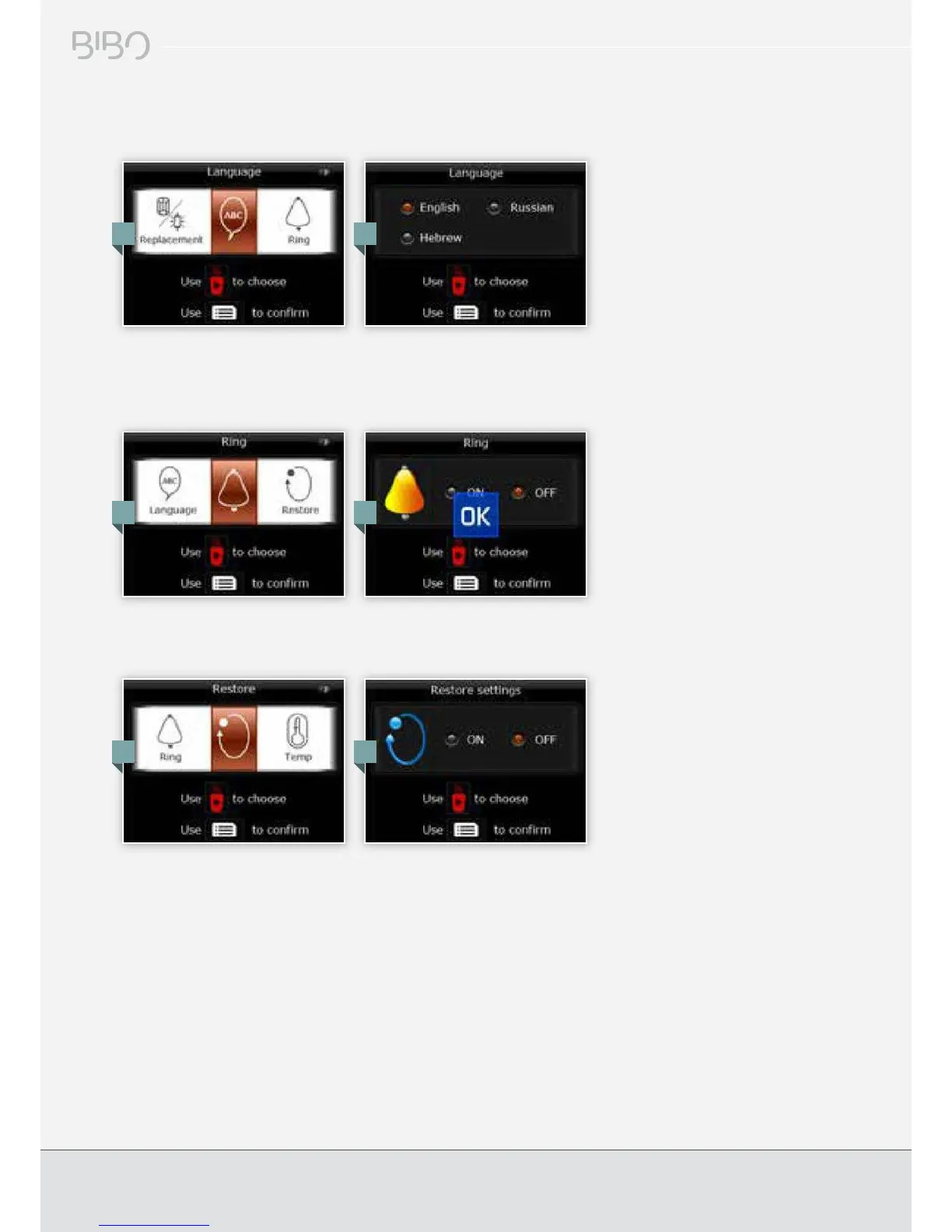
Language settings
You can change the operating language of your BIBO at any time by choosing ‘Language’ from the main menu and selecting
your preferred language from the options available.
Ring/beep setting
You can programme your BIBO to beep every time a key is pressed by choosing ‘Ring’ from the main menu, and selecting
whether you want it on or off.
Restore factory settings
To restore all settings to factory settings, choose ‘Restore’ from the main menu and then choose ‘ON’.
1.
1.
1.
2.
2.
2.


 To Next Page