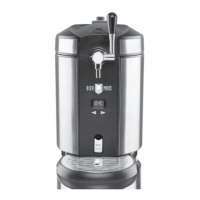
33 EN
Selecting a Preprogrammed Target Temperature
Six target temperatures are stored in the device. They are displayed in the following
order:
4 °C > 8 °C > 9 °C > 10 °C > 11 °C > 12 °C
(40 °F > 46 °F > 48 °F > 50 °F > 52 °F > 54 °F)
1. Press the – button (1) and hold it down. The preprogrammed temperatures are
displayed successively on the display (5).
2. Let go of the – button when the temperature you want appears on the display.
This activates it.
Setting the Target Temperature Manually
1. Press the – button (12) for a short time. The device is in setting mode.
2. Press the – or + button (6) to reduce or increase the target temperature in 1-degree
increments.
Drawing Beer
PLEASE NOTE!
■ Never switch off the device if a beer keg containing beer is still inside it! The fresh-
ness and preservation of the beer is only guaranteed if the device is switched on, i.e.
the cooling system is switched on!
■ Make sure that the pressure regulator is always in the – (Minus) position when no
beer is being drawn. Only turn it towards + (Plus) if there is not enough pressure
during the drawing process.
■ Do not place any fi lled glasses down on the lid of the main unit.
■ Clean the device after each use to prevent the formation of germs.
As diff erent varieties of beer have diff erent levels of CO
2
added to them, a correspond-
ing operating pressure (saturation pressure) is required to guarantee the quality of the
respective beer.
If when drawing the beer you notice that the beer is too fi zzy or not fi zzy enough, the
pressure can be adjusted using the pressure regulator (15). PLEASE NOTE: The pres-
sure cannot be regulated in the case of a fresh keg.
If there is no longer any pressure when drawing beer even though the pressure regulator
is fully opened up, the CO
2
cartridge needs to be replaced (see the “Preparation” chap-
ter – “Inserting / Replacing the CO
2
Cartridge”).
1. Wait until the beer has reached the target temperature which is set.
2. Hold the glass tilted at an angle below the tap without touching it with the glass.
3. Move the tap handle into the horizontal position (Picture H). Allow the beer to run
down the inside of the glass (Picture O).
If the beer runs only very slowly out of the nozzle spout, the pressure may need to
be increased. To do this, turn the pressure regulator (15) for approx. 5 seconds
as
far as the limit stop to the + (Plus) position (Picture L) and then turn it back to
the – (Minus) position. PLEASE NOTE: The pressure does not change imme-
diately, but is gradually adjusted. You should therefore allow the beer to rest for at
least one hour after adjusting the pressure.
05581_05578_Inlay_DE-EN-FR-NL_A5_V3.indb 3305581_05578_Inlay_DE-EN-FR-NL_A5_V3.indb 33 27.10.2020 11:04:3127.10.2020 11:04:31


 To Next Page
 Loading...