VI. Appendix BigRep
Most important:
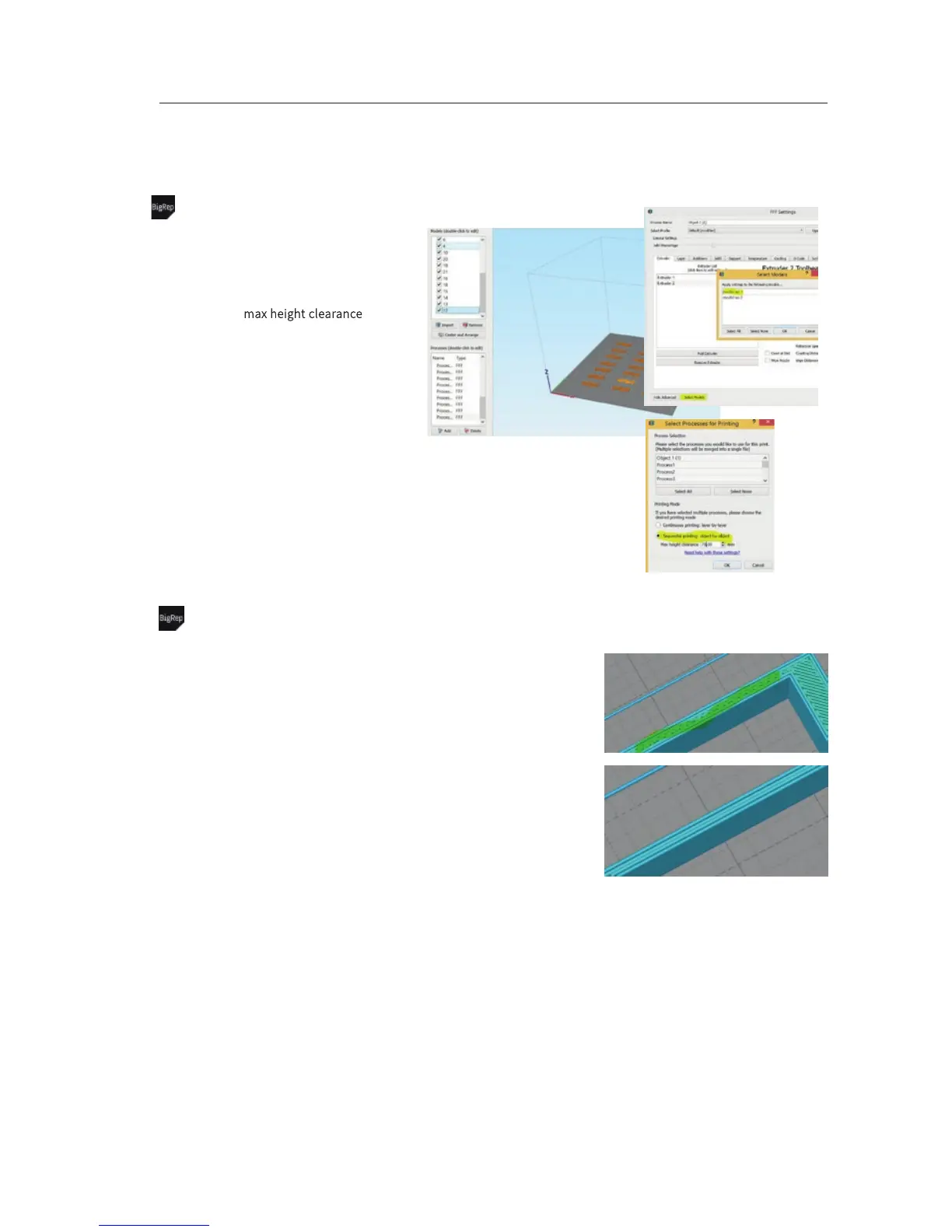
• When you do not want to print several
models at once layer by layer, you can also
print them part by part
• Be aware of m
ax height clearance between
X-Axis and Bed to avoid crashing into a print
In detail:
• Preparation: Create single processes for
each model
• Select Models = within your process settings
click at Select Models and choose one
model
• Prepare to Print: After you clicked at Prepare
to Print, select Sequential printing: object-by-
object
Advanced – Sequential Printing – Printing Part by Part
Most important:
• Try to avoid small gaps between walls
• Gaps will either be filled with small infill
structure (takes a long time) or be hollow
(unstable)
What to do:
• Option 1 - Add another loop:
Go to Layer settings and increase
Outline/Perimeter Shells
• Option 2 – Increase Extrusion Width:
Go to Extruder settings and increase Extrusion
Width
• Last step: Change settings, slice again, inspect
tool path
Advanced –avoid small infill geometries
VI-E 7/7


 To Previous Page
 Loading...

