Home
Bikal
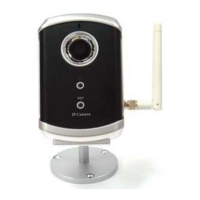
IP Camera
CBC101w
Page 5
Bikal CBC101w - Page 5
44 pages
Manual
Save Page as PDF
To Next Page
To Next Page
To Previous Page
To Previous Page
Loading...
Fi
xed
W
irele
ss/W
ired
IP
C
amer
a
Fi
gur
e 5
-6:
Eth
ernet
ca
ble
Fi
gur
e 5
-7:
Inst
all
atio
n C
D
Fi
gur
e 5
-8:
ID/P
ass
wor
d Ca
rd
Ta
ble A-
1: List of
tes
ted
Wire
less
A
P/
rou
ter
devi
ces
Ta
ble
A-2
:
Lis
t
of
test
ed W
ired
NAT
/r
ou
ter
dev
ic
es
5
4
6
Table of Contents
Main Page
Default Chapter
1
User Manual
1
Table of Contents
2
List of Figures and Tables
4
1 Introduction
6
2 Hardware Description and Quick Installation/Usage
7
Major Hardware Components
7
Quick Installation and Usage
8
Wireless Connection (for Ip Cam(W))
12
3 Web Configurations
14
Information
15
Video Display
16
Network
17
Wifi Security (for Ip Cam(W))
19
Advanced Network
21
Video Settings
22
3Gpp/Rtsp Settings
24
Motion Detection
25
Led Display Control
27
Date/Time
28
Admin
29
Upgrade
30
Reboot
31
Safe Mode
32
Set to Factory Default
33
4 Features and Specifications
34
Features
34
Specifications
35
5 Package Contents
37
Appendix A. List of Tested Nat/Router Devices
38
Appendix B. Maximum Allowed Video Users
39
Appendix C. Performance Information
40
Appendix D. Trouble Shooting
41
Appendix E. 3Gpp/Isma Operation
43


 To Next Page