Fixed Wireless/Wired IP Camera
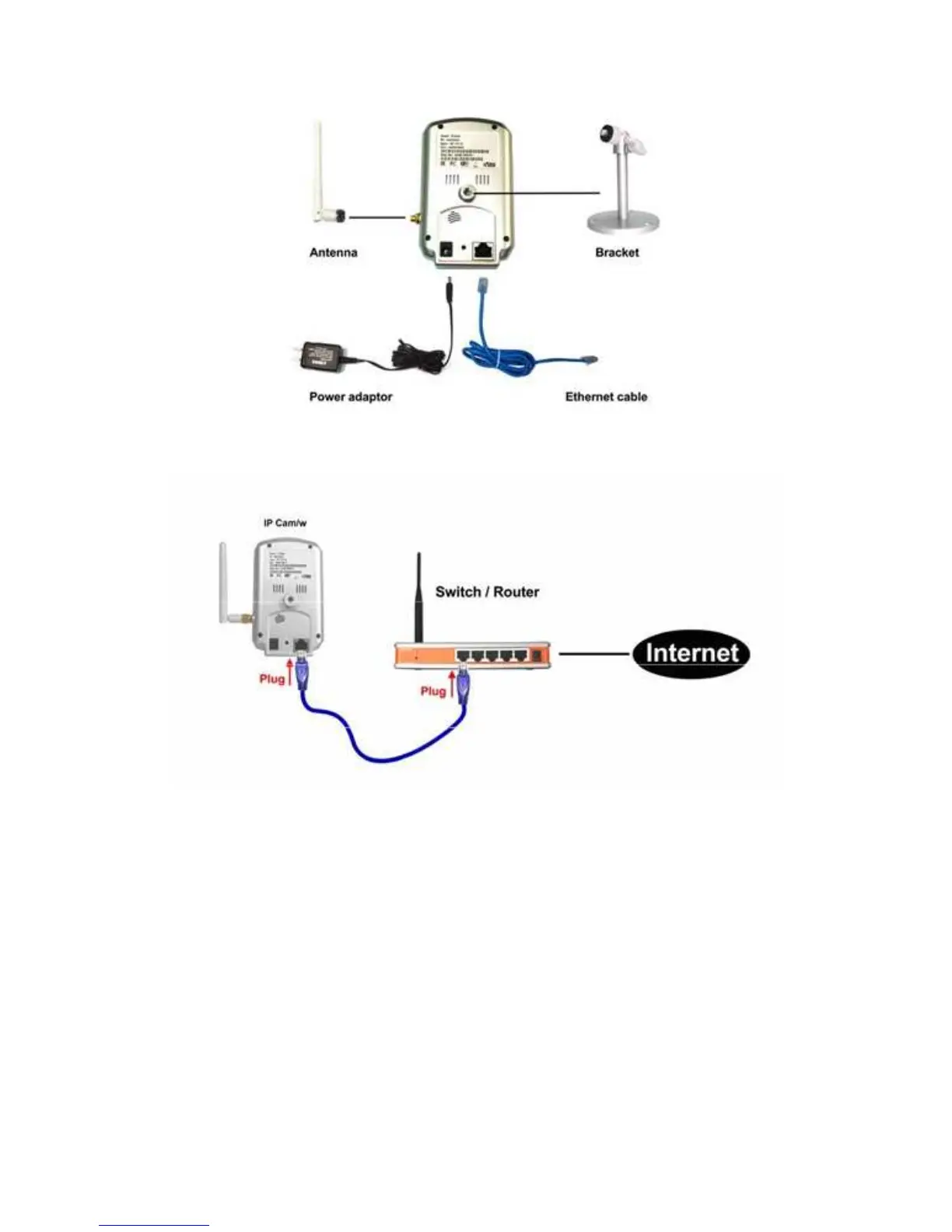
Figure 2-3: IP CAM connection diagram.
Figure 2-4: Connect Ethernet cable to a switch/router.
Second, Install the CamView software on the notebook/PC
Please insert the installation CD into the CD-ROM drive in your notebook or
personal computer (must be running Microsoft Windows OS). Execute the program
CamViewInstaller-xxx.exe on the disk. The program will pop-up some windows about
the installation options, please press the “next” button to proceed with the installation.
After the installation is complete, there will be a CamView icon on the desktop of your
computer screen, please execute this icon. The CamView program will run
immediately.
9


 To Next Page