EasyManua.ls Logo

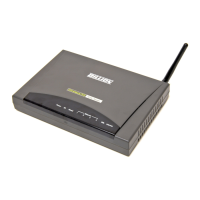
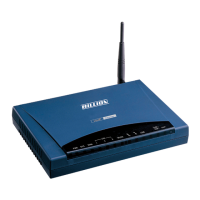
Billion BiPAC 6404VGP - User Manual

Billion BiPAC 6404VGP
103 pages
Print Icon
To Next Page IconTo Next Page
Loading...
BiPAC 6404VP / 6404VGP
VoIP/(802.11g) Broadband
Firewall Router
Users Manual
Version Release 5.08a
Last Revision Date: 05-07-2007

Other manuals for Billion BiPAC 6404VGP

Questions and Answers

  • R
    Rachel JohnsonAug 10, 2025
    How to reset the login and password on a Billion Wireless Router?
    • J
      Jennifer KimAug 10, 2025
      First, try the default login and password. If that doesn't work, restore your Billion Wireless Router to its factory settings by holding the Reset button on the back of the router for more than 6 seconds.
  • D
    Dominique PrattAug 21, 2025
    What to do if I can't ping any PCs on the LAN with my Billion BiPAC 6404VGP?
    • J
      Jill WagnerAug 21, 2025
      First, check the Ethernet LEDs on the front panel. A lit LED indicates a PC is connected to that port. If the LED is off, inspect the cables between your Billion Wireless Router and the PC. Also, uninstall any software firewalls temporarily for troubleshooting purposes. Then, verify that the IP address and subnet mask settings are consistent between the router and the workstations.
  • S
    Shelley WatersAug 29, 2025
    What to do if none of the LEDs are on when I turn on my Billion BiPAC 6404VGP?
    • C
      cmillerAug 30, 2025
      Check the connection between the adapter and the router. If the problem persists, it may be a hardware issue, and you should contact technical support.

Billion BiPAC 6404VGP Specifications

General IconGeneral
Wireless SpeedUp to 54 Mbps
SecurityWEP, WPA, WPA2
FirewallNAT, SPI
USB Ports1 x USB 2.0
VoIPYes
Frequency Band2.4 GHz
WAN Interface1 x 10/100 Mbps
LAN Interface4 x RJ-45
Wireless Standard802.11b/g
ProtocolsPPPoE, DHCP, Static IP
VPN SupportPPTP, L2TP

Related product manuals