EasyManua.ls Logo

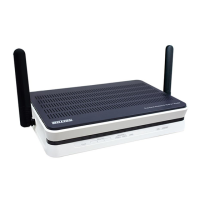
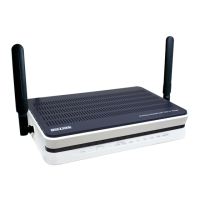
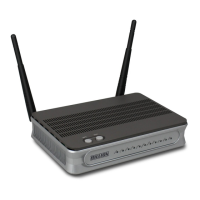
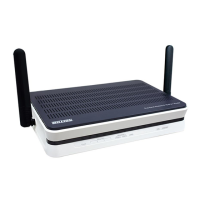
Billion BiPAC 7800DXL - User Manual

Billion BiPAC 7800DXL
270 pages
Print Icon
To Next Page IconTo Next Page
Loading...
BiPAC 7800DX(L)
Dual-band Wireless-N 3G/4G LTE (VPN)
ADSL2+ Router
User Manual
Version Released: 2.32b
Last revised date: August 5, 2013

Table of Contents

Other manuals for Billion BiPAC 7800DXL

Questions and Answers

  • M
    Matthew HendricksAug 10, 2025
    What to do if I forgot my Billion Wireless Router password?
    • M
      Mr. George Combs MDAug 11, 2025
      If you've forgotten your login details for your Billion Wireless Router, try the default username "admin" and password "admin". If this doesn't work, restore the router to its factory settings using the reset button on the rear of the device.
  • J
    John YoderAug 17, 2025
    What to do if none of the LEDs are on when I turn on my Billion Wireless Router?
    • T
      Thomas KaufmanAug 17, 2025
      First, check the connection between the router and the adapter. If the problem continues, it is likely a hardware malfunction. Contact your service provider or Billion for technical support.
  • C
    Christopher LopezAug 26, 2025
    Why does my Billion Wireless Router frequently lose ADSL line sync?
    • B
      brendalesterAug 27, 2025
      Frequent disconnections of your Billion Wireless Router may be caused by missing or incorrectly installed line filters. Ensure all devices connected to the same phone line (telephones, fax machines, modems) have a line filter between them and the wall socket, unless you're using a Central Splitter or Filter installed by a qualified electrician. Verify that all line filters are correctly installed. If you have a back-to-base alarm system, contact your security provider for assistance.
  • R
    Randy HesterSep 1, 2025
    How to fix Billion Wireless Router when I cannot PING any PC on LAN?
    • A
      Adam WilliamsSep 1, 2025
      If you cannot PING any PC on the LAN with your Billion Wireless Router, check the Ethernet LEDs on the front panel. The LED should be lit for the port that has a PC connected. If it's not lit, ensure the cable between your router and the PC is properly connected. Also, make sure you have uninstalled your firewall program before troubleshooting. Verify that the IP address and the subnet mask are consistent for both the router and the workstations.

Billion BiPAC 7800DXL Specifications

General IconGeneral
BrandBillion
ModelBiPAC 7800DXL
CategoryWireless Router
LanguageEnglish

Related product manuals