EasyManua.ls Logo

Billion BiPAC 7300GX - User Manual

Billion BiPAC 7300GX
126 pages
Print Icon
To Next Page IconTo Next Page
Loading...
BiPAC 7300GX
3G/ ADSL2+ Wireless Router
Users Manual

Other manuals for Billion BiPAC 7300GX

Questions and Answers

Summary

BiPAC 7300 GX Introduction

Introducing the BiPAC 7300 GX Router

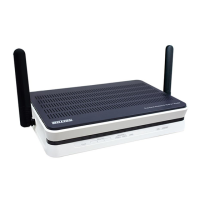
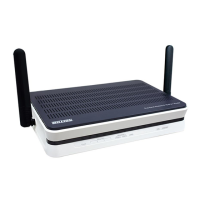
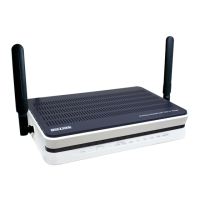
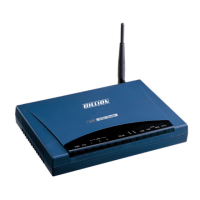
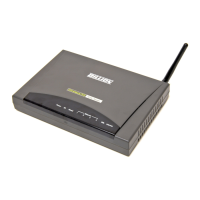
Introduces the BiPAC 7300GX as an all-in-one ADSL modem, router, and 3G data card slot.

BiPAC 7300 GX Product Overview

Front Panel LED Indicators

Explains the function of each LED indicator on the router's front panel for status monitoring.

BiPAC 7300 GX Installation Guide

Pre-Configuration Requirements

Outlines prerequisites for PC configuration, including IP settings and firewall considerations.

Easy Sign-On (EZSO) Setup Wizard

Guides users through the Easy Sign-On (EZSO) wizard for internet connection setup.

BiPAC 7300 GX Basic Configuration

Quick Start Wizard for Internet Setup

Guides users through selecting WAN port and configuring wireless settings for internet access.

BiPAC 7300 GX Advanced Configuration

Firewall Security Settings

Configures firewall rules, packet filtering, MAC filtering, intrusion detection, and URL filtering.

BiPAC 7300 GX Configuration Management

Saving Configuration to Flash Memory

Process to save current router configuration parameters to flash memory to prevent data loss.

BiPAC 7300 GX Troubleshooting Guide

Troubleshooting Router Startup Issues

Addresses issues related to router startup, LEDs, and forgotten login credentials.

Troubleshooting WAN Interface Connectivity

Guides users through troubleshooting WAN connection initialization and linesync failures.

Troubleshooting LAN Interface Connectivity

Provides steps to resolve LAN connectivity issues, such as inability to ping PCs.

Summary

BiPAC 7300 GX Introduction

Introducing the BiPAC 7300 GX Router

Introduces the BiPAC 7300GX as an all-in-one ADSL modem, router, and 3G data card slot.

BiPAC 7300 GX Product Overview

Front Panel LED Indicators

Explains the function of each LED indicator on the router's front panel for status monitoring.

BiPAC 7300 GX Installation Guide

Pre-Configuration Requirements

Outlines prerequisites for PC configuration, including IP settings and firewall considerations.

Easy Sign-On (EZSO) Setup Wizard

Guides users through the Easy Sign-On (EZSO) wizard for internet connection setup.

BiPAC 7300 GX Basic Configuration

Quick Start Wizard for Internet Setup

Guides users through selecting WAN port and configuring wireless settings for internet access.

BiPAC 7300 GX Advanced Configuration

Firewall Security Settings

Configures firewall rules, packet filtering, MAC filtering, intrusion detection, and URL filtering.

BiPAC 7300 GX Configuration Management

Saving Configuration to Flash Memory

Process to save current router configuration parameters to flash memory to prevent data loss.

BiPAC 7300 GX Troubleshooting Guide

Troubleshooting Router Startup Issues

Addresses issues related to router startup, LEDs, and forgotten login credentials.

Troubleshooting WAN Interface Connectivity

Guides users through troubleshooting WAN connection initialization and linesync failures.

Troubleshooting LAN Interface Connectivity

Provides steps to resolve LAN connectivity issues, such as inability to ping PCs.

Billion BiPAC 7300GX Specifications

General IconGeneral
Device TypeWireless Router
Wireless Standard802.11g
Wireless Speed54 Mbps
Wireless Data Rates54, 48, 36, 24, 18, 12, 9, 6 Mbps
Frequency Band2.4 GHz
DHCP ServerYes
Antenna TypeExternal
Power Supply12V DC, 1A
StandardsIEEE 802.3, IEEE 802.3u
ModulationOFDM, CCK
LAN Ports4
Ethernet Ports4 x 10/100Mbps
SecurityWEP, WPA, WPA2

Related product manuals