47
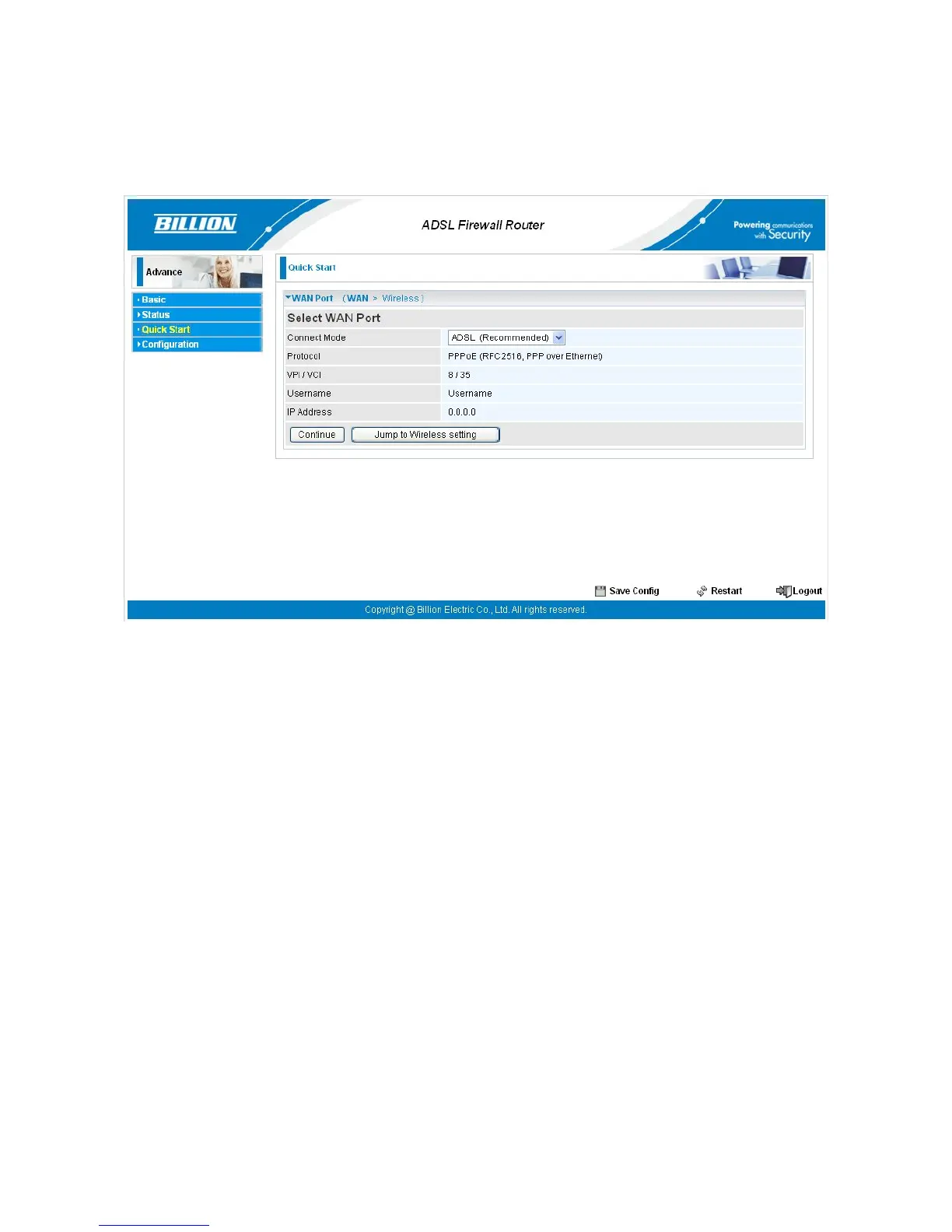
5.2 Quick Start
For detailed instructions on configuring WAN settings, see the WAN section of this manual.
The information you need for the Quick Start wizard to get you online are your login (often in
the form of username@ispname), your password, and the encapsulation type.
Your ISP can supply all the details you need. Alternatively, if you have deleted the current
WAN Connection in the WAN – ISP section of the interface, you can use the router’s PVC
Scan feature to determine the Encapsulation types offered by your ISP.




 To Next Page