34
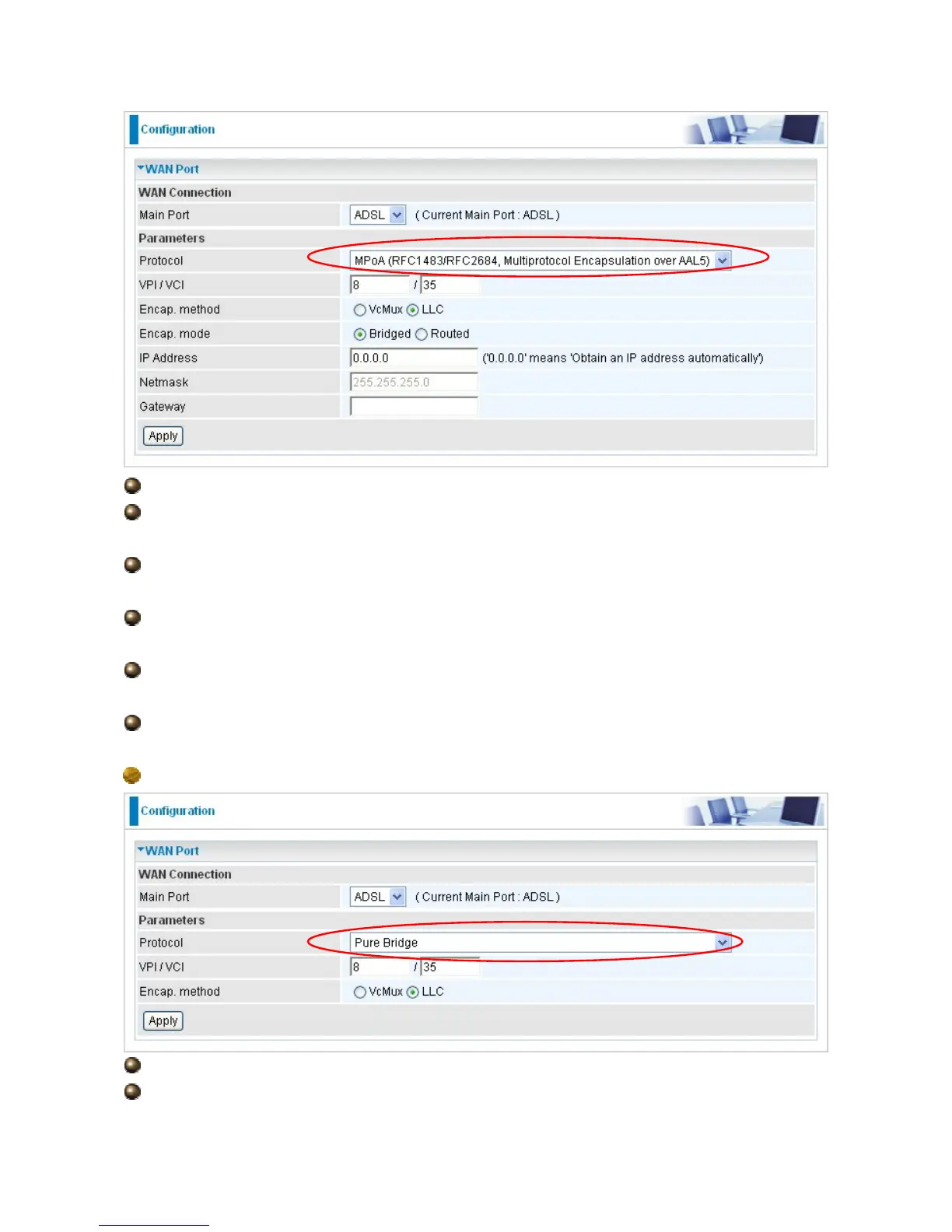
VPI and VCI: Enter the VPI and VCI information provided by your ISP.
Encap. method: Select the encapsulation format, the default is LLC. Select the one
provided by your ISP.
Encap. mode: Choose whether you want the packets in WAN interface as bridged
packet or routed packet.
IP Address: Your WAN IP address. Leave this at 0.0.0.0 to automatically obtain an IP
address from your ISP.
Netmask: The default is 255.255.255.0. User can change it to other such as
255.255.255.128. Type the subnet mask assigned to you by your ISP (if given).
Gateway: Enter the IP address of the default gateway (if given).
Pure Bridge Connections
VPI/VCI: Enter the VPI and VCI information provided by your ISP.
Encap. method: Select the encapsulation format, this is provided by your ISP.




 To Next Page