72
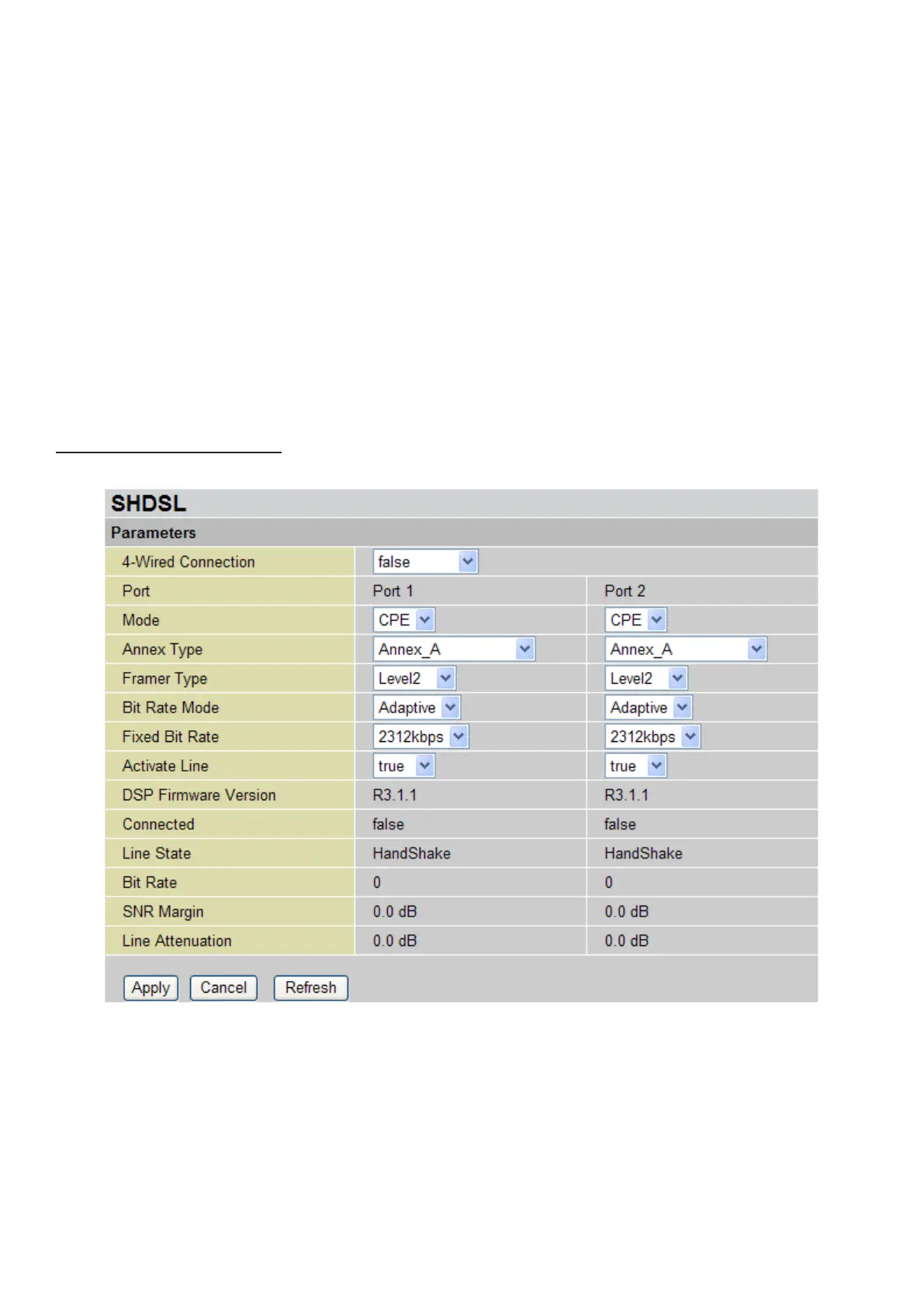
Note: Once Active Line is selected as false, you have to enable the Active Line to true again
and click the Apply button to reactivate SHDSL connection.
DSP Firmware Version: Displays the SHDSL line code rmware version.
Connected: Displays current SHDSL line sync status.
Line State: Displays current SHDSL line status.
Bit Rate: Displays SHDSL line synch speed rate.
SNR Margin: Displays SNR value when line is synchronized. It indicates the signal quality; the
higher the ratio, the higher signal quality it has.
Line Attenuation: Displays signal attenuation. The longer loop dostance, the larger line attenuation
value is.
Click Apply to conrm the settings.
False 4-wired Connection
This mode is used when 4-wired connection is disabled.










 To Next Page