EasyManua.ls Logo

Billion BiPAC 8700VAX(L)-1600 - User Manual

Billion BiPAC 8700VAX(L)-1600
327 pages
Print Icon
To Next Page IconTo Next Page
Loading...
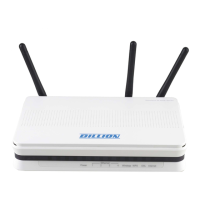
BiPAC 8700VAX(L)-1600
Triple-WAN Wireless 1600Mbps 3G/4G
LTE VoIP (VPN) VDSL2/ADSL2+
Firewall Router
User Manual
Version Released: 2.52.d2
Last revised date: August 30 2017

Table of Contents

Questions and Answers

  • J
    janiceolsonAug 3, 2025
    How to reset my Billion Network Router password?
    • T
      Thomas SinghAug 3, 2025
      To reset your Billion Network Router password, first try the default username "admin" and password "admin". If that doesn't work, restore your router to its factory settings by pressing the reset button on the rear side of the device.
  • C
    Cody WilsonAug 10, 2025
    Why does my Billion BiPAC 8700VAX(L)-1600 keep disconnecting from the ADSL line?
    • B
      Barry MooreAug 10, 2025
      Frequent disconnections of your Billion Network Router may be caused by missing or incorrectly installed line filters. Ensure all devices connected to the same phone line (telephones, fax machines, modems) have a line filter between them and the wall socket.
  • T
    Tina CowanAug 17, 2025
    What to do if I can't ping any PC on my Billion BiPAC 8700VAX(L)-1600 LAN?
    • P
      patrickpadillaAug 18, 2025
      If you cannot ping any PC on your Billion Network Router LAN, verify the Ethernet LEDs on the front panel. The LED should be lit for the port that has a PC connected. If not, check the cable connection between your router and the PC. Also, make sure your firewall program is uninstalled before troubleshooting. Finally, verify that the IP address and subnet mask are consistent for both the router and the workstations.
  • M
    Maria HerreraAug 26, 2025
    What to do if no LEDs are on when I turn on my Billion BiPAC 8700VAX(L)-1600 Network Router?
    • J
      Joshua FlynnAug 26, 2025
      If none of the LEDs light up when you turn on your Billion Network Router, check the connection between the router and the adapter. If the problem persists, it is most likely a hardware malfunction.

Summary

Introduction and Key Features

Router Overview and Capabilities

Introduces the BiPAC 8700VAX(L)-1600 router and its core functions.

Comprehensive Feature List

Details all supported standards, protocols, and functionalities.

Connectivity and Performance

Covers Triple WAN, Gigabit WAN, 3G/4G LTE, VPN, and wireless performance.

VoIP and Telephony Services

Explains VoIP capabilities, SIP, and telephony features.

Router Installation and Basic Setup

Package Contents and Initial Setup

Lists package items and provides initial setup guidance.

Device Description and Warnings

Describes router ports, LEDs, and essential safety precautions.

Important Usage Notes

Critical warnings and attention points for safe router operation.

Basic Configuration and Connectivity

Connecting the Router and PC

Illustrates physical connections for various network modes.

PC Network Configuration

Steps to configure PCs in Windows for network access.

Default Settings and ISP Information

Lists default credentials, IP, and ISP connection parameters.

Quick Internet Setup (EZSO)

Explains the Easy Sign On wizard for rapid setup.

Router Status and Monitoring

Web Interface Access and Login

How to access and log into the router's web management interface.

System and Connection Status

Overview of router status, WAN, LAN, and wireless connection details.

Traffic and Performance Statistics

Monitoring bandwidth usage, traffic statistics, and logs.

VPN and VoIP Status

Viewing the status of VPN tunnels and VoIP services.

Wireless Network Management

Wireless Basic and Advanced Settings

Configuring SSID, security, channels, and advanced wireless parameters.

Wireless Security and Access Control

Managing wireless security, MAC filtering, and WPS setup.

Wireless Bridging (WDS)

Setting up WDS for wireless interconnection of access points.

Network Connectivity and Services

WAN Service Configuration

Setup for DSL, Ethernet, and 3G/4G LTE WAN connections.

Quality of Service (QoS)

Traffic prioritization and bandwidth management rules.

NAT and Port Forwarding

Configuring NAT, Virtual Servers, DMZ Host, and Port Triggering.

Advanced Network Features

VPN Tunnel Configuration

Setting up IPSec, PPTP, L2TP, OpenVPN, and GRE VPN tunnels.

Routing and DNS Management

Configuring default gateways, static routes, and DNS services.

System Management and Maintenance

Multicast and Network Protocols

Configuring IGMP, MLD, and other network protocols.

Device Management Features

SNMP, TR-069, HTTP Port, Remote Access, Mobile Network settings.

Maintenance and Diagnostics

Power management, time schedules, auto reboot, and diagnostic tools.

Troubleshooting Common Issues

Solutions for common router and WAN interface problems.

Product Support Information

Contact details and resources for product support.

Billion BiPAC 8700VAX(L)-1600 Specifications

General IconGeneral
Wireless SpeedUp to 1600 Mbps
WAN Ports1 x Gigabit Ethernet
LAN Ports4 x Gigabit Ethernet
USB Ports2 x USB 2.0
VoIPYes
Device TypeVDSL2/ADSL2+ Modem Router
Wireless Standards802.11ac/a/b/g/n
Frequency Band2.4 GHz / 5 GHz
DSL ModemVDSL2/ADSL2+
SecurityWPA/WPA2, Firewall
Antennas3 x External Dual Band Antennas

Related product manuals