
EasyManua.ls Logo

Billion BiPAC 5200N - User Manual

Billion BiPAC 5200N
94 pages
Print Icon
To Next Page IconTo Next Page
Loading...
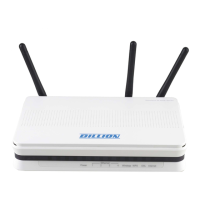
BiPAC 5200N
802.11n ADSL2+ Firewall Router
User Manual
Version Released: 2.11.100.0(NRE0.C2)3.12.1.0
Last Revised Date: 01-07-2011

Other manuals for Billion BiPAC 5200N

Questions and Answers

Billion BiPAC 5200N Specifications

Operating Environment IconOperating Environment
operating temperature0 - 40 ºC
storage temperature-20 - 70 ºC
humidity20 - 95% non-condensing
Physical Specifications IconPhysical Specifications
dimensions185mm x 123.5mm x 36mm
wireless operation rateUp to 300Mbps
frequency range2.4 GHz – 2.484 GHz
Power IconPower
input voltage12V DC
input current1A

Summary

Chapter 1 Introduction the BiPAC 5200 N

Features of the BiPAC 5200 N

Detailed list of the product's key features, including ADSL standards, Wi-Fi, and Ethernet.

Chapter 2 Installing the BiPAC 5200 N

Important Notes for Using the BiPAC 5200 N

Crucial safety and handling instructions before using the BiPAC 5200N router.

Chapter 3 Basic Installation

Step-by-Step Installation Guide

Comprehensive guide for installing the BiPAC 5200N router, covering hardware and software setup.

Factory Default Settings

Details of the router's default configuration, including IP addresses, username, and password.

Web Browser Configuration

How to access and configure the router using its web-based interface.

Chapter 4 Configuration

Quick Start Wizard

A guided wizard for initial setup and connection to your ISP.

Interface Setup Options

Configuration options for Internet, LAN, and Wireless interfaces of the router.

Internet Connection Setup

Settings for establishing an internet connection, including PPPoE, PPPoA, and Bridge modes.

Local Area Network (LAN) Setup

Configuration for the router's LAN settings, including IP address and DHCP server.

Wireless Network Configuration

Settings for the router's Wi-Fi capabilities, including SSID, security, and channel.

Advanced Setup Options

Advanced configuration settings for firewall, routing, NAT, QoS, and ADSL.

Firewall Configuration

Setting up the router's firewall to protect the network from unauthorized access.

Network Address Translation (NAT)

Setting up NAT for sharing internet connections and managing IP addresses.

Firmware Upgrade

Process for updating the router's firmware to the latest version.

Chapter 5 Troubleshooting

Router Startup Problems

Solutions for issues encountered when turning on the router, such as no LEDs or forgotten passwords.

Related product manuals





