Binatone Help Line : 0845 345 9677 15
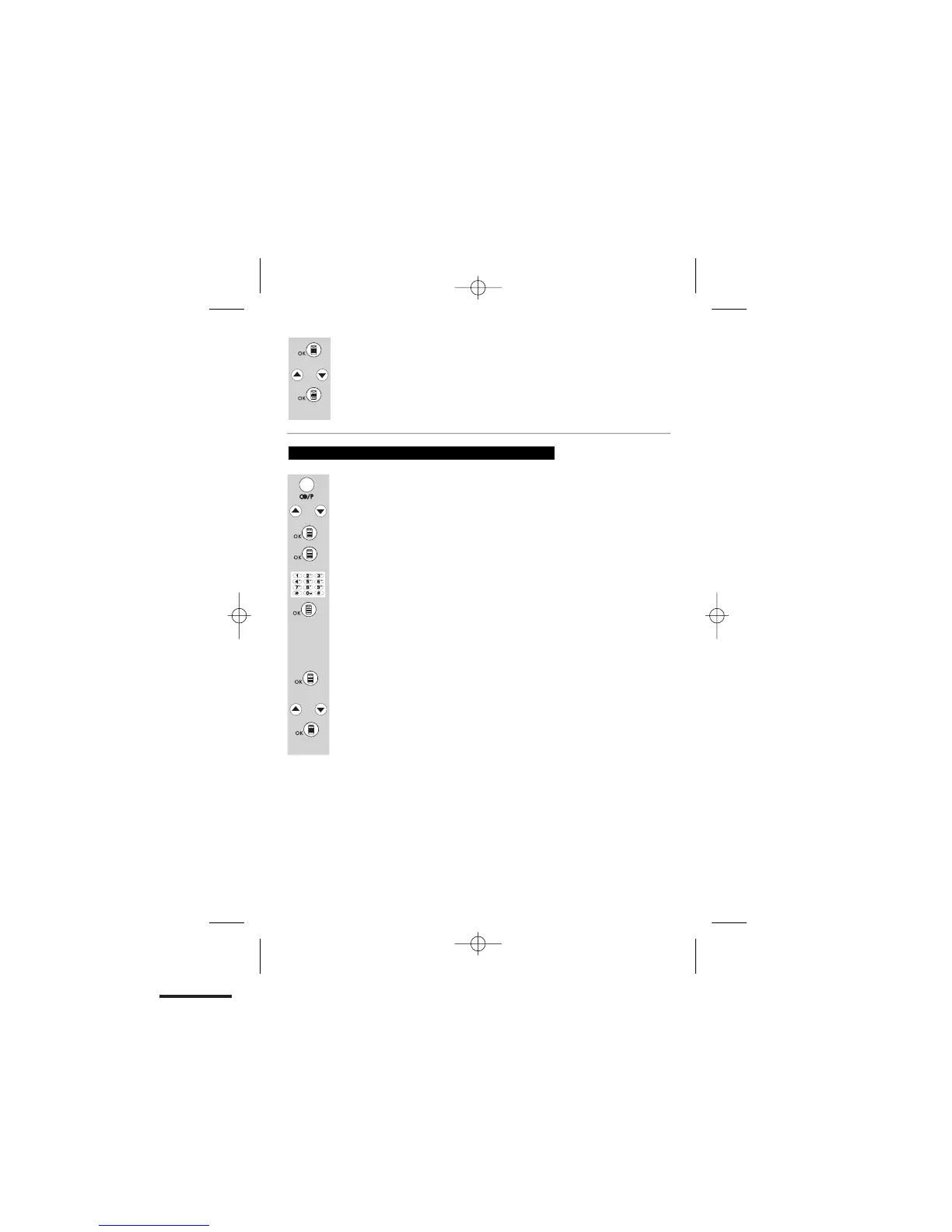
Press the REDIAL/PAUSE button to review the last number redial list.
Scroll UP or DOWN to find the number you want to store.
Press the MENU/OK button. Then the display will show "ADD TO PB?".
Press the MENU/OK button to confirm, and the display will show a flashing
Key in the name for this redial number into the phonebook.
Press
the MENU/OK
button to confirm the name.
To store a last number redial in your phonebook
Once you have finished press MENU/OK button to confirm and the
display will show “MELODY 1”.
Scroll UP or DOWN to select a melody..
Then press the MENU/OK button to confirm, and the
display will go back to the previous menu.
or
bar at the beginning of the name position.
The display will move the flashing bar to the end of the number position.
If the number needs modifying use the keypad to enter digits or
Use the UP or DOWN buttons to scroll through the melodies.
Press the MENU/OK button to confirm your selection.
You will hear a confirmation tone, and the display will return to the last
the DELETE button to delete.
Press the MENU/OK button to confirm the number, and
the display will show "MELODY 1".
number redial list.
or
or













 To Next Page