Binatone Help Line - 0845 345 9677
Calls are charged at Local Call rate.
13
Press the M1,M2, or M3 button to store the
2
number in the selected memory
One Touch Memory Operation Continue...
M1
M2
M3
7. Outgoing call record
The telephone remembers the last 50 outgoing
calls.
1
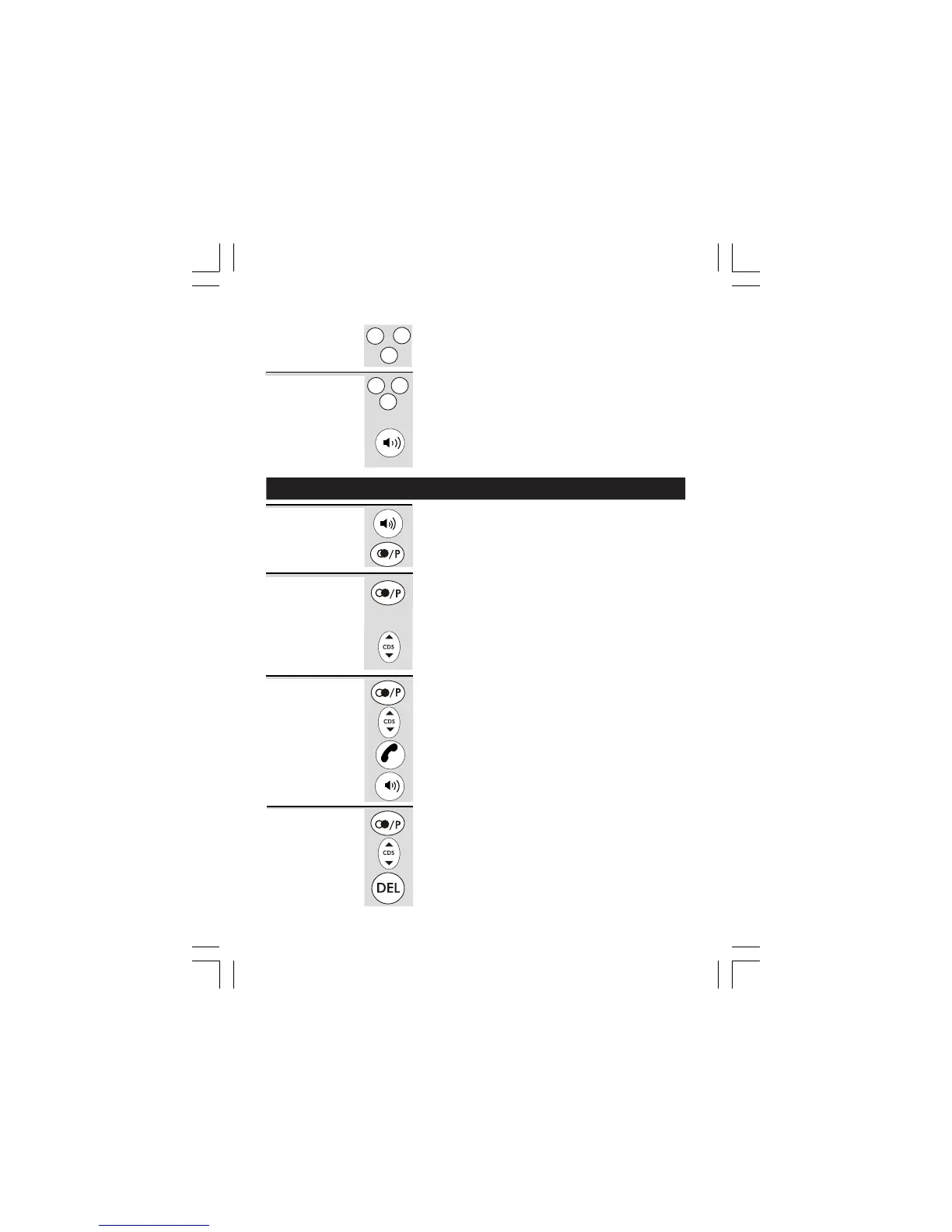
In standby mode, press the REDIAL/PAUSE
button.
Ö The most recent outgoing call record will be
displayed with both the number and the call
2
Press the UP or DOWN button to view the other
records.
In standby mode, press the REDIAL/PAUSE
button.
Press the UP or DOWN button to find the record
you wish to call.
When the number is displayed.
Ö
The phone automatically redials the number
using handset or speakerphone mode selected.
Viewing the
Outgoing call
records
Making a
call from the
Outgoing
call record
Lift the handset or press the SPEAKERPHONE
button.
Press the REDIAL/PAUSE button.
Ö The phone automatically redials the last
number you called.
Last
Number
redial
duration shown.
Press the SPEAKERPHONE button.
Lift the handset or
1
2
3
1
2
Press the M1,M2,M3 button
1
2
Dial out
Stored memory
Number
Ö
The programmed memory number will be
M1
M2
M3
Lift the handset or
Press the SPEAKERPHONE button.
The phone automatically redials the number
using handset or speakerphone mode selected.
Ö
displayed.
In standby mode, press the REDIAL/PAUSE
button.
Press the UP or DOWN button to find the record
you wish to delete.
When the record is displayed, press the DELETE
button.
Ö The display prompts
Deleting an
Outgoing
call record
1
2
3
DELETE CALL?DELETE CALL?
DELETE CALL?DELETE CALL?
DELETE CALL?












 To Next Page