EasyManua.ls Logo

Binatone Trend 3 Executive - User Manual

Binatone Trend 3 Executive
17 pages
Print Icon
To Next Page IconTo Next Page
Loading...
1
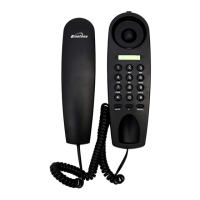
TREND 3 EXECUTIVE
Corded Telephone
Unpacking your phone
In the box you will find:
Base Unit
Handset
Coiled Handset cord
Telephone line cord
for Base unit
User manual
Keep the packing materials
in a safe place in case you
later need to transport the
unit.
Keep your sales (till)
receipt, which is your
guarantee.
Important note---back up batteries
The Trend 3 Executive requires 2 x 1.5V AAA size Alkaline batteries
installed into the battery compartment before use.
Warning: The caller display will not work without batteries installed.
Question and Answer IconNeed help?

Do you have a question about the Binatone Trend 3 Executive and is the answer not in the manual?

Summary

Getting Started and Safety Information

Important Battery Installation Note

Emphasizes the need for backup batteries for the caller display feature to function.

Installation Procedures

Locating and Connecting the Base Unit

Details on positioning the base unit and connecting the handset and line cords.

Installing or Replacing the Battery

Step-by-step guide for inserting or replacing the AAA batteries in the base unit.

Telephone Operations

Making and Receiving Calls

Basic operations for initiating and answering phone calls.

Caller Display Operation

Viewing Caller Display List

How to access and navigate the list of incoming caller information.

Operational Notes and Safety

Electrical Safety Guidelines

Important warnings regarding electrical safety and water exposure.

Troubleshooting Common Issues

Cannot Make or Answer Calls

Steps to resolve issues with making or receiving calls.

Caller Display Not Working

Solutions for problems with the caller display feature.

PBX Connectivity Issues

Guidance for troubleshooting the phone when used with a PBX system.

Guarantee and Service Information

Summary

Getting Started and Safety Information

Important Battery Installation Note

Emphasizes the need for backup batteries for the caller display feature to function.

Installation Procedures

Locating and Connecting the Base Unit

Details on positioning the base unit and connecting the handset and line cords.

Installing or Replacing the Battery

Step-by-step guide for inserting or replacing the AAA batteries in the base unit.

Telephone Operations

Making and Receiving Calls

Basic operations for initiating and answering phone calls.

Caller Display Operation

Viewing Caller Display List

How to access and navigate the list of incoming caller information.

Operational Notes and Safety

Electrical Safety Guidelines

Important warnings regarding electrical safety and water exposure.

Troubleshooting Common Issues

Cannot Make or Answer Calls

Steps to resolve issues with making or receiving calls.

Caller Display Not Working

Solutions for problems with the caller display feature.

PBX Connectivity Issues

Guidance for troubleshooting the phone when used with a PBX system.

Guarantee and Service Information

Binatone Trend 3 Executive Specifications

General IconGeneral
TypeAnalog telephone
Answering machineNo
Mounting typeWall
Product colorSilver
Clock with calendarYes
Phonebook capacity- entries
Storage temperature (T-T)-20 - 60 °C
Operating temperature (T-T)0 - 40 °C
Battery typeAAA
Battery technologyAlkaline
Number of batteries supported2

Related product manuals