OVERVIEW OF THE PRODUCT
8 Binatone Helpline: 0845 345 9677 in UK, 0818762092 in Eire
(Local call rate)
6 OVERVIEW OF THE PRODUCT
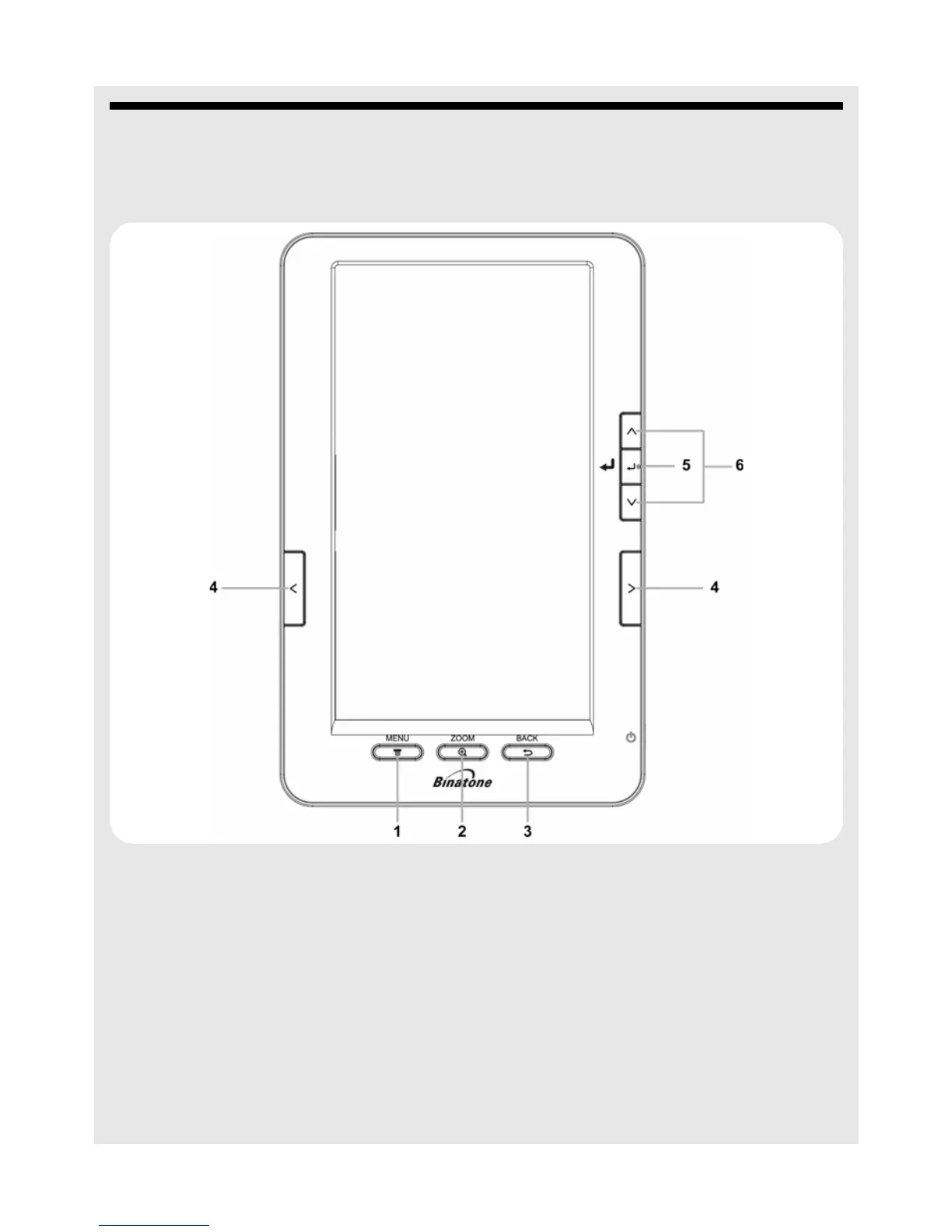
6.1 Front
1 1 Quick menu key
Press in reading mode to access quick menu options.
2
2 Zoom key
In reading mode, press to adjust the text size of the page you are reading.
There are 4 levels of zoom to choose from.
3
3
Back
Press to cancel an operation.
Press to exit from a sub menu and return to the previous menu.
4
< / > Left-Right Scroll keys
Press to scroll left and right.


 To Next Page