OVERVIEW OF THE PRODUCT
Binatone Helpline: 0845 345 9677 in UK, 0818762092 in Eire
(Local call rate) 9
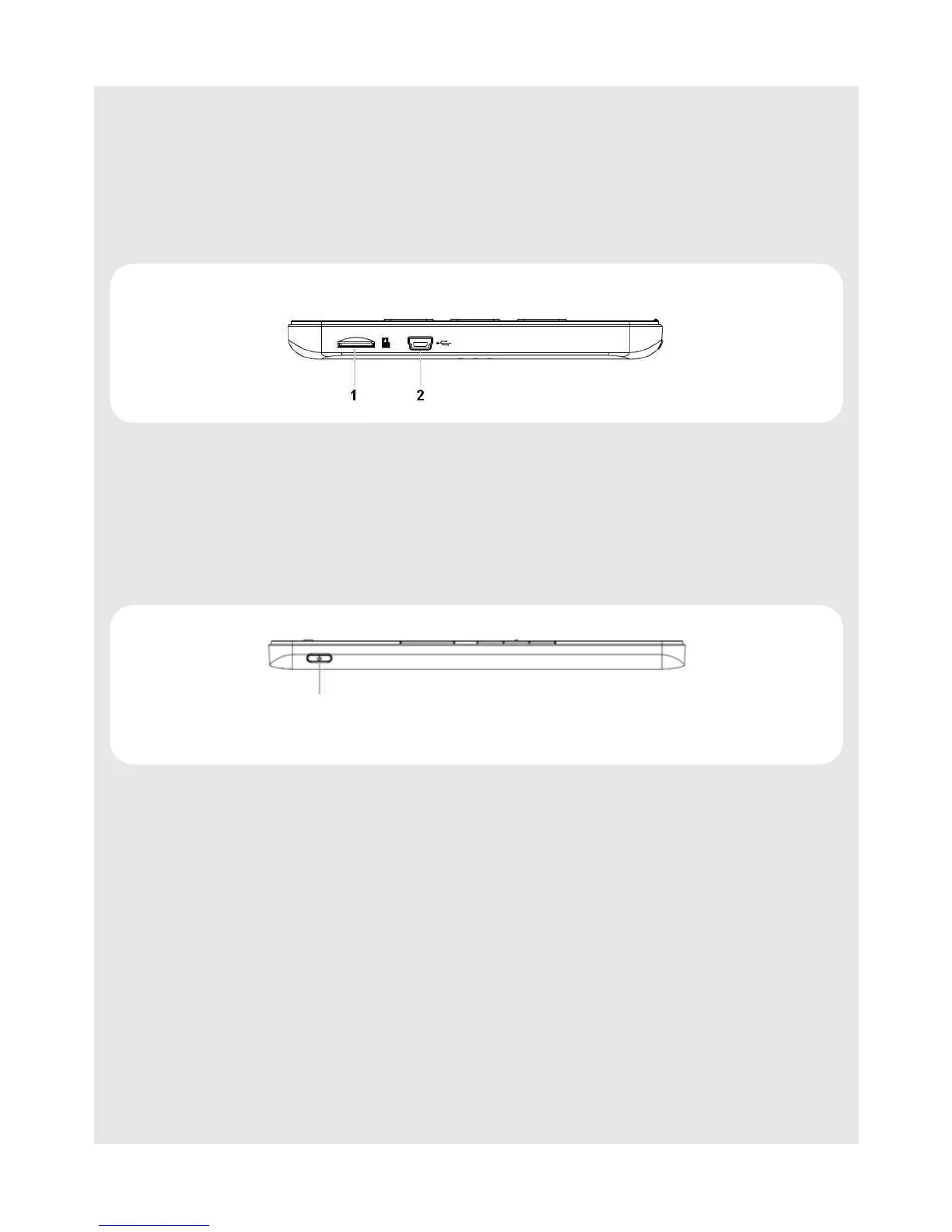
6.2 Bottom
6.3 Right Side
5
0
Enter key
Press to confirm an operation or select an option from the options list.
6
( / ) Up-Down Scroll keys
Press to scroll up and down.
1 SD Micro SD memory card slot
2 USB port
USB port for data transfer and charging.
1
4 Power key
Press and hold to power up the Reader.
Press and hold to power down the Reader.
Press to display screen saver and press any key to turn on the screen.
1


 To Next Page