5
FEATURES AND PARTS LIST
Features:
·No installation is required.
·Easily moved . The handle makes moving more convenient.
·Streamline colorful screen display .
·LED colorful screen display.
·Water-cooled mode is most energy saving and environment protect.
·Low noise and strong wind .
·Unique economic function.
·Auto swing makes wind blow from left to right automatically.
·Three-minute restart delay to protect compressor.
Parts list:
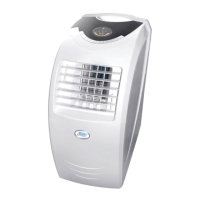
1. control panel
2. horizontal louver
3. vertical louver
4. air inlet grille
5. castor
6. exhaust duct
7. handle
8. air outlet grille
9. power cord and plug
10.water injection port
11. power and hook
12. air filter
CONTROL PANEL
CAUTION: If the unit is turned off in Cool / Dry / Heat mode and
restarted immediately, it will wait at least 3minutes before running again.
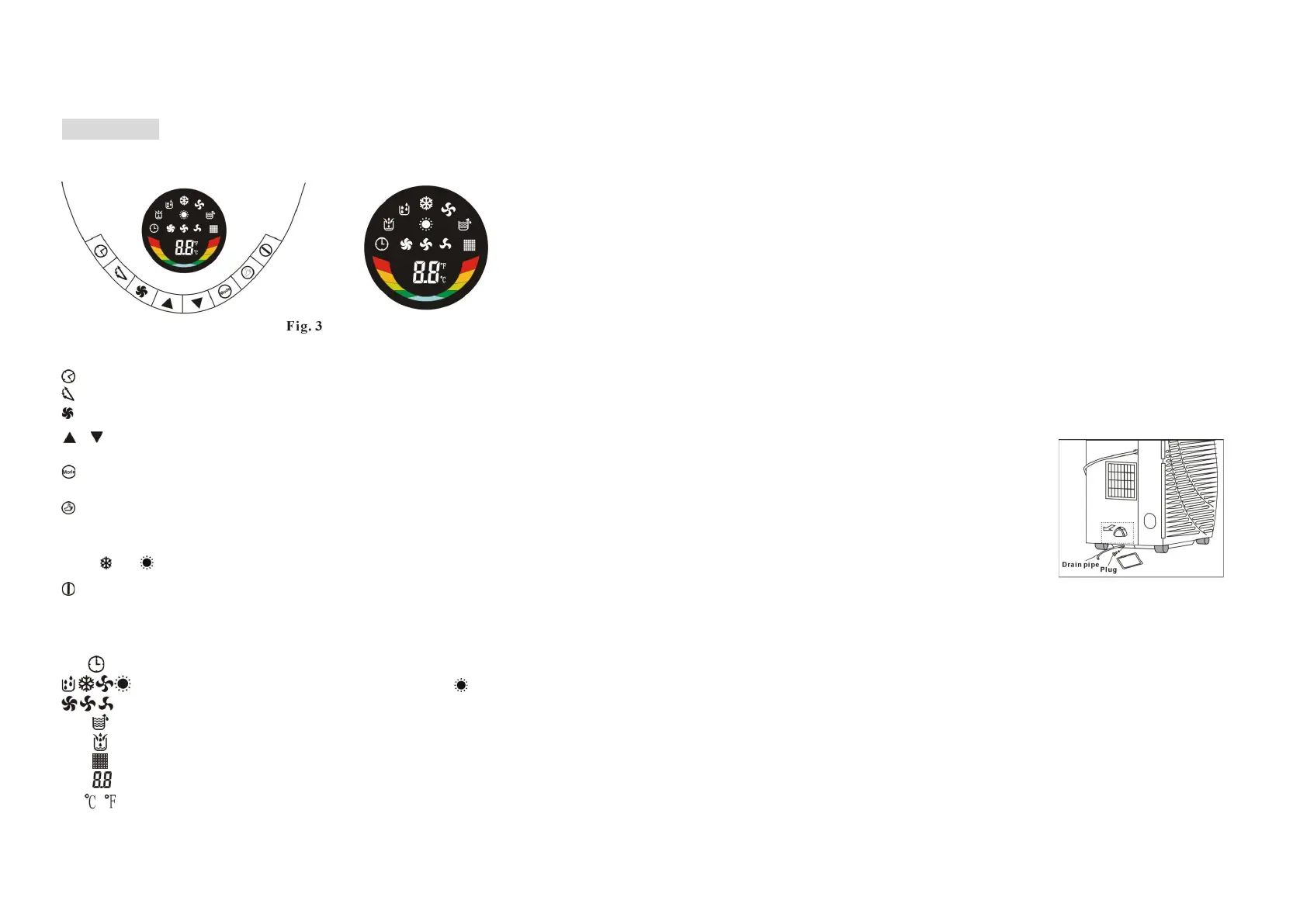
1. Buttons
Timer: Press to activate Timer mode.
Louvre Swing: Press to activate vertical louvre swinging. Press again to stop.
Fan Speed: Press for 5 seconds to select high, medium or low fan speed.
Up / Down: Press to set temperature or adjust time in Timer mode. Press
simultaneously to change temperature units between Celsius and Fahrenheit.
Mode: Press to select Cool, Heat, Dry or Fan mode (Heat mode only in
some models).
Economy: Press to use Energy Save mode (only in Heat and Cool mode).
The temperature is set to 27°C in Cool mode and 23°C in Heat mode . The
fan speed is low. These settings cannot be changed. The LED display will
flash or accordingly. Press again to cancel Energy Save mode.
Power: P
ress to switch
the unit ON / OFF.
2. LED display
Timer mode indicator
Dry, Cool, Fan and Heat mode indicator (no in some models)
High, medium and low fan speed indicator
Water Full indicator
Water Empty indicator
IR receiver window
Time, temperature and error code indicator.
Temperature unit indicator.
10
WATER DRAIN and FILL METHODS
This product has a self-evaporative system. The condensing water will
recycle to cool the condenser. This water-cooled mode improves cooling
efficiency and decreases noise, and also saves energy.
* When in Cool mode, the water from the evaporator will flow into a internal
tray. When the water reaches the low level, the water pump operates until
the water is below the low level. When the water reaches the high level, the
compressor stops operating, and the water pump, lower fan motor and
upper fan motor will work on all the time.
* When in Heat mode, the water pump is not used.
* If the water drain is full, the water full indicator will light and the
compressor stops operating. The buzzer sounds 10 times every 5
minutes until the water is below the high level or drained by hand. When
the alarm stops, and after a 3-minute restart delay,
the unit will operate normally.
* You can drain the water using a suitable tube
(may be supplied) with a 9mm internal diameter.
Place one end of the tube in a suitable container,
then remove the drain plug from the unit, and
insert the tube into the drainage hole. The water
will drain into the container.
* Move the unit gently when the water is high. If
not, the water may spill from inside the unit.
* If the water level is not sufficient for pumping, the pump stops operating.
At the same time, the Water Empty indicator on the control panel will
illuminate. You must add water - carefully add not more than 1800ml to
the unit, being sure not to over-fill the unit .


 To Next Page
 Loading...