9
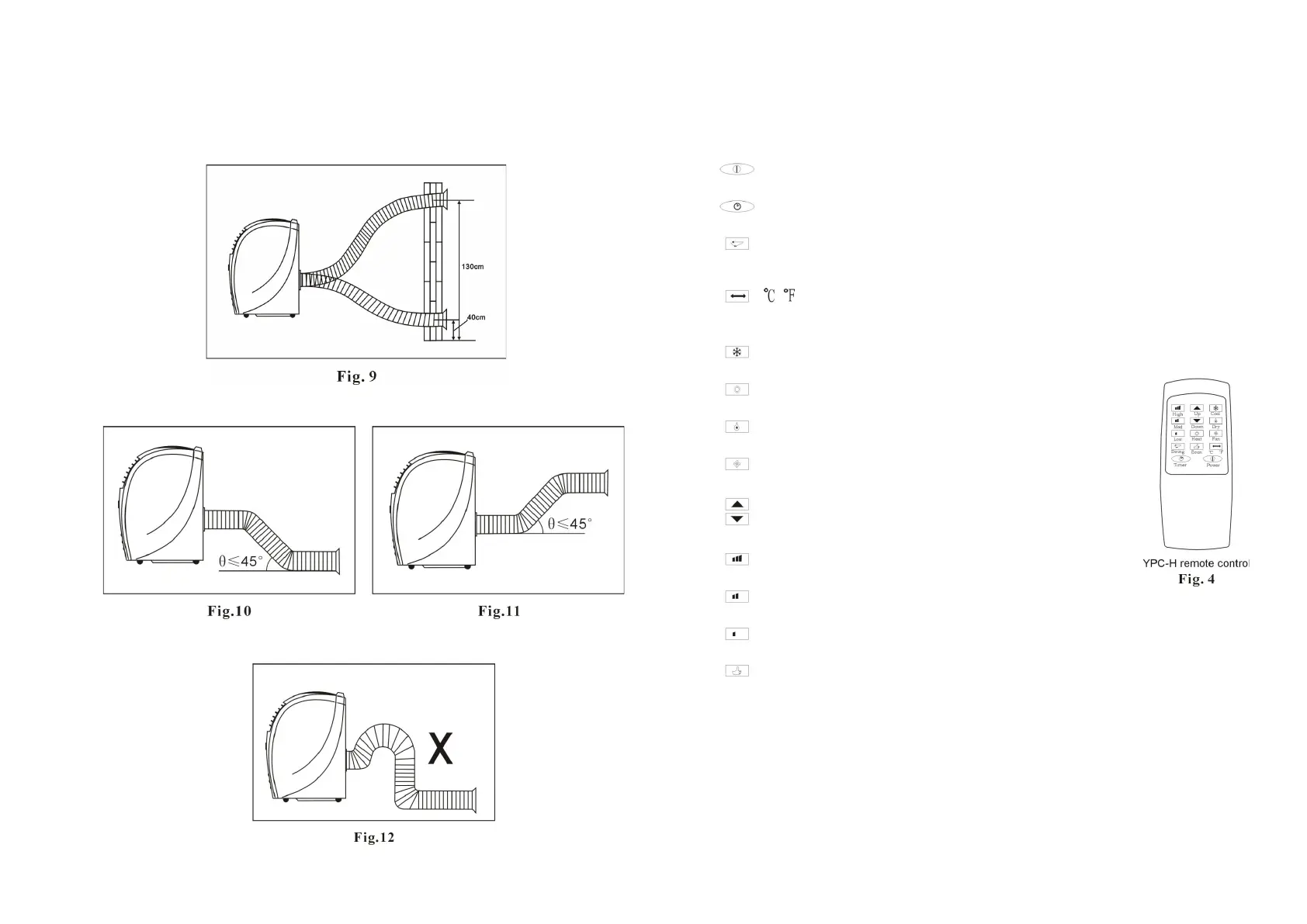
Ducting Examples
Mounting through wall
Corr
ect bending
I
ncorrect bending
6
REMOTE CONTROL
Power
Press switch the unit
ON / OFF.
Timer
Press to activate Timer mode.
Swing
Press to activate vertical louvre
swinging. Press again to stop
Cool
Heat
Dry
Fan
Press to change temperature units
between Celsius and Fahrenheit.
Press to activate Cool mode.
Press to activate Heat mode.
Press to activate Dry mode.
Press to activate Fan mode.
Up
Press to set temperature or adjust time in
Down
Timer mode.
High
Med
Low
Press to select high fan speed.
Press to select medium fan speed.
Press to select low fan speed.
Economy Press to use Energy Save mode mode (only in Heat and Cool
mode). The temperature is set to 27°C in cool mode and 23°C in heat
mode . The fan speed is low. These settings cannot be changed .


 To Previous Page