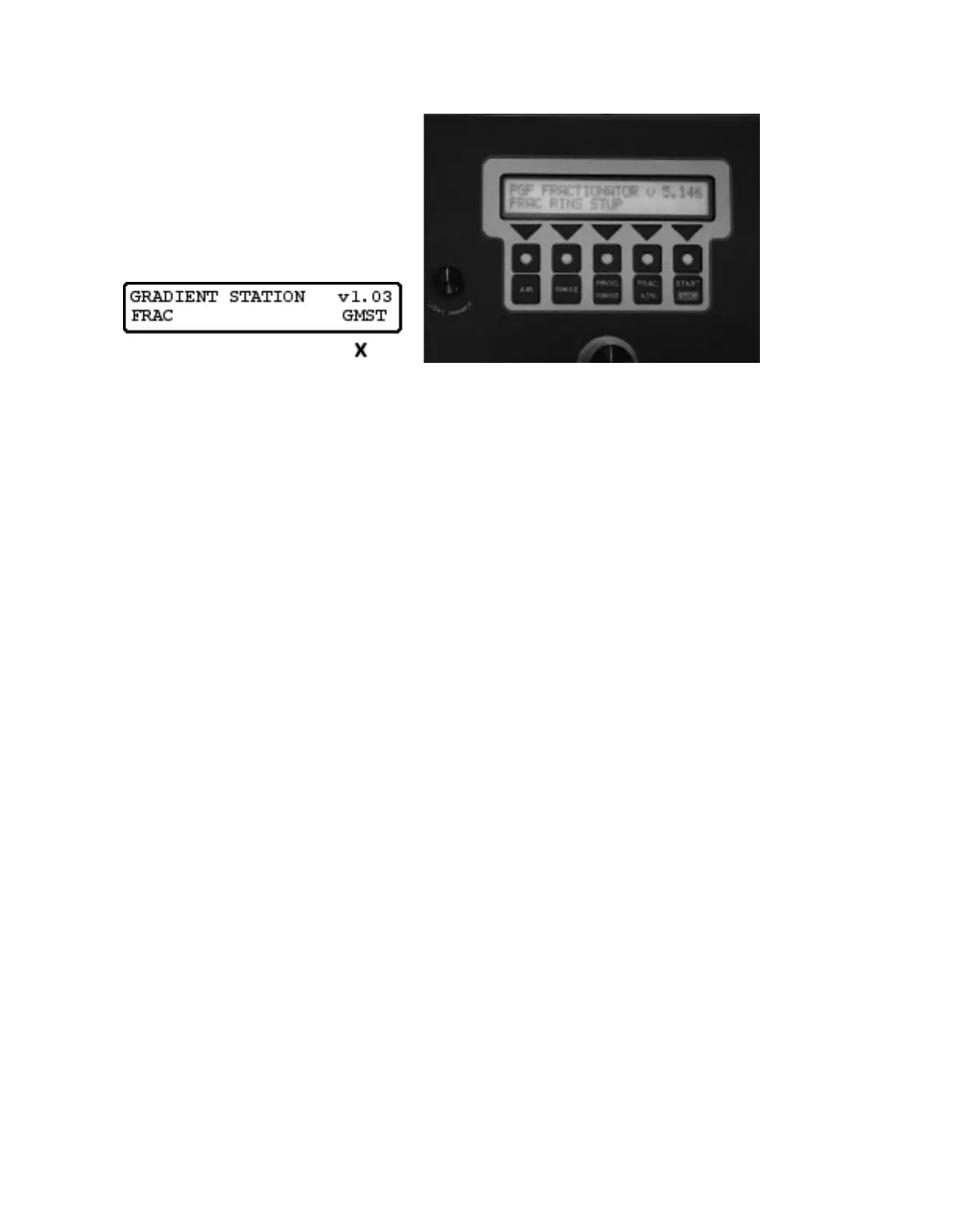
Turn the power switch on. After a brief delay, the display will light up a pale green and a bit later the
display will read:
! !
The instrument is preprogrammed and is now ready to use
The row of 5 blank keys directly below the display are the “smart” keys whose values are determined
by the words above; in this case, for example, the left-most key has the value “FRAC” for fractionate.
When an X appears beneath a word, it means that its smart key has been pressed.
The dedicated keys in the second row are used only for fractionation and have self-explanatory labels;
AIR turns on the air pump, forcing air into the collection tubing,
RINSE does the same for the water pump,
PROG. RINSE produces whatever series of rinse events is currently saved in
the automatic rinse register,
FRAC. ADV. closes a contact to the fraction collector if connected by a cable and
causes the collector to advance one fraction,
START/STOP key starts, stops or pauses any programmed activity,
depending on the cycle the device is operating in.
This is the “PANIC BUTTON”.



 To Next Page