Patient Monitor User’s manual
7-8
7.4 ECG Display
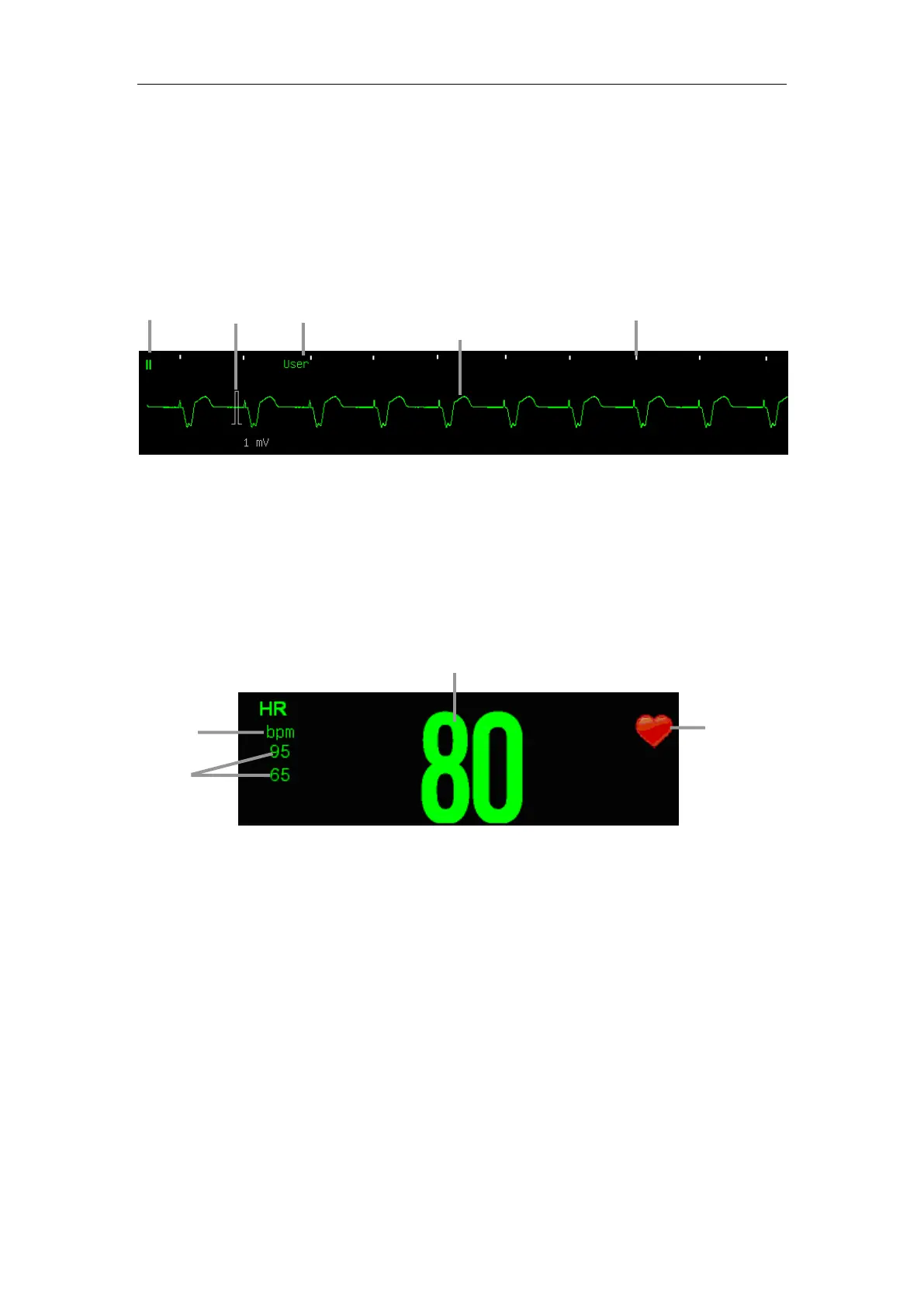
The following figure shows the ECG display screen, the display on your
monitor may be looked slightly different.
Waveform Display
If the【Paced】status has been set to【Yes】and the system detects paced
signal, the paced pulse “
︱
” will be marked on the ECG wave.(As it shown
above)
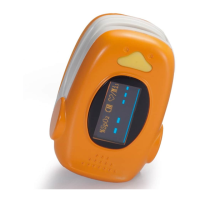
Parameter Display
If the monitor doesn’t obtain an effective HR value by ECG measuring,
the PR value will be displayed instead here.
7.5 Setting ECG
7.5.1 Setting ECG Parameter
Select the ECG parameter area to enter the ECG parameter setting menu.
Setting ECG Mode
The ECG mode can be selected as required, including【User】,【Diagnosis】,
【Monitor】and【Surgery】.
【Monitor】: Use under the normal measurement.
HR unit
HR
HR value
Heartbeat
icon
ECG mode
1mV scale
ECG wave
Lead
label
Pace pulse mark


 To Next Page