EasyManua.ls Logo

Bionaire BCH9300 - User Manual

Bionaire BCH9300
8 pages
Print Icon
To Next Page IconTo Next Page
Loading...
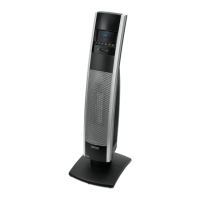
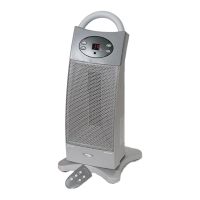
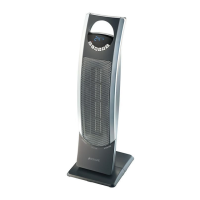
TOWER
CERAMIC HEATER
WITH LCD DISPLAY
COLONNE DE
CHAUFFAGE CERAMIQUE
AVEC ECRAN LCD
CALEFACTOR CERÁMICO
TIPO TORRE CON
PANTALLA LCD
AQUECEDOR DE CERÂMICA
DE TORRE CON VISOR DE LCD
INSTRUCTION MANUAL
MANUEL D’INSTRUCTIONS
MANUAL DE INSTRUCCIONES
MANUAL DE INSTRUÇÕES
MODEL/MODÉLE/MODELO:
BCH9300
NOTE: A Phillips screwdriver is required for assembly.
REMARQUE : Un tournevis à pointe cruciforme (Phillips) est
nécessaire pour l’assemblage.
NOTA: Se requiere un desarmador Phillips para el montaje.
NOTA: É necessária uma chave Phillips para a montagem.
P.N. 172533 BCH9300_(INTL)_13MLM1 GCDS-BIO31190-JC
Printed in China Imprimé en China Impreso en China Impesso na China
PARA MÉXICO SÓLAMENTE - FOR MEXICO ONLY
CALEFACTOR DE CERÁMICA TIPO TORRE CON
PANTALLA LCD BIONAIRE
MODELO: BCH9300, BCH9300-LA013
LEA EL INSTRUCTIVO ANTES DE USAR EL APARATO
LA SIGUIENTE INFORMACION ES PARA MEXICO
IMPORTADOR: SUNBEAM MEXICANA, S.A. DE C.V.
AV. JUÁREZ No. 40-201,
EX–HACIENDA DE SANTA MÓNICA,
TLALNEPANTLA, ESTADO DE MÉXICO,
C.P. 54050, R.F.C. SME570928G90, TEL. 53660800
PAIS DE ORIGEN: CHINA
PAIS DE PROCEDENCIA: E.U.A., CHINA
CONTENIDO: 1 PIEZA
CARACTERISTICAS ELECTRICAS
MOTOR: 60 Hz 120 V 1500 W
©2013 Sunbeam Products, Inc. All rights reserved. In Canada, imported and distributed by Sunbeam
Corporation (Canada) Limited doing business as Jarden Consumer Solutions, 20 B Hereford Street,
Brampton, Ontario L6Y 0M1. (1 Year Limited Warranty - please see inside pages for details)
In Latin America, distributed by Sunbeam Latin America, LLC, 5200 Blue Lagoon Drive, Suite 470, Miami, FL
33126. (One year limited warranty - please see separate insert for details)
©2013 Sunbeam Products, Inc. Tout droit réservé. Au Canada, importé et distribué par la Société Limitée
Sunbeam, agissant sous le nom de Jarden Consumer Solutions, 20 B Hereford Street, Brampton,
Ontario L6Y 0M1.
En Amérique Latine, distribué par by Sunbeam Latin America, LLC, 5200 Blue Lagoon Drive, Suite 470,
Miami, FL 33126. (Une année de garantie limitée – veuillez lire le feuillet sur la garantie pour plus de détails.)
©2013 Sunbeam Products, Inc. Todos los derechos reservados. En Canadá, importado y distribuido por
Sunbeam Corporation (Canadá) Limited, operando como Jarden Consumer Solutions, 20 B Hereford Street,
Brampton, Ontario L6Y 0M1.
En América Latina, distribuido por Sunbeam Latin America, LLC, 5200 Blue Lagoon Drive, Suite 470, Miami,
FL 33126. (Garantía limitada de un año – por favor consulte los detalles en el inserto.)
©2013 Sunbeam Products, Inc. Todos os direitos reservados. No Canadá, importado e distribuído pela
Sunbeam Corporation (Canada) Limited operando como Jarden Consumer Solutions, 20 B Hereford Street,
Brampton, Ontario L6Y 0M1.
Na América Latina, distribuído pela Sunbeam Latin America, LLC, 5200 Blue Lagoon Drive, Suite 470, Miami,
FL 33126. (Garantia limitada de um ano – para maiores detalhes, consulte o certificado.)
www.bionaire.com
BCH9300_13MLM1.indd 1-2 8/29/13 9:09 AM

Questions and Answers

  • S
    Stephanie LawrenceAug 18, 2025
    Why is my Bionaire Heater not producing enough heat?
    • D
      Derrick NicholsonAug 19, 2025
      If your Bionaire Heater isn't producing enough heat, it might be set to a low setting or in Fan Only mode. To resolve this, press the Thermostat Button to select a higher temperature setting. Also, ensure that the thermostat isn't set too low; again, use the Thermostat Button to increase the temperature.
  • J
    Jackson BallAug 22, 2025
    Why is the power light flashing on my Bionaire BCH9300?
    • E
      Elizabeth ThompsonAug 22, 2025
      The power light on your Bionaire Heater is flashing because the Auto Safety Shut-off system has been activated due to a potential overheat. To resolve this, follow the Auto Safety Shut-off instructions to reset the heater and allow it sufficient time to cool down before plugging it in again.
  • C
    colleen26Aug 25, 2025
    Why is my Bionaire Heater blowing cold air?
    • K
      Katherine GrimesAug 25, 2025
      Your Bionaire Heater might be blowing cold air because it's in Thermostat Mode and has reached the set temperature, triggering a 15-second cool down to maintain thermostat accuracy. Try raising the temperature higher. It could also be in the Fan Only setting, so press the Thermostat Button to select a higher temperature setting. Also, check if the Power Button was accidentally pressed to turn off the heater; if so, press it again to turn the heater back on.
  • I
    Ian FlemingAug 27, 2025
    What does it mean when the power light is flashing on my Bionaire BCH9300 Heater?
    • M
      Michael GoldenAug 28, 2025
      A flashing power light on your Bionaire Heater indicates that the Auto Safety Shut-off system has been activated due to potential overheating. To fix this, follow the Auto Safety Shut-off instructions to reset the heater. Allow sufficient time for the heater to cool down before plugging it in again.
  • A
    Anthony TerryAug 31, 2025
    Why does my Bionaire Heater cycle on and off frequently?
    • C
      Carlos SmithAug 31, 2025
      Your Bionaire Heater cycles on and off frequently because the thermostat automatically turns the heater on and off to maintain your selected comfort level. If you want this to occur less frequently, press the Thermostat Button to select the highest setting. Also, if the heater turns on for about a minute every 10-15 minutes, this is normal operation to ensure the heater is accurately maintaining the room temperature.
  • G
    Gregory LangSep 3, 2025
    How to fix a Bionaire BCH9300 Heater remote that is not working?
    • T
      Thomas MezaSep 3, 2025
      If your Bionaire Heater remote isn't working, the batteries may be low; try changing them with two new AAA batteries (1.5V). Also, ensure you're within the remote's working range of up to 6m (20 feet). Finally, make sure the control panel display is clean, as a dirty display can interfere with the remote's functionality.
  • B
    Brian LewisSep 6, 2025
    Why can't I change the fan speed on my Bionaire BCH9300 Heater?
    • J
      Joshua GrantSep 6, 2025
      The heat settings on your Bionaire Heater control the heat output, not the fan speed. For maximum heat output, run the heater with the highest temperature setting.
  • S
    Stephanie TurnerSep 9, 2025
    Why is my Bionaire Heater making an unexpected noise?
    • S
      Scott KimSep 9, 2025
      You may hear a popping or crackling sound as your Bionaire Heater heats up. This is normal and safe operation. If the noise persists, please contact your local authorized distributor for Bionaire appliances.
  • J
    jennifer19Sep 12, 2025
    Why does my Bionaire BCH9300 Heater have an unexpected smell?
    • A
      Amanda GreenSep 12, 2025
      Your Bionaire Heater may emit an odor or vapor when used for the first time, or after prolonged storage. This is normal and results from dust or debris accumulating on the heating element. Ensure the heater is in a well-ventilated area and continue running it until the odor or vapor disappears.
  • M
    mcguirecaitlinNov 15, 2025
    What to do if my Bionaire Heater does not turn on?
    • D
      Douglas TurnerNov 15, 2025
      If your Bionaire Heater isn't turning on, there are several things you can try: * First, press the Power Button to ensure the heater is switched on. * Next, set the heater upright on a level surface and follow the Tip-over Shut-off instructions to resume operation. * You can also follow the reset instructions provided in this manual. * Check that the plug is properly inserted into a working electrical outlet, and that the circuit breaker is also working. If necessary, have the outlet replaced by a licensed electrician. * Try pressing the Thermostat Button to select the highest temperature setting. * Ensure that the heater is clear of obstructions and positioned at least 0.9m (36 inches) away from all objects. Finally, make sure no other high wattage appliances are operatin...

Summary

Important Safeguards

Important Instructions

Essential safety precautions for operating electrical appliances, covering fire, shock, and injury risks.

Assembly Instructions

Base Assembly

Steps for assembling the heater's base, including securing screws and routing the power cord.

Remote Control

Battery Replacement

Guide on how to remove and replace batteries in the remote control unit.

Operating Instructions

Power Button and Mode Selection

How to turn the heater on/off and select operating modes using the control panel or remote.

Fan Only and Heat & Save Settings

Details on using the Fan Only mode and the energy-efficient Heat & Save™ mode.

Thermostat and Frost Guard Control

How to set the desired temperature and activate the Frost Guard feature.

Oscillation and Timer Functions

Instructions for activating oscillation and programming the auto shut-off timer.

Auto Safety Shut-Off

Tip Over Shut-Off

Explanation of the tip-over safety feature that automatically shuts off the heater.

Troubleshooting

Heater Does Not Turn On

Common causes and solutions for the heater failing to power on.

Power Light is Flashing

Troubleshooting steps for when the power light flashes, indicating potential overheat.

Heater Cycles ON and OFF Frequently

Reasons and adjustments for the heater frequently cycling between on and off states.

Remote Does Not Work

Solutions for when the remote control is not functioning correctly.

Heater is Blowing Cold Air

Explanation of why the heater might blow cold air and how to address it.

Fan Speed Doesnt Change

Information on fan speed behavior across different heat settings.

Unexpected Noise

Explanation of normal popping or crackling sounds during heating.

Unexpected Smell

Reasons for odors or vapors when first using or after storage.

Warranty Information

Canada Only 1 Year Limited Warranty

Details of the limited warranty, exclusions, and how to obtain service in Canada.

Bionaire BCH9300 Specifications

General IconGeneral
ModelBCH9300
TypeCeramic Tower Heater
Voltage120V
ThermostatAdjustable
OscillationYes
Power1500W
Heat Settings2
Safety FeaturesTip-Over Switch, Overheat Protection
DesignTower

Related product manuals