5
The Keypad
The keypad is made up of numerical and function keys that are used to control the information that is either entered
into the unit or shown on the displays. There are six blue function keys they are BRKT, SET UP, NEXT, CLEAR, Up Arrow,
and Down Arrow. The main use of each of the function keys is listed below. On certain screens some of the functions keys
have special uses these are described later.
1) The Bracket key (BRKT) is used to return to the Bracket screen or to exit from Pro mode back to Bracket
mode.
2) The Set up key is used to scroll through screens 2 through 8 in Bracket mode and all three screens in Pro
mode. The Set Up key is also used to enter into Pro Mode, explained in Pro mode screens (page 11).
3) The Next key moves the selection arrows on the right side of the LCD from one line to the next.
4) The Clear key is used to blank out a number so that a new number can be entered.
5) The Up and Down arrows are mainly used to make small changes in a number.
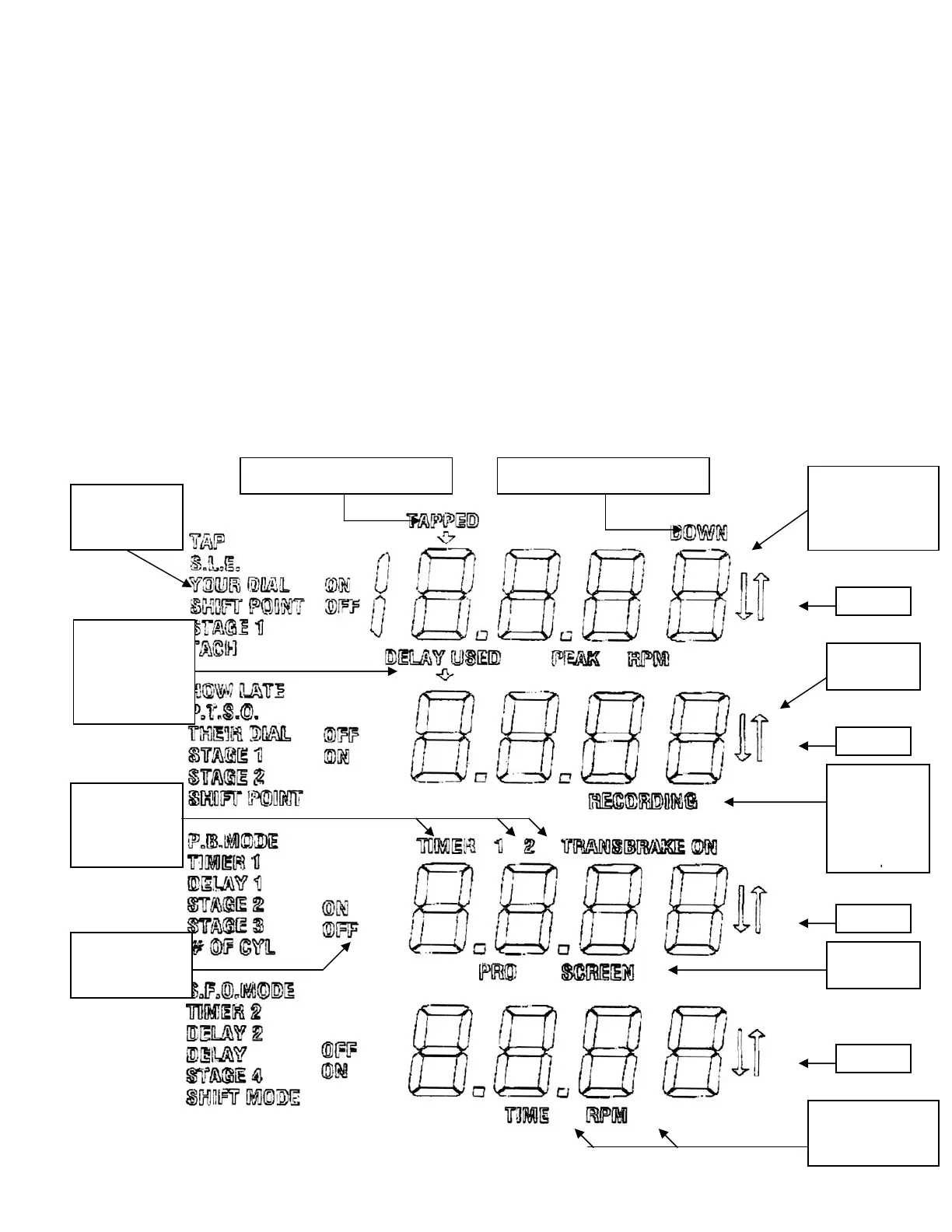
The Liquid Crystal Display (LCD)
The LCD is made up of text, numbers, and selection arrows. The text is used to indicate the information displayed
while the numbers are used to show the value of the information displayed. When viewing most screens a pair of selection
arrows will indicate the line that is selected.
Selection
Arrows
Text used to
indicate what
is dis
la
ed
Line 1
Line 2
Line 4
Line 3
Numbers are
used to show the
value of what is
ein
dis
la
ed
Pro Screen
indicato
Indicates
the pass is
being
recorded
Mega 450
Used when
setting Throttle
out
ut modes
Indicates if shift
will be on Time
or RPM
When taking
two hits at the
tree, will
indicate which
hit was used
Indicates
which 4-
Stage timer is
ein
Indicates the number of Taps Indicates Tap down mode



 To Next Page