Project Type
Instructions
Date: October 30 2020
Customer: Thermor Ltd
Job Number: TH4674
Item Number: BD201
Designer: Natalia Sigenza
PO: 24797-00
Revision: A
Artwork is not to be amended or scaled. If any changes
are required please send through Thermor oce with
instructions, and we will amend here and resend artwork
through. PLEASE RETURN WITH SIGNATURE
Contact: Graphic’s Department
graphics@thermor-ins.com
Colour Breakdown
Reason For Project:
New Item:
New Branding:
Design Update:
N/A: X
UPC (For Reference Only)
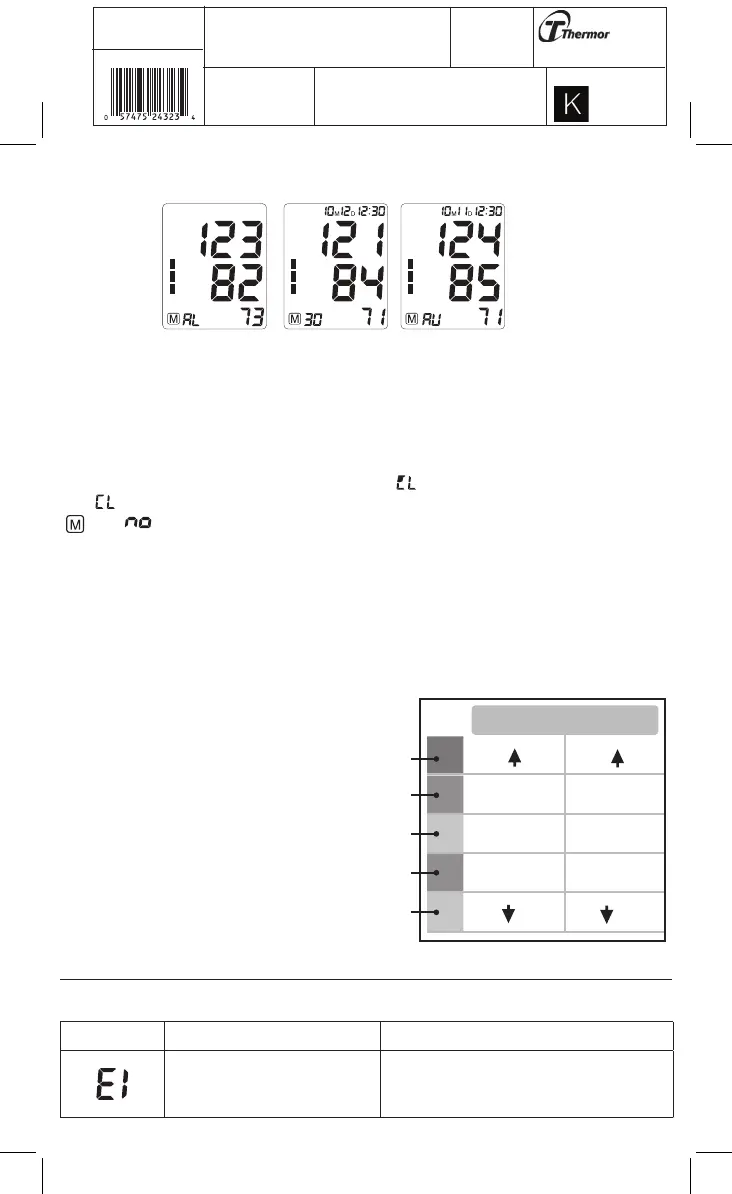
Press the MEM button to see the most recent measurement value. Subsequest measurements can be
displayed one after the other by pressing the MEM button.
IMPORTANT:
In memory a measurement that was taken in the 3X Averaging mode will have “AV” on the bottom left
hand side of the screen to indicate it is an averaged measurement. “AV” and the measurement will toggle
back and forth on the screen.
3.10 Clear Measurements From Memory
If you are sure that you want to permanently remove all stored memories, when the power is off, press
and hold the MEM button and then press it 6 times until “ ” appears. Press the START/STOP button
until “ ” flashes 3 times to clear the memory. After this, press either the MEM button, the symbols
“ ” and “ ” will appear on the screen. This means that the memory has successfully cleared.
3.11 Blood Pressure Assessment Indicator
The bars on the left hand side of the display show you the range within which the indicated blood
pressure values lies. Depending on the height of the bar, the readout value is either within the normal
(green), borderline (yellow) or danger (red) range.
The classification is based on standards adopted by Hypertension Canada.
The indicator bar rises according to your measurement.
• If your measurement has only one or two
bars, your measurement is in the green zone,
or “Normal”.
• If your measurement has three bars, it is in
the yellow zone, or “High Normal”, in the
pre-hypertensive range.
• If your measurement has four bars, it is in
the red zone “High Blood Pressure with Self
/ Home Monitoring”.
• If your measurement has five bars, it is
in the red zone or “Moderate to Severe
Hypertension”.
4. Error Messages / Malfunctions
If an error occurs during a measurement the LCD displays the corresponding error code.
Error Possible Cause Remedy
Weak signal or a sudden change
in pressure
Ensure that the cuff is worn correctly and
measure again. Avoid movement or talking
when the cuff is being inflated.
SYS
145
135-145
95
85-95
81-84
70-80
70
121-134
110-120
110
(mmHg)
DIA
Red
Red
Yellow
Green
Green















 To Next Page