Need help?
Do you have a question about the BIOS WEATHER 339BC and is the answer not in the manual?
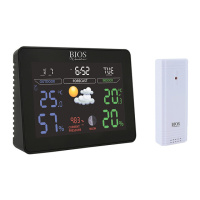
Details the various display elements and indicators on the front of the weather station monitor.
Identifies the buttons on the rear of the monitor used for setup and operation.
Description of the outdoor sensor unit, including its transmission indicator and channel switch.
Guidelines for handling the device to prevent damage and maintain warranty.
Instructions for correct battery installation, replacement, and care.
Step-by-step guide to connect outdoor sensors to the main monitor unit.
Guidance on resolving problems with outdoor temperature signal reception.
Advice on how to mount the monitor and place remote sensors for optimal performance.
Procedure for setting the date, time, and 12/24 hour format.
Instructions for setting and managing alarm times, including snooze.
How to view, clear max/min readings and switch between °C and °F.
How to activate the LCD backlight for improved visibility.
Details on measurement ranges, accuracy, checking intervals, and power sources.
Information on warranty coverage, return process, and exclusions.
Statement regarding compliance with radio frequency regulations and interference.
 General
| Category | Weather Station |
|---|---|
| Humidity Range | 20% to 95% |
| Display Type | LCD |
| Battery Type | AAA |
| Battery Quantity | 2 |
| Model | 339BC |
| Temperature Range | -10°C to 50°C |
| Power Source | Battery |

 To Next Page