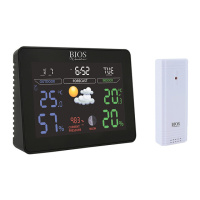
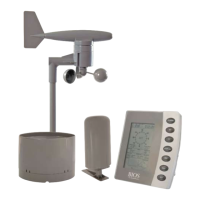
1.0 Care of the Device
• Avoidexposingunitstoextremetemperaturesorsevereshock.
• Avoidcontactwithanycorrosivematerialssuchasperfume,alcoholorcleaningagents.
• Donotsubjecttheunitstoexcessiveforce,shock,dust,temperatureorhumidity.Anyofthese
conditionsmayshortenthelifeoftheunits.
• Donotamperwithanyoftheinternalcomponentsoftheseunits.Thiswillinvalidatethe
warrantyandmaycausedamage.
• Damagecausedbyfailuretocomplywiththisinstructionmanualwillinvalidateanywarranty.
Themanufacturerandsupplierwillnotbeheldliableforanydamagesduetofailuretocomply
with this instruction manual.
• Incaseofharmordamagetoapersonorpropertycausedbyimproperhandlingorfailureto
complywiththisinstructionmanual,themanufacturerandsuppliercannotbeheldliable.
• Thisproductisnottobeusedformedicalpurposeorforpublicinformation.
1.1 Correct Usage of Batteries
• Donotmixstandardandrechargeablebatteries.
• Donotmixnewandoldbatteries.
• Whenthelowbatterysymbol
appearsonthedisplayreplaceallbatterieswithnewones.
• Donotleavedischargedbatteriesinthedeviceasthesemaycorrodeandreleasechemicals
thatmaydamagetheunit.
2.0 Setup Procedure
1. Removethebatterycoverfromtheremotesensors.
2. Removethebatterycoverfromthemonitorandinsert2xAAAbatteriesaccordingtothe
correct polarity.
3. Move the CHslideswitchonthebackoftheremotesensortothecorrectchannel(1,2or3).
Nextinsert2xAAbatteriesintothesensor.
4. ThetransmissionindicationLEDwillashontheremotesensorindicatingthatthesignalhas
beensenttothemonitor.Oncethesignalisreceived,thedashes(--.-°C)onthemonitorfor
channel1,2or3willchangetothecurrentoutdoortemperature.
5. Oncethemonitorreceivesthesignalfromtherstsensor,followsteps3and4aboveto
connect the other 2 remote sensors with the monitor.
6. Ifafter3minutesthescreendoesnotchangetoshowtheoutdoortemperature,presstheCH
buttononthemonitortoselectthechannelyouwouldliketoreset,CH1,CH2orCH3willash.
7. Press and hold the CHbuttontoselectit.Themonitorwillnowattempttosearchforthesignal
foranother3minutes.PresstheTXbuttononthebackoftheremotesensortoforcethe
sensortosendoutanothertransmissionsignaltothemonitor.
8. Positionthemonitorandremotesensorswithineffectivetransmissionrange,whichinusual
circumstancesis50metres(164feet).Therangeisaffectedbythebuildingmaterialsandwhere
themonitorandremotesensorarepositioned;tryvariouslocationsforthebestresults.
NOTE:Theremotesensorscanbeplacedoutdoorsorinsideyourhomeindifferentrooms.The
remotesensorshouldbeplacedinashadedareaforaccuratereadings.
2.1 Troubleshooting
Iftheoutdoortemperaturecannotbereceived,check:
1. Thedistancebetweenthemonitororremotesensorshouldbeatleast1.2metres(4feet)away
fromanyinterferingsourcessuchascomputermonitorsorTVsets.
2. Avoidplacingthemonitorontoorintheimmediateproximityofmetalwindowframes.


 To Next Page