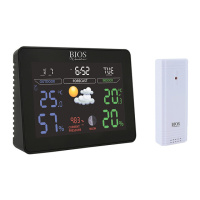
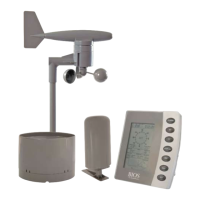
Theremotesensorcanbeplacedonanyatsurfaceormountedonawall.
Wall Mount
4.0 Calendar and Clock Setup
1. Press the SETbutton.Theyeardigitwillbegintoash.
2. Press the UP or DOWNbuttontotoggletothecorrectyear.
3. Press the SETbuttontoconrm.
4. Themonthdigitwillbegintoash.Followsteps2and3tosetthecorrectmonth,date,hour,
minutesand12/24hourformat.
5.0 Setting Alarm Time
1. Press the ALARMbuttononcetoenteralarmmode.ALwillbedisplayedbetweenthehour
andminutedigits.
2. Press the ALARMbuttonagaintoactivateordeactivatethealarm.Whenthealarmis
activated
willbedisplayedbetweenthehourandminutedigits.
3. Press and hold the ALARMbutton.Thehourdigitwillbegintoash.
4. Press the UP or DOWN buttontosetthehour.
5. Press the ALARMbuttontoconrm.Theminutedigitswillbegintoash.
6. Press the UP or DOWNbuttontosettheminutes.
7. Press the ALARMbuttontoconrm.Theclockwillautomaticallyreturntoregularmode.
8. WhenthealarmsoundspresstheSZN/LIGHTbutton,thealarmwillsoundagainin
approximately5minutes.Toturnoffthealarmrmlypressanyotherbutton,when
alarm sounds.
6.0 Maximum and Minimum Memory
1. Press the UP/MEM buttononcetodisplaythemaximumreadings.Pressthe
UP/MEMbuttonagaintodisplaytheminimumreadings.
2. To clear the memory, press and hold the UP/MEMbuttonwhenthemaxorminreadingsare
displayed.Thiswillresetthememorytothecurrenttemperatureandhumidityreadingsbeing
displayed on the monitor.
NOTE:Allthemaximumandminimumreadingswillberesetautomaticallyat12:00am(0:00)everyday.
7.0 °C/°F Switchable
Thedefaultmeasurementfortemperatureis°C,presstheDOWN/CFbuttontotogglebetween
°Cand°F.
8.0 Backlight
Press the SNZ/LIGHTbuttontoturnthebluebacklightonforafewseconds.


 To Next Page