ΰÇÊ6iÜ}Ê*ÀiÛÕÃÞÊ,iVÀ`i`Ê6>ÕiÃ
The blood pressure monitor automatically stores your measurements. It can store up to 90 measurements per
user and it will automatically calculate the average value of the last 3 readings and the average value of the
morning readings for both users.
When the memory is full (90 sets of readings are stored), the oldest reading will be replaced by a new one.
Memory will not clear away even if power supply is removed.
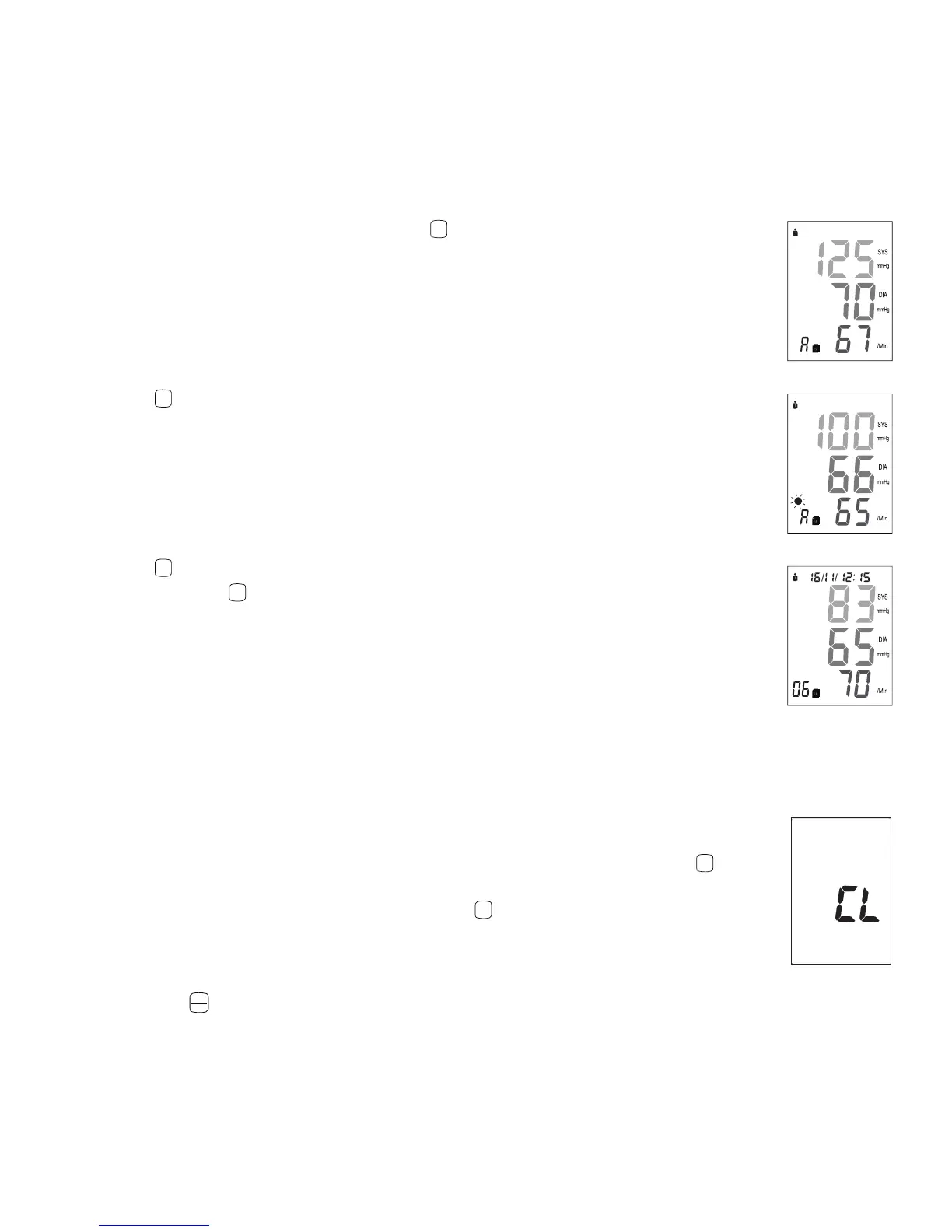
1. To view the previously stored values, press the
M
button. The blood pressure monitor will
show the average value of the last 3 readings.
2. Press the
M
button again, the display will show the average value of the morning readings
(see Section 3.8).
3. Press the
M
button again, the display will show the last measurement taken with the date
and time. Press the
M
button repeatedly to view all the measurements that are recorded on
the device.
3.8 AM Averaging (Morning)
This feature averages the morning readings between 4am and 12pm to identify morning
hypertension. Several studies have shown elevated cardiovascular risks, heart attacks, and strokes occur in the
morning as the body is waking up from sleep. See Section 3.7 on how to view the average value of the morning
readings.
3.9 Clearing All Values
If you are sure that you want to permanently remove all stored values, hold down the
M
button
when in standby (nothing is displayed on the screen) until the “CL” appears and then release
the button. To permanently clear the memory, press the
M
button while “CL” is flashing.
3.10 Discontinuing a Measurement
If it is necessary to interrupt a blood pressure measurement for any reason (e.g. the patient
feels unwell) the
START
STOP
button can be pressed at any time. The device then immediately lowers the cuff pressure
automatically.



 To Next Page