Motherboard Manual
28
BIO-Flasher
BIO-Flasher is a BIOS flashing utility prov iding y ou an easy and simple way to
update y our BIOS v ia USB pen drive or f loppy disk.
The BIO-Flasher is built in the BIOS chip. To enter the utility, press <F12>
during the Power-On Self Tests (POST) procedure while booting up.
Updating BIOS with BIO-Flasher
1. Go to the website to download the latest BIOS file for the motherboard.
2. Then, sav e the BIOS f ile into a USB pen driv e or a f loppy disk.
3. Insert the USB pen drive or the f loppy disk that contains the BIOS file to the
USB port or the floppy disk drive.
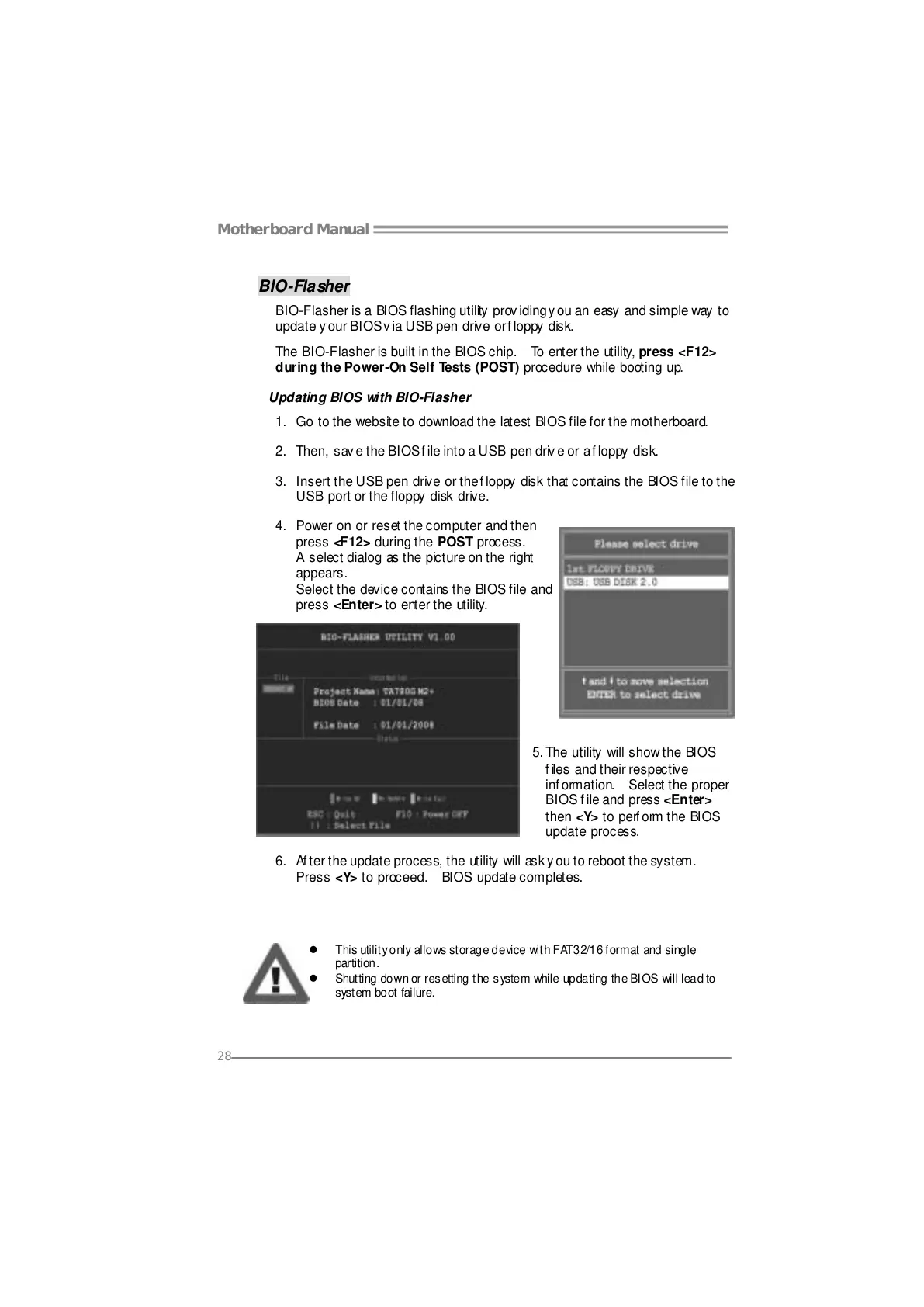
4. Power on or reset the computer and then
press <F12> during the POST process.
A select dialog as the picture on the right
appears.
Select the device contains the BIOS file and
press <Enter> to enter the utility.
5. The utility will show the BIOS
files and their respective
information. Select the proper
BIOS f ile and press <Enter>
then <Y> to perf orm the BIOS
update process.
6. Af ter the update process, the utility will ask y ou to reboot the system.
Press <Y> to proceed. BIOS update completes.
z This utility only allows storage device with FAT32/16 format and single
partition.
z Shutting down or resetting the system while updating the BIOS will lead to
system boot failure.





 To Next Page