EasyManua.ls Logo

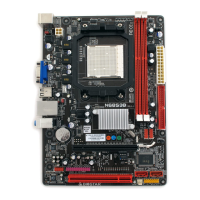
Biostar NF61S-M2 TE - User Manual

Biostar NF61S-M2 TE
40 pages
Print Icon
To Next Page IconTo Next Page
Loading...
NF61S-M2 TE BIOS Setup
1
Table of Contents
BIOS Setup ................................................................................................ 2
1 Main Menu ............................................................................................. 4
2 Standard CMOS Features..................................................................... 7
3 Advanced BIOS Features ...................................................................... 9
4 Advanced Chipset Features................................................................. 16
5 Integrated Peripherals......................................................................... 19
6 Power Management Setup................................................................... 26
7 PnP/PCI Configurations...................................................................... 30
8 PC Health Status .................................................................................. 32
9 Performance Booster Zone.................................................................. 35


Other manuals for Biostar NF61S-M2 TE

Questions and Answers

Summary

BIOS Setup Overview and Navigation

Introduction to BIOS Setup

Explains the purpose of the BIOS Setup manual and its functions.

Plug and Play Support in BIOS

Details the support for Plug and Play Version 1.0A specification.

EPA Green PC Support

Describes the support for EPA Green PC Version 1.03 specification.

APM Support Features

Outlines support for Advanced Power Management (APM) specifications.

ACPI Support Standards

Details the support for Advanced Configuration and Power Interface (ACPI).

PCI Bus Support Details

Covers support for Intel PCI local bus specification Version 2.3.

DRAM Support Information

Specifies support for DDR2 SDRAM (Double Data Rate Synchronous DRAM).

Supported CPUs Overview

Lists the CPU types supported by the BIOS.

Navigating the BIOS Setup Utility

Explains keyboard controls for using the BIOS Setup program.

Standard CMOS Features Configuration

Setting System Date and Time

Configure the system's internal clock and calendar settings.

IDE Channel 0 Configuration

Setup for IDE Channel 0 Master and Slave devices.

Floppy Drive Configuration

Settings for Floppy drives (Drive A and Drive B).

Video Device Selection

Select the default video device for the system.

POST Halt On Setting

Configure when the BIOS halts the POST process.

Memory Detection Information

Displays detected Base, Extended, and Total Memory.

Advanced BIOS Features and Settings

Cache Setup Configuration

Configure CPU internal and external cache settings.

Boot Sequence and Floppy Setup

Define boot device priority and floppy drive options.

Virus Warning and POST Settings

Enable virus protection and configure Quick Power On Self Test.

System Startup Options

Configure NumLock status, Gate A20, and typematic rate.

Security and System Options

Set security passwords, APIC mode, and OS DRAM selection.

Summary and Logo Display Settings

Control the summary screen and small logo display during boot.

Advanced Chipset Features and Controls

Frame Buffer and GPU Settings

Configure frame buffer size for on-chip VGA and GPU bank flip.

Chipset Connectivity Settings

Adjust K8<->NB HT Width, Spread Spectrum, and SSE/SSE2 instructions.

CPU and System Feature Configuration

Control Virtualization, AMD Cool'n'Quiet, and BIOS cacheability.

Integrated Peripherals and I;O Configuration

IDE and RAID Configuration

Configure IDE channels, RAID, and SATA primary/secondary settings.

SATA and DMA Transfer Settings

Manage Serial-ATA controller and IDE DMA transfer access.

Onboard Device and Port Setup

Set up USB, Audio, LAN, FDC, serial, and parallel ports.

Graphics, USB, and HDD Block Mode

Manage onboard GPU, display, USB, and HDD block mode.

Power Management Setup and Features

ACPI Function and Suspend Types

Configure ACPI function and select suspend type (S1, S3).

System Power Saving Modes

Set power saving levels (Min, Max, User Define) and video off.

Power Control and Wake-up Features

Manage power button behavior, WOL/WOR, USB resume, and alarms.

Power On Methods and Fail-Safe

Configure power-on methods and system behavior after power loss.

PnP;PCI Configurations and Resource Management

PnP;PCI Configuration Reset

Reset configuration data for Plug and Play and PCI devices.

Resource Control and IRQ Assignment

Manage system resource control (Auto/Manual) and IRQ assignments.

PCI;VGA Palette Snoop

Enable or disable VGA palette snooping for compatibility.

PCI Transaction Payload Size

Set the maximum payload size for PCI transaction packets.

PC Health Status Monitoring

Smart Fan Control Options

Configure CPU smart fan settings and calibration.

System Temperatures and Voltages

Monitor CPU, chipset, and system voltages and temperatures.

Fan Speed Monitoring

Displays current CPU and System fan speeds.

Performance Booster Zone and Tuning

CPU and Memory Voltage Settings

Adjust CPU and Memory voltages for performance tuning.

CPU and Memory Frequency Control

Set CPU frequency, PCIE clock, and K8<->NB HT speed.

DRAM Timing Parameters

Configure various DRAM timing parameters for performance.

Drive Strength and Termination Settings

Adjust drive strength and dram on-die termination settings.

Memory Clock and Training Control

Select memory clock speed and DQS training mode.

CKE, Memory Hole, and IO Settings

Configure CKE, memory hole, and IO space settings.

Performance Tuning Special Notices

Important notes and recovery methods for performance tuning.

Summary

BIOS Setup Overview and Navigation

Introduction to BIOS Setup

Explains the purpose of the BIOS Setup manual and its functions.

Plug and Play Support in BIOS

Details the support for Plug and Play Version 1.0A specification.

EPA Green PC Support

Describes the support for EPA Green PC Version 1.03 specification.

APM Support Features

Outlines support for Advanced Power Management (APM) specifications.

ACPI Support Standards

Details the support for Advanced Configuration and Power Interface (ACPI).

PCI Bus Support Details

Covers support for Intel PCI local bus specification Version 2.3.

DRAM Support Information

Specifies support for DDR2 SDRAM (Double Data Rate Synchronous DRAM).

Supported CPUs Overview

Lists the CPU types supported by the BIOS.

Navigating the BIOS Setup Utility

Explains keyboard controls for using the BIOS Setup program.

Standard CMOS Features Configuration

Setting System Date and Time

Configure the system's internal clock and calendar settings.

IDE Channel 0 Configuration

Setup for IDE Channel 0 Master and Slave devices.

Floppy Drive Configuration

Settings for Floppy drives (Drive A and Drive B).

Video Device Selection

Select the default video device for the system.

POST Halt On Setting

Configure when the BIOS halts the POST process.

Memory Detection Information

Displays detected Base, Extended, and Total Memory.

Advanced BIOS Features and Settings

Cache Setup Configuration

Configure CPU internal and external cache settings.

Boot Sequence and Floppy Setup

Define boot device priority and floppy drive options.

Virus Warning and POST Settings

Enable virus protection and configure Quick Power On Self Test.

System Startup Options

Configure NumLock status, Gate A20, and typematic rate.

Security and System Options

Set security passwords, APIC mode, and OS DRAM selection.

Summary and Logo Display Settings

Control the summary screen and small logo display during boot.

Advanced Chipset Features and Controls

Frame Buffer and GPU Settings

Configure frame buffer size for on-chip VGA and GPU bank flip.

Chipset Connectivity Settings

Adjust K8<->NB HT Width, Spread Spectrum, and SSE/SSE2 instructions.

CPU and System Feature Configuration

Control Virtualization, AMD Cool'n'Quiet, and BIOS cacheability.

Integrated Peripherals and I;O Configuration

IDE and RAID Configuration

Configure IDE channels, RAID, and SATA primary/secondary settings.

SATA and DMA Transfer Settings

Manage Serial-ATA controller and IDE DMA transfer access.

Onboard Device and Port Setup

Set up USB, Audio, LAN, FDC, serial, and parallel ports.

Graphics, USB, and HDD Block Mode

Manage onboard GPU, display, USB, and HDD block mode.

Power Management Setup and Features

ACPI Function and Suspend Types

Configure ACPI function and select suspend type (S1, S3).

System Power Saving Modes

Set power saving levels (Min, Max, User Define) and video off.

Power Control and Wake-up Features

Manage power button behavior, WOL/WOR, USB resume, and alarms.

Power On Methods and Fail-Safe

Configure power-on methods and system behavior after power loss.

PnP;PCI Configurations and Resource Management

PnP;PCI Configuration Reset

Reset configuration data for Plug and Play and PCI devices.

Resource Control and IRQ Assignment

Manage system resource control (Auto/Manual) and IRQ assignments.

PCI;VGA Palette Snoop

Enable or disable VGA palette snooping for compatibility.

PCI Transaction Payload Size

Set the maximum payload size for PCI transaction packets.

PC Health Status Monitoring

Smart Fan Control Options

Configure CPU smart fan settings and calibration.

System Temperatures and Voltages

Monitor CPU, chipset, and system voltages and temperatures.

Fan Speed Monitoring

Displays current CPU and System fan speeds.

Performance Booster Zone and Tuning

CPU and Memory Voltage Settings

Adjust CPU and Memory voltages for performance tuning.

CPU and Memory Frequency Control

Set CPU frequency, PCIE clock, and K8<->NB HT speed.

DRAM Timing Parameters

Configure various DRAM timing parameters for performance.

Drive Strength and Termination Settings

Adjust drive strength and dram on-die termination settings.

Memory Clock and Training Control

Select memory clock speed and DQS training mode.

CKE, Memory Hole, and IO Settings

Configure CKE, memory hole, and IO space settings.

Performance Tuning Special Notices

Important notes and recovery methods for performance tuning.

Biostar NF61S-M2 TE Specifications

General IconGeneral
BrandBiostar
ModelNF61S-M2 TE
CategoryMotherboard
LanguageEnglish

Related product manuals