
 Need help?
Do you have a question about the Biostar MCP6PB M2 PLUS and is the answer not in the manual?
Provides essential instructions and precautions before installing the motherboard.
Lists the items included in the motherboard package for the user.
Details the technical specifications and features of the motherboard.
Describes the external connectors located on the back of the motherboard.
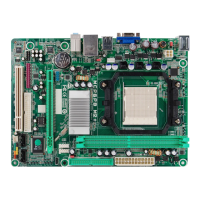
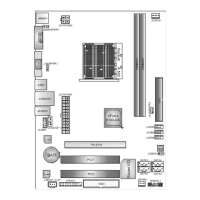
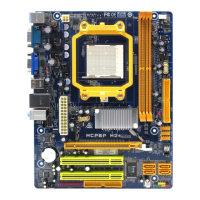
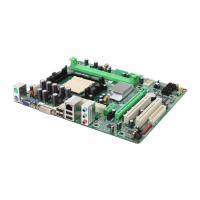
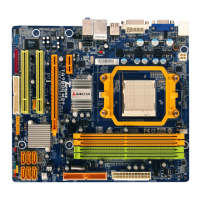
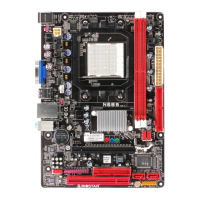
Illustrates the physical arrangement and locations of components on the motherboard.
Step-by-step instructions for safely installing the CPU onto the motherboard socket.
Explains the purpose and pin assignments of CPU and System Fan headers.
Provides instructions for installing RAM modules into the motherboard DIMM slots.
Describes various connectors and expansion slots available on the motherboard.
Illustrates how to correctly set up jumpers for various motherboard configurations.
Explains the front panel header connections for power, reset, and LEDs.
Details the 24-pin ATX power connector and its pin assignments.
Details the 4-pin ATX power connector for CPU power and its pin assignments.
Describes the front panel USB 2.0 headers and their pin configurations.
Explains the Serial ATA connectors for hard drives and their specifications.
Details the front panel audio header for connecting audio jacks and microphone.
Explains the serial port connector for RS-232 communication.
Provides instructions on how to clear CMOS settings using the jumper.
Details the printer port connector and its pin assignments for parallel connections.
Explains the power source headers for USB ports, distinguishing between standard and standby power.
Describes the power source header for PS/2 keyboard and mouse connections.
Lists the operating systems supported by the RAID functions.
Defines the different types of RAID arrays supported, such as RAID 0 and RAID 1.
Explains the technical principles and operation of RAID configurations.
Guides users on installing drivers from the provided CD for optimal performance.
Step-by-step instructions for installing motherboard drivers.
Instructions for installing bundled software utilities from the driver CD.
Information on accessing the electronic manual available on the driver CD.
Details the software installation process and features.
Explains the utility for customizing the system's boot logo.
Lists BIOS beep codes and their corresponding error meanings.
Provides additional troubleshooting tips, focusing on CPU overheating protection.
Explains the CPU overheating protection mechanism and troubleshooting steps.
Offers solutions for common system problems and probable causes.
 General
| Brand | Biostar |
|---|---|
| Model | MCP6PB M2 PLUS |
| Category | Motherboard |
| Language | English |




 To Next Page