EasyManua.ls Logo

Biostar B360-BTC PRO 2.0 - User Manual

Biostar B360-BTC PRO 2.0
58 pages
Print Icon
To Next Page IconTo Next Page
Loading...
FCC Informaon and Copyright
This equipment has been tested and found to comply with the limits of a Class B digital device,
pursuant to Part 15 of the FCC Rules. These limits are designed to provide reasonable protecon
against harmful interference in a residenal installaon. This equipment generates, uses, and can
radiate radio frequency energy and, if not installed and used in accordance with the instrucons,
may cause harmful interference to radio communicaons. There is no guarantee that interference
will not occur in a parcular installaon.
The vendor makes no representaons or warranes with respect to the contents here and
specially disclaims any implied warranes of merchantability or tness for any purpose. Further
the vendor reserves the right to revise this publicaon and to make changes to the contents here
without obligaon to nofy any party beforehand.
Duplicaon of this publicaon, in part or in whole, is not allowed without rst obtaining the
vendors approval in wring.
The content of this users manual is subject to be changed without noce and we will not be
responsible for any mistakes found in this users manual. All the brand and product names are
trademarks of their respecve companies.
Dichiarazione di conformità sinteca
Ai sensi dell’art. 2 comma 3 del D.M. 275 del
30/10/2002
Si dichiara che questo prodoo è conforme
alle normave vigen e soddisfa i requisi
essenziali richies dalle direve
2004/108/CE, 2006/95/CE e 1999/05/CE
quando ad esso applicabili
Short Declaraon of conformity
We declare this product is complying with the
laws in force and meeng all the essenal
requirements as specied by the direcves
2004/108/CE, 2006/95/CE and 1999/05/CE
whenever these laws may be applied
Question and Answer IconNeed help?

Do you have a question about the Biostar B360-BTC PRO 2.0 and is the answer not in the manual?

Overview

This document describes the BIOSTAR TB360-BTC PRO 2.0 / TB360-BTC PRO 3.0 motherboard, providing details on its functions, technical specifications, usage, and maintenance.

Function Description:

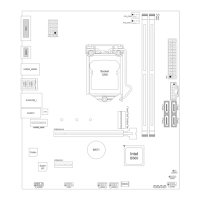
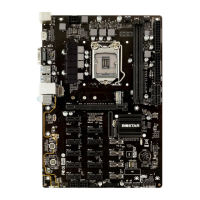
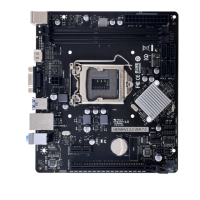
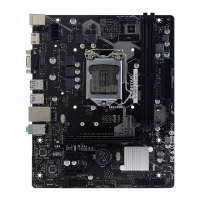
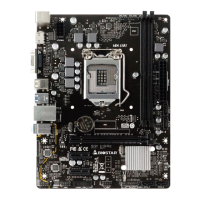
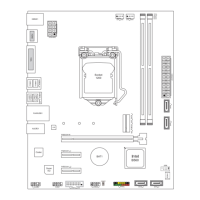
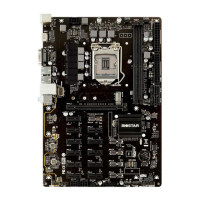
The BIOSTAR TB360-BTC PRO 2.0 / TB360-BTC PRO 3.0 is an ATX form factor motherboard designed for 8th and 9th Generation Intel Core i9/i7/i5/i3/Pentium/Celeron processors with a Socket 1151. It is specifically optimized for cryptocurrency mining, indicated by its extensive PCIe expansion slots. The motherboard supports dual-channel DDR4 memory, multiple SATA III storage devices, and an M.2 slot for SSDs. It integrates essential I/O functions including USB 3.1 (Gen1), USB 2.0, Gigabit LAN, and 7.1 channel high-definition audio. The UEFI BIOS provides comprehensive setup and update functionalities, while the BIOScreen Utility allows for boot logo customization.

Important Technical Specifications:

  • CPU Support: Socket 1151 for 8th/9th Intel Core i9/i7/i5/i3/Pentium/Celeron processors. Supports 8th Generation Intel® Core™ Processor Family only for 300-Series chipsets. Max CPU TDP of 95W.
  • Chipset:
    • TB360-BTC PRO 2.0: Intel® B360
    • TB360-BTC PRO 3.0: Intel® H370
  • Memory:
    • Supports Dual Channel DDR4 1866/2133/2400/2666.
    • 2x DDR4 DIMM Memory Slots.
    • Max. Supports up to 32 GB Memory.
    • Each DIMM supports non-ECC 4/8/16GB DDR4 modules.
  • Storage:
    • 4x SATA III Connectors (6Gb/s).
    • 1x M.2 (6Gb/s) slot: Supports SATA SSD (Type 2242/2260/2280).
  • LAN: RTL8111F, 10/100/1000 Mb/s auto negotiation, Half/Full duplex capability.
  • Audio Codec: ALC887, 7.1 Channels, High Definition Audio.
  • USB:
    • 6x USB 3.1(Gen1) ports (4 on rear I/Os and 2 via internal header).
    • 6x USB 2.0 ports (2 on rear I/Os and 4 via internal header).
  • Expansion Slots:
    • 11x PCIe 3.0 x1 Slots.
    • 1x PCIe 3.0 x16 Slot.
    • Maximum VGA cards mining support depends on VGA Driver or mining software.
  • Rear I/Os:
    • 1x PS/2 Mouse, 1x PS/2 Keyboard.
    • 1x VGA Port, 1x HDMI Port.
    • 1x LAN port.
    • 2x USB 2.0 Ports, 4x USB 3.1(Gen1) Ports.
    • 3x Audio Jacks (supporting 2/4/5.1/7.1 channel configuration).
  • Internal I/Os:
    • 4x SATA III Connectors (6Gb/s).
    • 2x USB 2.0 Headers (each header supports 2 USB 2.0 ports).
    • 1x USB 3.1(Gen1) Header (supports 2 USB 3.1(Gen1) ports).
    • 1x 8-Pin Power Connector, 2x 24-Pin Power Connectors.
    • 2 x 6-Pin PCIe Power Connectors.
    • 1x CPU Fan Connector, 2x System Fan Connectors.
    • 1x Front Panel Header, 1x Front Audio Header, 1x COM Serial Header, 1x Clear CMOS Header.
  • Form Factor: ATX Form Factor, 295mm x 210mm.
  • OS Support: Windows 10 (64bit) / Windows 11 (64bit).

Usage Features:

  • CPU Installation: Detailed steps for installing the CPU into the LGA1151 socket, including proper alignment and securing the locking lever. Emphasizes the importance of using the correct CPU and avoiding force.
  • Heatsink Installation: Instructions for placing and securing the CPU fan assembly, ensuring fasteners match motherboard holes and the fan cable is near the connector. Advises applying thermal interface material and connecting the CPU fan connector.
  • Cooling Fan Connections: Supports 4-pin and 3-pin fan headers (CPU_FAN1, SYS_FAN1, SYS_FAN2). Provides pin assignments for ground, +12V, FAN RPM rate sense, and Smart Fan Control.
  • System Memory Installation: Guides on installing DDR4 modules, including unlocking retaining clips, aligning the notch, and firmly inserting the DIMM. Explains Dual Channel Memory Installation requirements, recommending modules of the same density and brand for optimal performance.
  • Expansion Card Installation: General steps for installing expansion cards into PCIe slots, including reading documentation, removing chassis cover/brackets, seating the card, securing it, replacing the cover, and installing drivers.
  • Jumper & Switch Setting: Explains how to set jumpers (open/closed) and provides specific instructions for the JCMOS1 (Clear CMOS) jumper to restore BIOS settings.
  • Power Connections: Details ATXPWR1/ATXPWR2 (24-pin ATX) and ATXPWR3 (8-pin ATX) power source connectors. Provides pin assignments and emphasizes correct orientation and sufficient power supply, especially for multi-PSU configurations in mining setups.
  • Front Panel Headers: Instructions for connecting the Front Panel Header (PANEL1) for power, reset, HDD LED, and power LED, as well as Front USB (F_USB1/F_USB2, JFRONT_USB3_1) and Front Audio (F_AUDIO1) headers.
  • SATA Connections: Guides on connecting SATA hard disk drives to the SATA3_1/SATA3_2/SATA3_3/SATA3_4 connectors.
  • UEFI BIOS Setup: Accessible by pressing during POST. Users can view and change BIOS settings. Refers to the UEFI BIOS Manual for detailed information.
  • BIOS Update: Supports two methods:
    • BIOSTAR BIOS-FLASHER: Updates BIOS from a file on a hard disk, USB drive (FAT/FAT32 format), or CD-ROM. Involves downloading the BIOS file, copying it to a USB drive, inserting it, pressing during POST, and selecting the file.
    • BIOSTAR BIOS Update Utility (through the Internet/DVD Driver): Enables automated updating within Windows or via internet. Involves installing the utility, ensuring internet connection, launching the utility, clicking "Online Update," agreeing to the update, and rebooting. Also supports updating from a downloaded BIOS file.
  • BIOScreen Utility: Allows users to personalize the boot logo using BMP images. Features include Load Image, Transform (preview), and Update Bios.
  • Driver Installation: Guides on installing drivers and software from the provided DVD. The setup guide auto-detects the motherboard and OS, listing compatible drivers and available software.

Maintenance Features:

  • General Safety Precautions: Emphasizes a dry and stable working environment, disconnecting power before operation, proper grounding to avoid static discharge, avoiding touching components, securing small parts, and keeping the computer away from heat, humidity, and water.
  • CPU Overheated Protection: Describes the motherboard's automatic shutdown feature if the CPU overheats to prevent damage. Provides troubleshooting steps: checking cooler placement, fan rotation, and fan speed, then removing/reconnecting power or clearing CMOS data.
  • Troubleshooting Guide: A comprehensive table listing probable issues and their solutions, covering:
    • No power to the system.
    • Inoperative system with lights on.
    • System not booting from hard disk (but from optical drive).
    • System only booting from optical drive (hard disk readable but not bootable).
    • "Invalid Configuration" or "CMOS Failure" messages.
    • System not booting after installing a second hard drive.
  • BIOS Backup: The BIOS Update Utility allows users to back up the current BIOS file to a specified location.
  • eHot-Line Support: Provides a utility to gather system information (motherboard, BIOS, CPU, video, OS) and send it via email for technical support. Users can save this information as a text file if Outlook Express is not configured as the default email client.
  • Environmental Compliance (China RoHS): Includes a table detailing hazardous substances or elements and their content in various components, indicating compliance with SJ/T11363-2006 standards.
  • CE Conformity: Declares compliance with directives 2004/108/CE, 2006/95/CE, and 1999/05/CE.
  • Anti-Static Handling Rules: Warns against severe damage from static electricity and advises careful handling of the motherboard and system components in an anti-static environment. Emphasizes disconnecting power when inserting or removing devices.

Biostar B360-BTC PRO 2.0 Specifications

General IconGeneral
BrandBiostar
ModelB360-BTC PRO 2.0
CategoryMotherboard
LanguageEnglish

Related product manuals