EasyManua.ls Logo

Biostar B365GTA - User Manual

Biostar B365GTA
88 pages
Print Icon
To Next Page IconTo Next Page
Loading...
FCC Informaon and Copyright
This equipment has been tested and found to comply with the limits of a Class B digital device,
pursuant to Part 15 of the FCC Rules. These limits are designed to provide reasonable protecon
against harmful interference in a residenal installaon. This equipment generates, uses, and can
radiate radio frequency energy and, if not installed and used in accordance with the instrucons,
may cause harmful interference to radio communicaons. There is no guarantee that interference
will not occur in a parcular installaon.
The vendor makes no representaons or warranes with respect to the contents here and
specially disclaims any implied warranes of merchantability or tness for any purpose. Further
the vendor reserves the right to revise this publicaon and to make changes to the contents here
without obligaon to nofy any party beforehand.
Duplicaon of this publicaon, in part or in whole, is not allowed without rst obtaining the
vendors approval in wring.
The content of this users manual is subject to be changed without noce and we will not be
responsible for any mistakes found in this users manual. All the brand and product names are
trademarks of their respecve companies.
Dichiarazione di conformità sinteca
Ai sensi dell’art. 2 comma 3 del D.M. 275 del
30/10/2002
Si dichiara che questo prodoo è conforme
alle normave vigen e soddisfa i requisi
essenziali richies dalle direve
2004/108/CE, 2006/95/CE e 1999/05/CE
quando ad esso applicabili
Short Declaraon of conformity
We declare this product is complying with the
laws in force and meeng all the essenal
requirements as specied by the direcves
2004/108/CE, 2006/95/CE and 1999/05/CE
whenever these laws may be applied

Question and Answer IconNeed help?

Do you have a question about the Biostar B365GTA and is the answer not in the manual?

Overview

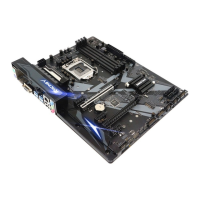
This document describes a BIOSTAR motherboard, model B365GTA, designed for 9th/8th Gen Intel® Core, Pentium, and Celeron processors with a maximum CPU TDP of 95W. It supports dual-channel DDR4 memory (1866/2133/2400/2666) across four DIMM slots, accommodating up to 64GB of non-ECC DDR4 modules (4/8/16GB each).

Key Features and Specifications:

  • CPU Support: Socket 1151 for 9th/8th Gen Intel® Core, Pentium, and Celeron processors. Note that 9th/8th Generation Intel® Core™ Processor Family only supports 300-Series chipsets.
  • Chipset: Intel® B365.
  • Memory: 4x DDR4 DIMM slots, max 64GB, supporting non-ECC 4/8/16GB DDR4 modules.
  • Storage:
    • 6x SATA III Connectors (6Gb/s) supporting AHCI, RAID 0, 1, 5, 10, Intel® Rapid Storage Technology & Intel® Optane Technology.
    • 1x M.2 (M Key) slot supporting PCI-E 3.0 x4 (32Gb/s).
    • 1x M.2 (M Key) slot supporting PCI-E 3.0 x4 (32Gb/s) & SATA III (6Gb/s) SSD.
    • Note: When using a SATA SSD module on the PCIE-M2_1 slot, the SATA_6 connector is disabled. SATA RAID only supports UEFI Mode.
  • LAN: Intel® I219V, 10/100/1000 Mb/s auto-negotiation, Half/Full duplex capability.
  • Audio: ALC887, 7.1 Channels, High Definition Audio.
  • USB:
    • 8x USB 3.1(Gen1) ports (4 on rear I/Os and 4 via internal header).
    • 6x USB 2.0 ports (2 on rear I/Os and 4 via internal header).
  • Expansion Slots:
    • 3x PCIe 3.0 x1 slots.
    • 2x PCIe 3.0 x16 slots.
  • Rear I/Os: 1x PS/2 Mouse, 1x PS/2 Keyboard, 1x HDMI Port, 1x VGA Port, 1x LAN Port, 2x USB 2.0 Ports, 4x USB 3.1(Gen1) Ports, 3x Audio Jacks.
    • HDMI/VGA ports only work with Intel® integrated Graphics Processor.
    • Maximum HDMI resolution: 4096 x 2160 @24Hz (HDMI 1.4 compliant).
    • Maximum VGA resolution: 1920 x 1200 @60Hz.
    • The motherboard supports two onboard display outputs simultaneously.
    • For 7.1-channel audio, an HD front panel audio module and OS Audio Utility configuration are required.
  • Internal I/Os: 6x SATA III Connectors (6Gb/s), 2x USB 2.0 Headers (each supporting 2 USB 2.0 ports), 2x USB 3.1(Gen1) Headers (each supporting 2 USB 3.1(Gen1) ports), 1x 8-Pin Power Connector, 1x 24-Pin Power Connector, 1x CPU Fan Connector, 3x System Fan Connectors, 1x Front Panel Header, 1x Front Audio Header, 1x Clear CMOS Header, 1x COM Port Header, 1x S/PDIF out Connector, 2x LED Headers (12V/5V).
  • Form Factor: ATX, 305mm x 244mm.
  • OS Support: Windows 10 (64bit).

Usage Features:

  • CPU Installation: Detailed steps are provided for installing the CPU, including aligning notches and securing the locking lever. Users are reminded to ensure the correct CPU for LGA1151 socket and not to force installation.
  • Heatsink Installation: Instructions for placing the CPU fan assembly, matching fasteners, and connecting the fan cable. Emphasizes applying thermal interface material and connecting the CPU fan connector.
  • Cooling Fan Connections: CPU_FAN1, SYS_FAN1/2/3 headers support 4-pin and 3-pin fan connectors. Pin assignments for PWM and DC modes are provided.
  • System Memory Installation: Steps for installing DDR4 modules, including unlocking DIMM slots, aligning notches, and firmly seating the modules. A memory capacity table and dual-channel installation requirements are included, recommending same-brand and capacity modules for optimal performance.
  • Expansion Card Installation: General steps for installing PCI-Express cards and M.2 SSD modules, including securing with screws and installing drivers.
  • Jumper & Switch Setting (JCMOS1): Instructions for clearing CMOS data to restore BIOS safe settings, involving removing AC power, setting the jumper, waiting, and then resetting the jumper.
  • Headers & Connectors: Detailed pin assignments and functions for ATX power connectors (ATXPWR1, ATX_12V_2X4), front panel header (PANEL1), SATA III connectors, front panel USB 3.1(Gen1) headers (JFRONT_USB3_1/3_2), front panel USB 2.0 headers (F_USB1/2), digital audio-out connector (JSPDIFOUT1), front panel audio header (F_AUDIO1), serial port header (COM1), RGB LED device headers (12V_LED and 5V_LED).
  • LEDs: The motherboard features RGB LED device headers (5V/12V) and Racing ARMOR LEDs, controlled by the RACING GT EVO program.
  • UEFI BIOS Setup: Accessed by pressing during POST. Further details are available in the UEFI BIOS Manual on the BIOSTAR website.
  • BIOS Update: Can be performed using BIOSTAR BIO-FLASHER (from hard disk, USB drive, or CD-ROM) or BIOSTAR BIOS Update Utility (automated update within Windows, from various sources or web). Detailed steps for both methods are provided, including downloading the latest BIOS file, saving to USB, and using the utility.
  • BIOScreen Utility: Allows users to personalize the boot logo using BMP images.
  • RACING GT EVO Software: An integrated program for configuring various BIOSTAR utilities.
    • System Information: Displays CPU, motherboard, processor, and memory information.
    • SmartEAR: Controls system volume and adjusts headphone impedance (Low/High Gain) for optimized audio performance.
    • GT Touch: Adjusts system performance modes (Normal, ECO, Sport).
    • Vivid LED DJ: Customizes color schemes for Racing ARMOR and RGB LED devices, offering various lighting modes (Permanent, Shine, Breath, Shine & Music, Meteor, Wave, Starry Sky, Lightning, Rainbow, Aurora) and brightness control.
    • A.I Fan: Allows customizability of fan operating modes based on temperature, with options for Auto, DC, PWM, and control modes (Aggressive, Quiet, Manual, Full on).
    • H/W Monitor: Monitors hardware voltage, fan speed, and temperature (CPU, system, DRAM).
    • OC/OV: Adjusts overclocking and voltage profiles, with options to load/save profiles and restore defaults.

Maintenance Features:

  • Troubleshooting: A section addressing common issues such as no power, system inoperability, boot failures (from hard disk or optical drive), "Invalid Configuration" or "CMOS Failure" messages, and issues after installing a second hard drive. Solutions include checking cables, replacing components, reformatting drives, and setting jumpers.
  • CPU Overheated Protection: Describes the automatic shutdown mechanism when the CPU overheats and provides steps to relieve the protection function, such as removing power, waiting, and clearing CMOS data.
  • RAID Functions: Explains RAID 0 (striping), RAID 1 (mirroring), RAID 10 (1+0), and RAID 5 (parity across disks), including their features, benefits, drawbacks, and fault tolerance. Notes that PCI-E Storage supports RAID 0, 1 & 5, and SATA RAID only supports UEFI Mode.
  • Intel® Optane™ Technology: Describes the function and benefits of Intel® Optane™ Technology and its requirements (Intel® Optane Memory or Storage, Intel® 7th/8th/9th generation core CPU, installation in a compatible port, Intel® Rapid Storage Technology Driver, and UEFI OS).
  • eHot-Line Utility: A convenient tool for contacting BIOSTAR Tech-Support. It collects system information to help diagnose problems and can send this information via email or save it to a .txt file. Users are advised to set Outlook Express as their default email client or manually send the .txt file.
  • Driver Installation: Instructions for installing drivers from the provided DVD, including auto-detection of motherboard and OS, and access to software installation and manuals.
  • FCC Compliance: The device complies with FCC Part 15 Class B digital device limits, designed to provide reasonable protection against harmful interference. Troubleshooting steps are provided for interference issues.
  • Anti-Static Handling: Emphasizes proper grounding and handling precautions to prevent damage from static electricity during installation.

Biostar B365GTA Specifications

General IconGeneral
BrandBiostar
ModelB365GTA
CategoryMotherboard
LanguageEnglish

Related product manuals