Need help?
Do you have a question about the Biostar B350ET2 and is the answer not in the manual?
Safety guidelines and preparation steps before installing the motherboard.
Lists the items included in the motherboard package.
Details the technical specifications of the motherboard, including CPU, memory, storage, etc.
Describes the ports and connectors available on the motherboard's rear panel.
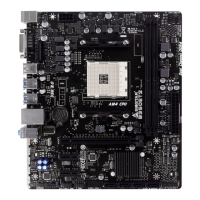
Provides a visual diagram of the motherboard, identifying key components and headers.
Step-by-step guide on how to properly install the CPU into the motherboard socket.
Instructions for installing CPU heatsink and fan assembly, covering different types.
Explains how to connect CPU and system fans to the motherboard headers.
Guides on installing DDR4 memory modules into the DIMM slots.
Information on PCI-Express x16 and x1 slots and how to install expansion cards.
Details on setting jumpers, including the Clear CMOS jumper and its procedure.
Explains various motherboard connectors like ATX Power, SATA Power, and internal headers.
Details the header for front panel USB 3.1 Gen1 ports.
Details the header for front panel USB 2.0 ports.
Explains the front panel audio header for HD and AC'97 audio.
Describes the serial port connector for RS-232 devices.
Details the header for RGB LED devices.
Information about onboard LEDs controlled by software.
How to enter and use the BIOS setup program to configure system settings.
Methods for updating the motherboard's BIOS using BIOSTAR utilities.
Installation and usage of bundled software utilities like BIOScreen.
Overview of basic system information provided by the RACING GT utility.
Utility for controlling system volume and adjusting headphone impedance for better audio.
Tool for adjusting onboard and RGB LED lighting schemes and colors.
Monitors hardware voltage, fan speed, and temperature.
Instructions on installing drivers from the provided DVD for optimal system performance.
Lists beep codes for BIOS POST to diagnose boot issues.
Common hardware and system issues with their solutions and troubleshooting steps.
Explains CPU overheating protection and how to resolve it.
Definitions and features of RAID 0, RAID 1, and RAID 10 configurations.
 General
| Socket | AM4 |
|---|---|
| Chipset | AMD B350 |
| Form Factor | Micro ATX |
| Memory Type | DDR4 |
| Memory Slots | 2 |
| Max Memory | 32GB |
| PCIe 3.0 x16 | 1 |
| PCIe x16 Slots | 1 |
| PCIe 2.0 x1 | 2 |
| PCIe x1 Slots | 2 |
| USB 3.1 Gen1 Ports | 6 |
| USB 3.1 Gen1 (Front) | 2 |
| USB 3.1 Gen1 (Rear) | 4 |
| USB 2.0 Ports | 6 |
| USB 2.0 (Front) | 4 |
| USB 2.0 (Rear) | 2 |
| SATA 6Gb/s | 4 |
| SATA Ports | 4 |
| M.2 Slots | 1 |
| LAN | Realtek RTL8111H |
| Audio | Realtek ALC887 |

 To Next Page