Motherboard Manual
20
4.3 AMD DUAL GRAPHICS SETUP
Step 1: Insert Dual Graphics-Ready graphics card into PEX16_1 slot.
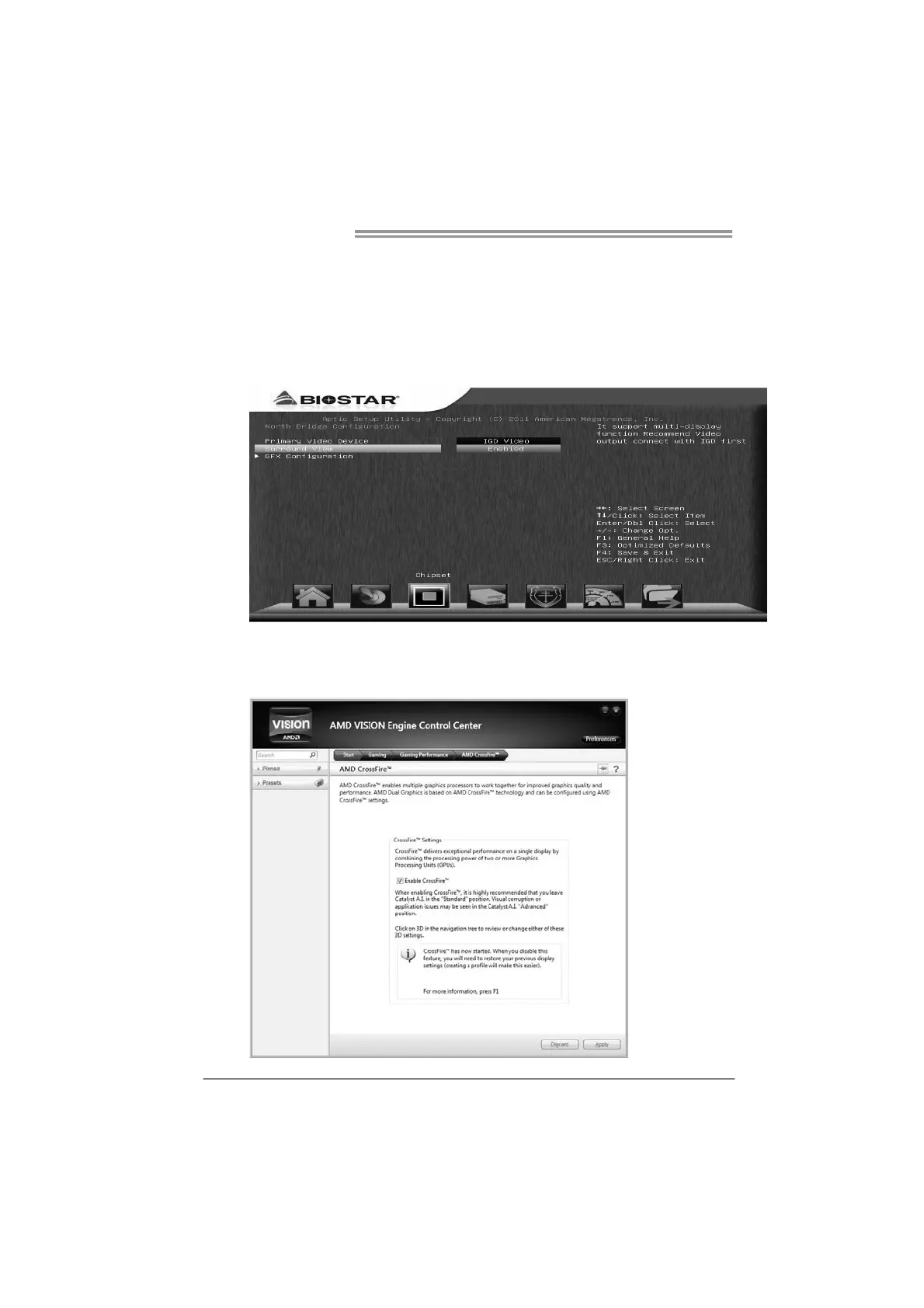
Step 2: Set the BIOS setting as follows:
[Chipset]→[North Bridge]→[Surround View]→[Enabled]
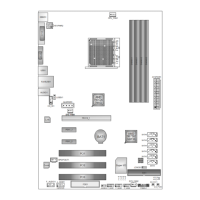
Step 3: Install Driver CD Chipset Driver, and reboot the system. Activate AMD
VISION Engine Control Center to make sure CrossFire has been
enabled.


 To Next Page