TA770 A2+ SE
35
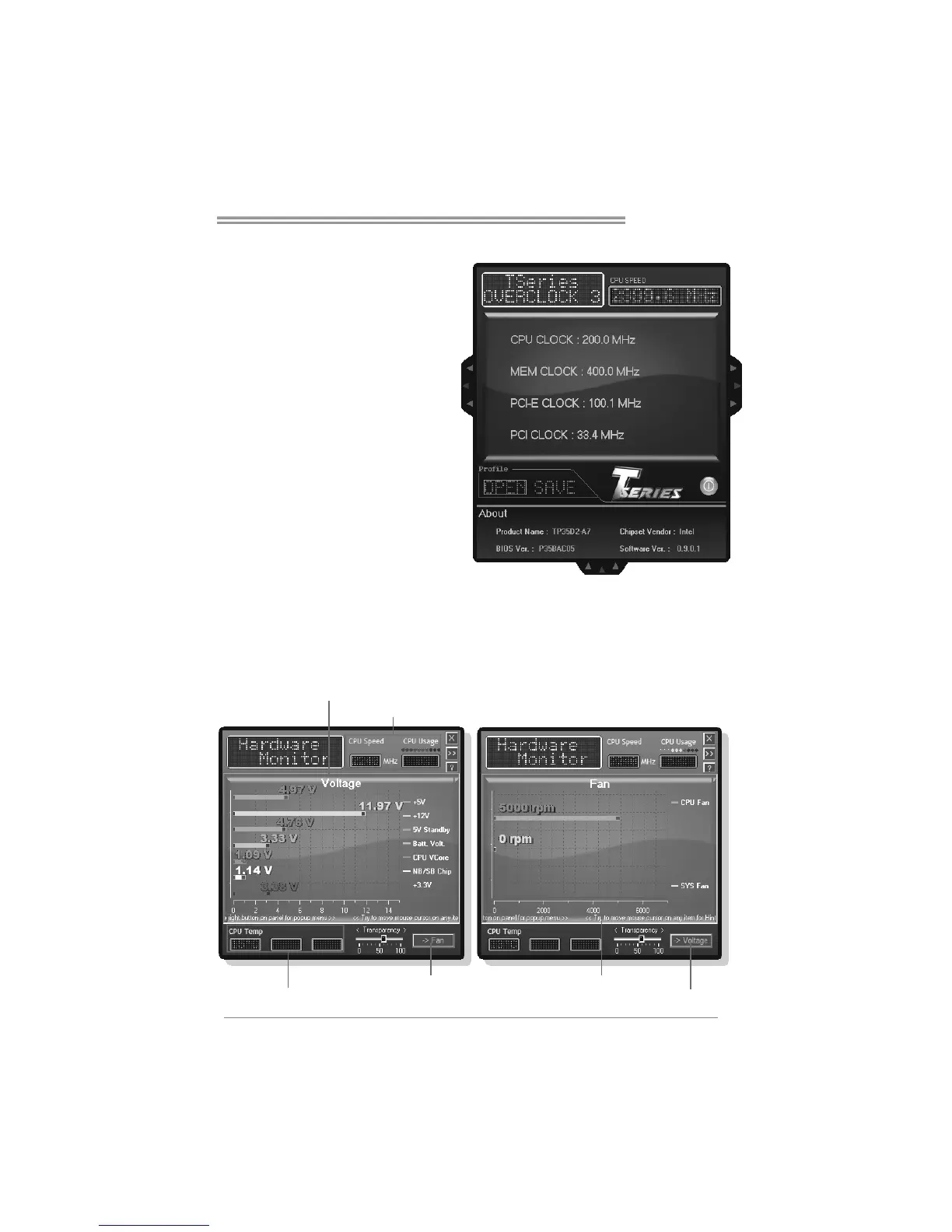
About Panel
In this panel, you can get model
name and other system information
that may related to over-clocking.
You can also get the version number
of this software.
Note
Because the Over Clock and Over
Voltage features are controlled by
several separate chipset, the utility
divides these features to separate
panels. If one chipset is not on
board, the correlative button in Main
panel will be disabled, but it will not
interfere with other panels’ functions.
This property can make the utility
more robust.
Hardware Monitor
HW Monitor is a monitor utility that helps you to maintain the health of the PC.
It provides real-time information of CPU/GPU/System temperature, fan speed,
and voltage.
Thi s area shows CPU/Sys tem temp erat ure
Voltage Pa nel Fan Panel
Tu rn to F a n P a n el
Thi s area shows vol t age i nformati on
Thi s area shows CPU inf ormation
Turn to Voltage P anel
Thi s area shows CPU/ Sys tem fan spee d







 To Next Page