TA770 A2+ SE
5
CHAPTER 2: HARDWARE INSTALLATION
2.1 I
NSTALLING CENTRAL PROCESSING UNIT (CPU)
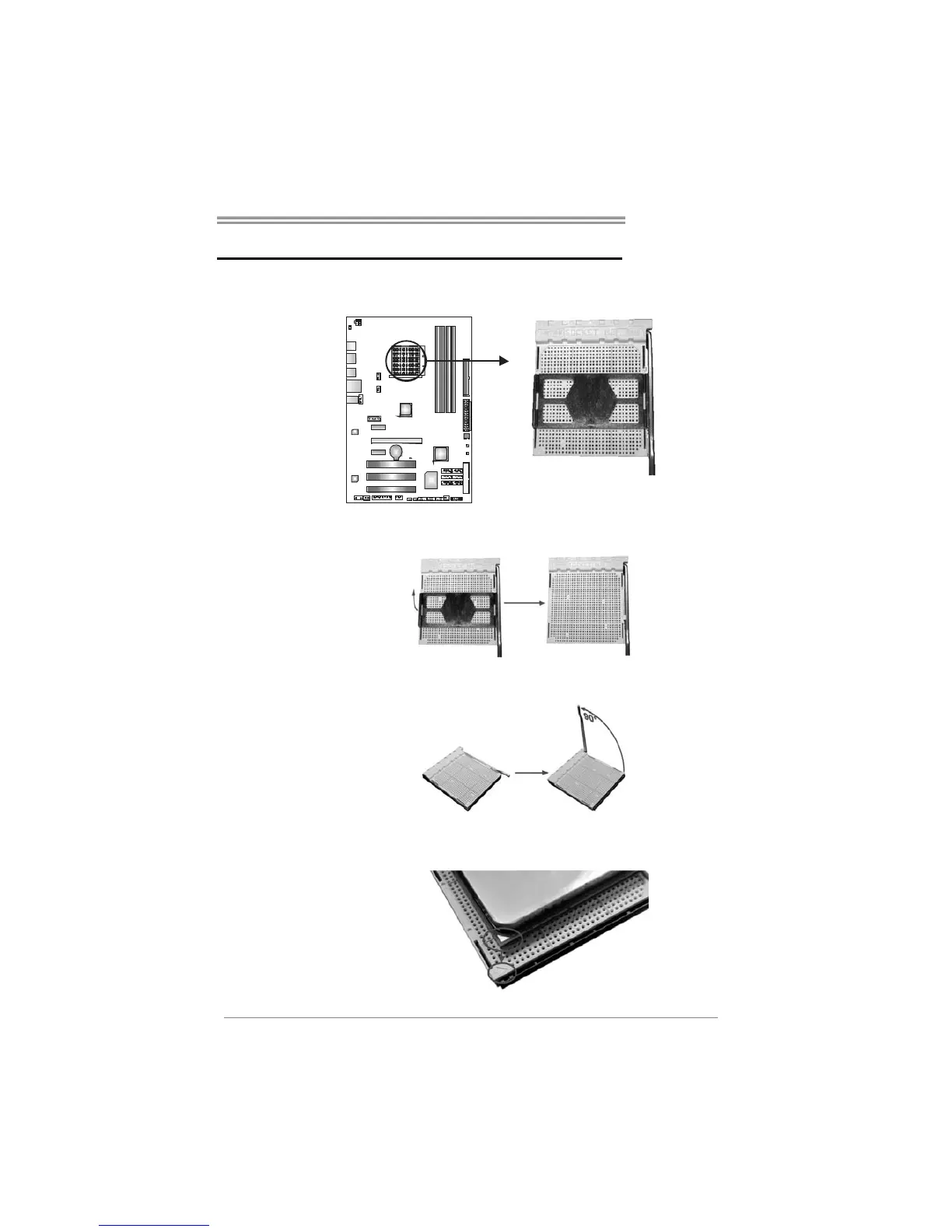
Step 1: Remove the socket protection cap.
Step 2: Pull the lever toward direction A from the socket and then raise the
lever up to a 90-degree angle.
Step 3: Look for the white triangle on socket, and the gold triangle on
CPU should point towards this white triangle. The CPU will fit only
in the correct orientation.







 To Next Page