Maintenance
33
Self Test
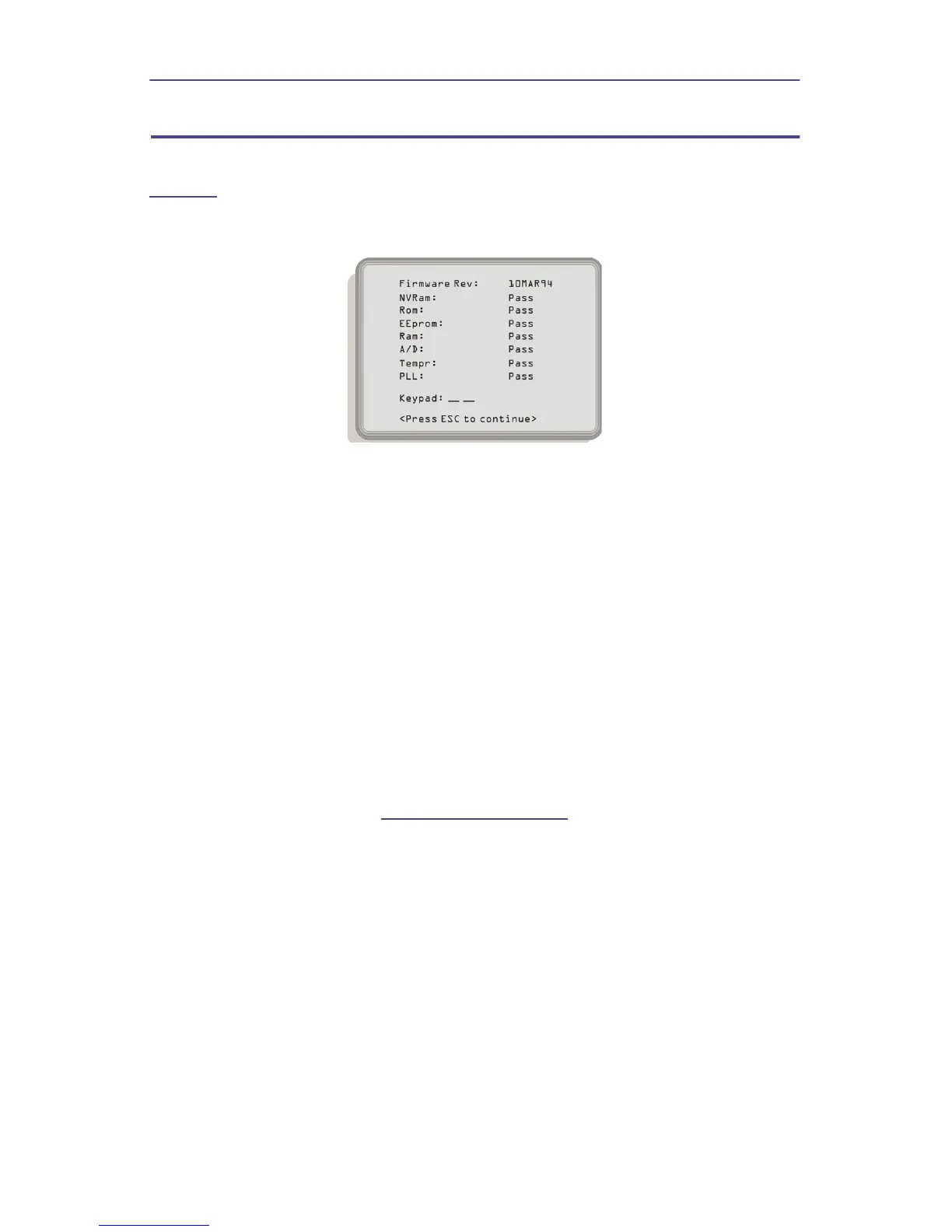
The self test is similar to the operational tests run at power up described on
page 30
of this section. The one difference is the keypad test.
Figure 16 Self Test
1. Press the MENU key.
2. Press the TEST key.
3. Press the SELF TEST key.
4. Press each key (except ESC and ON) to test keypad.
Note: The value next to Keypad is hexadecimal and corresponds
to the key pressed. If the value does not change for each key, refer
to Troubleshooting in this section.
5. Press the ESC key to stop the test.
If the Self Test fails, then perform the following:
1. Press the ESC key.
2. Press the MENU key.
3. Press the Util key.
4. Press Preset.
5. Rerun the Self Test. See
"Self Test" on page 33
.
Note: If the unit still fails, return the unit for service.


 To Next Page