8
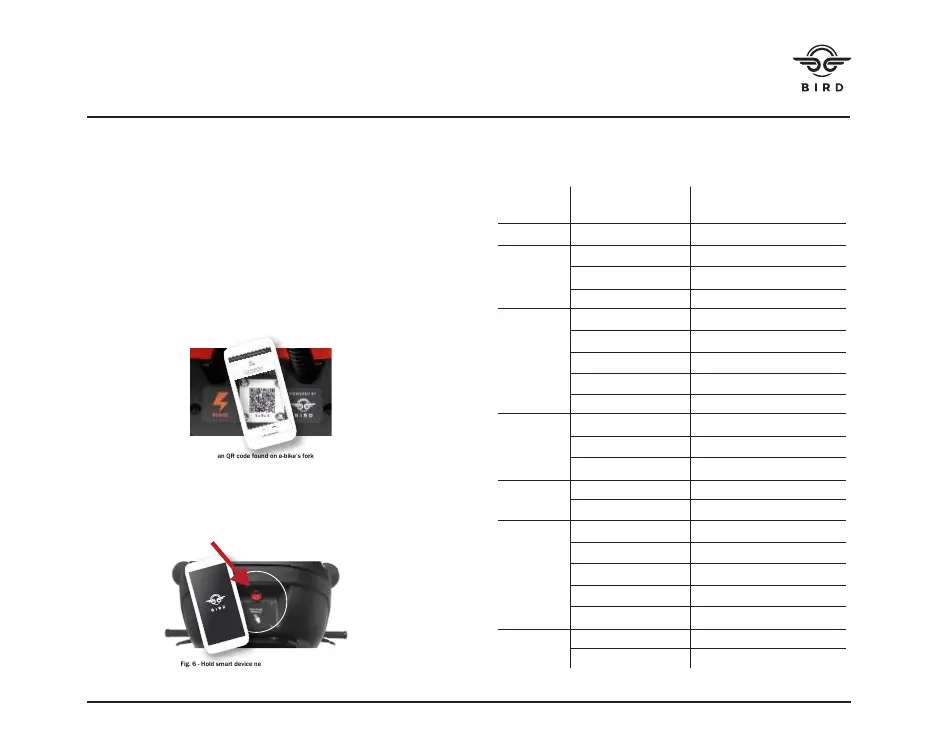
Fig. 5 - Scan QR code found on e-bike’s fork
Fig. 6 - Hold smart device near case and push red button
to open case.
SPECIFICATIONS
Dimensions (L x W x H) 40x17x45”
(102×43×113cm)
Weight Net 100 lbs
Rider Payload 410 lbs
Rec. Age 18+ years
Required Height 5’2” & above
Parameters Max. Speed 20 MPH
Range [1] 45+ miles @ 10 mph
Operating Temp. 14–104°F (-10–40°C)
Storage Temp. -4–122°F (-20–50°C)
IP Rating IP66/IP67
Battery Nominal Power 36 VDC
Max. Charging Volt. 52 VDC
Charging Temp. 32-104°F (0–40°C)
Motor Nominal Power 750 W
Max. Power 1300 W
Charger Output Power 71 W
Input Voltage 100-240 VAC
Output Voltage 42 VDC
Output Current 1.7 A
Charge Duration 3.5 h
Features Shock Absorber Rear
Brake Light LED rear light
READING THE LCD DISPLAY
Reads the current speed and battery pack charge in increments
of 25%.
ACCESS THE STORAGE CASE
While connected to the “BIRD” app, hold your smart device near
the case and push the red button to open it. (see figure 6)
CONNECTING TO THE BIRD APP
• Download the “BIRD” app (Google Play for Android; App Store
for Apple) to your bluetooth-enabled smart device.
• Scan the QR code, located on the top of the e-bike’s fork, to
Bluetooth pair your mobile app on your device with the bike.
(see figure 5)


 To Next Page